Package Name:livio.dashboard
SHA-256:7c2db0e4b7f324eae2bcf28f2dc12d463a31be6b6f3e53da9b617617bb665ec1
Show More
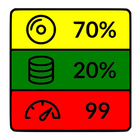
Web Dashboard displays the status of your servers with colorful widgets on your Android device.
This light application monitors two types of remote servers:
♦ remote servers with a specific JSON API for displaying server status with your own defined metrics;
♦ any web server without JSON API, in which case only the following parameters are displayed: GET response content type and length, plus response time.
Features
♦ Server Management: Easily define and organize your servers by assigning custom names and URLs.
♦ Real-Time Diagnostics: Stay informed with diagnostic feedback related to network interruptions or server-side errors.
♦ Historical Data Tracking: Access detailed history of previous readings to monitor performance trends over time.
♦ Flexible Data Retention: Customize update frequencies and data retention periods.
♦ Configuration Portability: Save your entire application setup or load existing configurations directly from the main menu.
User interface
♦ Define your servers by setting name and web address by using the ➕ button.
♦ Click on a server to open the edit dialog to change name and web address, whenever you need.
♦ Long click on server to open the history of last readings.
♦ Delete server definitions by selecting one or more servers and pressing the 🗑️ wastebasket icon.
♦ Update server status by clicking the ⟳ refresh icon.
♦ Diagnostic information is displayed in case of server or network error.
♦ Change refresh timer, retention time and theme in Settings panel.
Widgets
Web Dashboard provides widgets that update automatically and provide instant view of your servers.
In order to activate widget, long-press free area of the home screen 📱, select Widgets option, look for Web Dashboard icon, select it and the select an endpoint from the list, confirm widget creation by placing it on the screen.
JSON API
Define your own your metrics using the flexible JSON API, further details are described in the web site: https://thesaurus.altervista.org/dashboard-help#JSONAPI
Permissions
♢ INTERNET - to check status of remote servers
♢ WRITE_EXTERNAL_STORAGE (aka Photos/Media/Files) - to save and load configuration
Latest Version
1.0Uploaded by
Robson Garcia Passos
Requires Android
Category
Free Tools AppContent Rating
Everyone
Security Report
Check Now
Report
Flag as inappropriateLast updated on May 31, 2026
- white theme fix for Android 36.1 and later



APKPure - A multi-platform app store primarily focused on Android, providing extensive app-related content. Discover the app you want easier, faster, and safer, with quick and efficient downloads and installations.