Package Name:com.wallflow.android
SHA-256:5f07cc3b91a39176a0673006d7571bef5dcd1a5ee61633aca9ae3a24735f7e6f
Show More
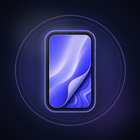
Transform your phone with Wallflow — a clean, focused wallpaper app built for people who care how their home screen and lock screen look.
Wallflow brings together a curated collection of high-quality HD backgrounds across popular styles, from minimal and AMOLED-friendly designs to nature, space, anime, abstract art, and more. Browse beautiful wallpapers, preview them on a realistic phone screen, fine-tune the look with built-in editing tools, and apply your favorite in seconds.
Whether you want a calm minimal background, a bold aesthetic lock screen, or a dark AMOLED wallpaper for OLED displays, Wallflow makes it easy to find, customize, and set the right look for your device.
WHY WALLFLOW
Wallflow helps you discover great wallpapers and set them with confidence. No clutter, no unnecessary extras — just smooth browsing, powerful preview tools, and backgrounds that look sharp on modern phones and tablets.
DISCOVER WALLPAPERS YOU WILL ACTUALLY USE
Explore a growing library of HD wallpapers organized into clear categories:
- AI Art
- Anime
- Nature
- Minimal
- AMOLED
- Cars
- Space
- Abstract
- City
- Animals
Use category tabs to jump straight to the style you want, or browse everything at once. A trending section highlights popular wallpapers based on community likes.
FIND THE RIGHT BACKGROUND FASTER
- Search wallpapers by keyword
- Browse in a clean staggered grid layout
- Switch between grid views for faster scanning
- Save favorites for quick access later
- Pull to refresh for updated content
- Enjoy a dark-first interface for comfortable browsing
PREVIEW BEFORE YOU SET
Stop guessing how a wallpaper will look on your phone. Wallflow includes a realistic screen preview that helps you see your background in context before applying it.
- Preview wallpapers before setting them
- Simulate home screen and lock screen layouts
- See how icons and UI elements sit over your background
POWERFUL BUILT-IN WALLPAPER EDITOR
Make every wallpaper feel personal with editing tools built into the preview screen:
- Blur background for a softer, aesthetic home screen look
- AMOLED mode for darker, OLED-friendly backgrounds
- Crop, zoom, and reposition to frame the perfect shot
- Add custom text overlays with color options
- Add emoji layers for a more personal touch
- Export your edited wallpaper when saving or sharing
APPLY WALLPAPERS WITH EASE
- Set wallpaper on Android for home screen, lock screen, or both
- Download wallpapers directly to your gallery
- Share wallpapers with friends
- On iPhone and iPad, save to Photos and follow a simple guide to set your background
CURATED FOR MODERN SCREENS
Wallpapers in Wallflow are selected to work well on today's devices. Whether you prefer minimal backgrounds, cinematic cityscapes, deep space scenes, or dark AMOLED-friendly designs, you will find options that look crisp and ready for daily use.
PERFECT FOR
- Users who want aesthetic home screen and lock screen backgrounds
- Minimal wallpaper lovers
- AMOLED and dark mode users
- Anime, nature, space, and abstract wallpaper fans
- Anyone who wants to preview and edit before setting a wallpaper
- Android users who want one-tap wallpaper setup
- iPhone and iPad users who want high-quality backgrounds with easy saving
WHAT YOU CAN DO WITH WALLFLOW
- Browse curated HD wallpapers
- Explore by category or trending picks
- Search for specific styles and themes
- Like and favorite the backgrounds you love
- Preview wallpapers on a simulated phone screen
- Edit with blur, crop, text, emoji, and AMOLED tools
- Set home screen and lock screen wallpapers on Android
- Download and share your favorite backgrounds
- Build a personal collection of saved favorites
START CUSTOMIZING YOUR SCREEN
Your phone is something you look at dozens of times a day. Wallflow helps you make it feel more personal with beautiful backgrounds, smart preview tools, and fast setup.
Download Wallflow today and give your home screen and lock screen a fresh look.
Latest Version
1.0.2Uploaded by
Md Sakil
Requires Android
Android 7.0+
Category
Free Personalization AppContent Rating
Everyone
Security Report
Check Now
Report
Flag as inappropriateLast updated on Oct 29, 2026
What's new in 1.0.2:
• Fresh new icon and refreshed design
• Collections: curated wallpaper packs for every mood
• Editor: filters, ready-made looks, brightness, contrast, warmth and vignette
• Import your own photos as wallpapers, no photo library access needed
• One heart to save and like your favorites
• Tap a wallpaper to hide the controls and see it full screen
• New notification and privacy settings
• Smoother scrolling, faster loading and bug fixes



APKPure - A multi-platform app store primarily focused on Android, providing extensive app-related content. Discover the app you want easier, faster, and safer, with quick and efficient downloads and installations.