

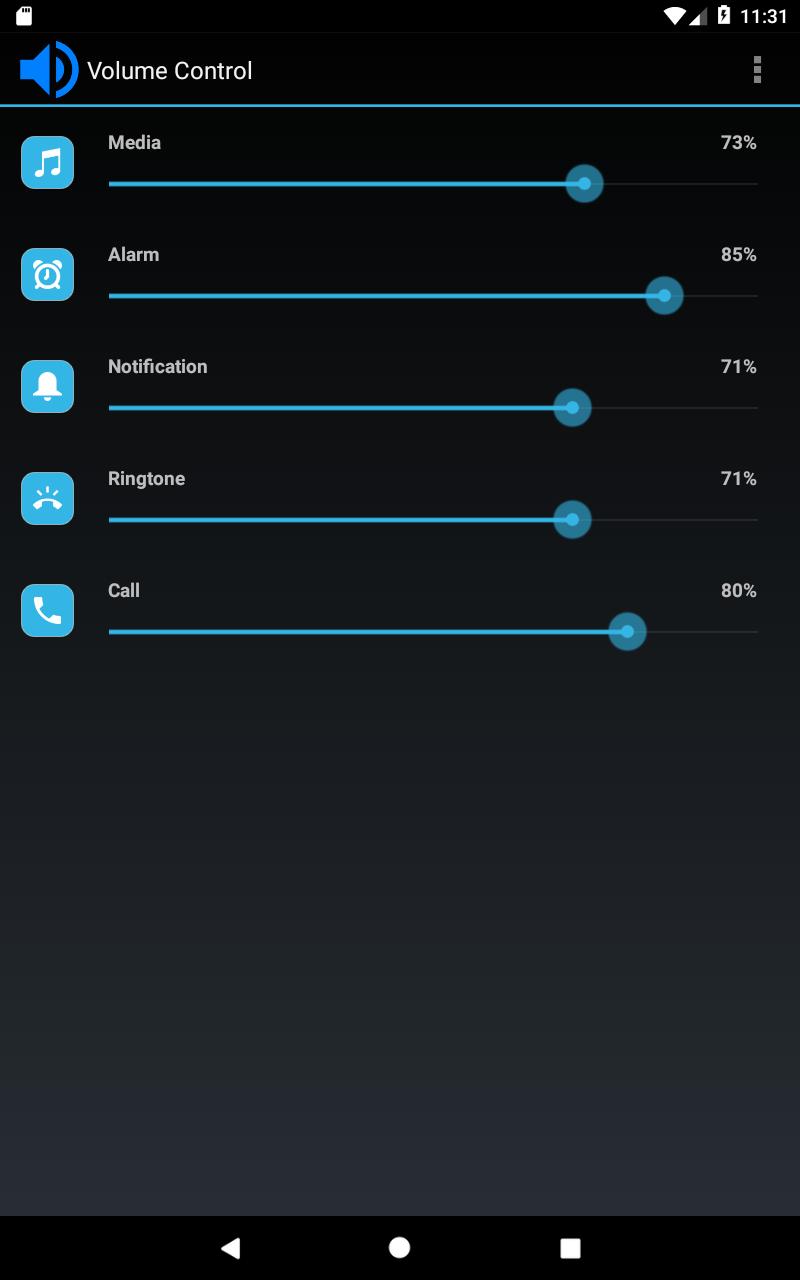
Volume Control helps when hardware keys stop responding or when you need consistent sound throughout the day. It places all system audio controls in one simple screen so you can adjust levels without digging into menus. You can make quick changes from the display and keep volumes stable during calls or meetings. As a result, routine volume tasks feel straightforward and predictable. If you prefer manual installs, search for the Volume Control APK to keep a local copy for updates.
Profiles for every system stream
Volume Control by Netroken lets you create and save presets for the main Android audio streams. You can set levels for Alarm, Media, Ringer, Notification, Voice in call, Bluetooth, and system audio. After saving a preset, you can apply it when your routine changes, such as at work or at home. This keeps your device sound consistent without constant manual adjustment.
Smart automation triggers
Volume Control can switch presets automatically based on common events. When headphones or Bluetooth devices connect, a chosen preset can apply without your input. You can also schedule changes by time, location, or calendar events, which helps keep volumes appropriate during meetings or quiet hours. With these triggers in place, daily sound changes happen in the background.
Quick access via notifications and widgets
Volume Control provides notification shortcuts and interactive home screen widgets for one tap control. Widgets include Preset, Preset List, Volume Locker, Vibrate, Ringer, and a Dashboard, so you can apply or lock levels directly from the home screen. These controls are useful if your volume keys are worn or broken, since on screen toggles handle the job quickly. As a result, you do not need to open the app for routine actions.
Pocket Locker to stop accidental changes
When the screen turns off, pocket presses can change volume by accident. Pocket Locker prevents those unintended changes by holding your levels until you wake the screen. This keeps your device from switching volumes while it is in a pocket or bag. It is a simple safeguard for day to day use.
Ringtone and VIP tone controls
Volume Control includes practical sound options beyond levels. You can set custom tones for your alarm, ringer, and notifications, and assign VIP ringtones for important contacts. If you prefer separate control, you can unlink ringer and notification volumes, or link them when you need one consistent level. These choices make call and alert sounds more predictable.
Volume Control manages system audio streams at the device level. It does not target per app audio, which is a common point of confusion with the term App Volume Control. Understanding this helps set expectations before you download Volume Control, especially if you need app specific volume features. If you require per app control, this tool focuses on system streams and presets.
Location and calendar permissions are used for scheduled and location based presets. Modify system settings access is required to change audio streams and apply profiles. For home screen widgets to appear, install the app on internal storage rather than an SD card. After adding widgets, a device reboot may be needed for them to display correctly.
Power users can integrate presets with Tasker or Locale using the provided preset plugin. This enables deeper automation that calls specific profiles from your existing workflows. The app supports multiple languages, which helps users follow controls and prompts in a familiar interface.
To start, make basic adjustments and set a few presets so your device behaves as expected. If you use the Volume Control latest version, you can also set automation to switch them for common situations.
Volume Control provides clear, on screen management of Android audio streams with profiles, automation, and quick access tools. If this matches your needs, download Volume Control to keep routine sound adjustments simple and consistent.
Latest Version
4.2Uploaded by
Salman Alnazeir
Requires Android
Android 4.4+
Category
Free Tools AppContent Rating
Everyone
Report
Flag as inappropriateLast updated on Sep 8, 2023
This release includes minor bug fixes and general improvements. Update to the latest version for the best experience.





APKPure - A multi-platform app store primarily focused on Android, providing extensive app-related content. Discover the app you want easier, faster, and safer, with quick and efficient downloads and installations.