Fully Featured File Management Tool!
- Attractive material Design UI/UX
Light & smooth
Simple & clean
Multi themes support
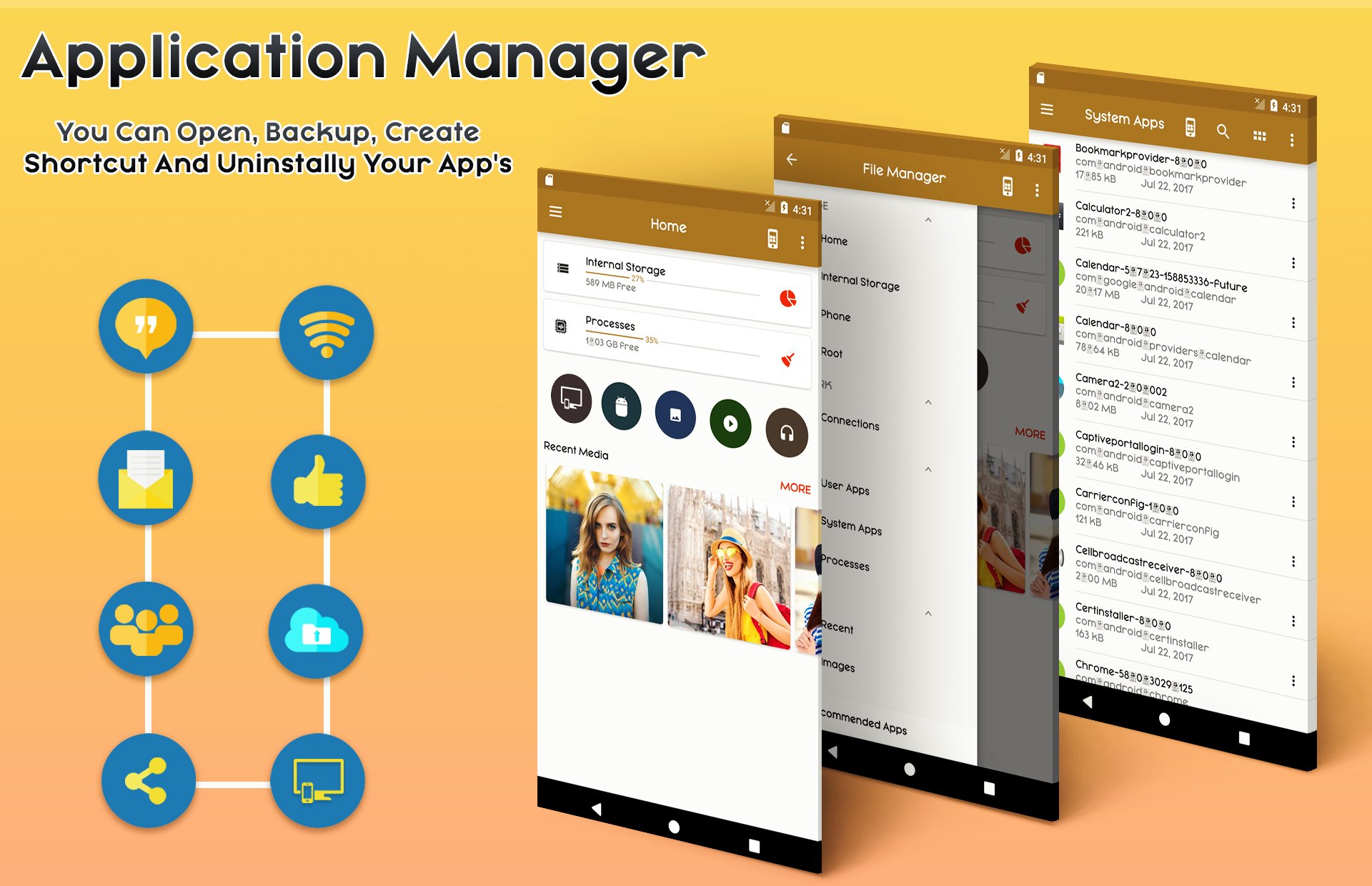
- App Manager
Backup apps
Unistall apps
Share apps
Play store app link
Key features
Experience and enjoy these features that ASUS Manager has to offer:
- Your light and savvy file explorer: Search, access, save, move, delete, or share files that are stored in your smart device's internal storage to or from a microSD card, LAN, or Cloud storage accounts and vice-versa.
- Access files in LAN and SMB: Manage files within your LAN (local area network) and SMB (Samba) network.
- More storage options via Cloud storages: Supports cloud storage accounts such as ASUS WebStorage, Dropbox, Google Drive and Microsoft OneDrive
- Suave and smooth multimedia streamlining: Stream multimedia files such as music or videos or open documents, pictures, or photos stored in any of your Cloud storage accounts
- Save disk space by packaging files: Compress files to save space of your storage and extract compressed files in Zip and RAR formats
- Easy file browsing: Browse files easily by category right from File Manager’s home screen: images, videos, music, applications, downloaded, and favorites.
- Disk tools: Storage analyzer, recycle bin and hidden cabinet let you manage your disk easily.
• Apps : You can see and manage all applications installed on your local device.
• Cloud / Remote : You can access your cloud storage and also remote/shared storage like NAS and FTP server. (Cloud storage: Google Drive™, OneDrive, Dropbox, Box, and Yandex)
• Access from PC : You can access your android device storage from PC to manage files on your local android device using FTP(File Transfer Protocol).
• Storage analysis : You can analyze local storages to clean up useless files. You can find out which files take up the most space.
• Internal image viewer / Internal music player/ Internal text editor : You can choose to use built-in utilities for faster and better performance.
Highlights of CM FILE MANAGER
☆ Fully featured:Cut, copy, paste, delete, compress, decompress, search and more.
☆ Cloud support:Switch between local and cloud files - supports Dropbox, Box, Google Drive, SkyDrive and more.
☆ Wi-Fi File transfer:Use your PC to wirelessly edit your mobile files using FTP.
☆ Super convenient:View files by type (image, audio, video, recent, download etc.), use a widget to access folders in one tap from the homescreen.
☆ Multiple protocols: Supports file transfers using FTP, FTPS, SFTP, WebDAV and LAN/SMB, stream media from LAN/SMB/FTP/WebDAV/Cloud without downloading.
Phiên bản mới nhất
1.3Được tải lên bởi
Alan Ângelo
Yêu cầu Android
Android 4.2+
Danh mục
Miễn phí Công cụ ỨNG DỤNGXếp hạng nội dung
Everyone
Báo cáo
Gắn cờ là không phù hợpLast updated on Oct 7, 2018
Phiên bản này bao gồm các bản sửa lỗi nhỏ và cải tiến chung. Hãy cập nhật lên phiên bản mới nhất để có trải nghiệm tốt nhất.



APKPure - Kho ứng dụng đa nền tảng chủ yếu tập trung vào Android, cung cấp nội dung phong phú về ứng dụng. Khám phá ứng dụng bạn muốn dễ dàng, nhanh chóng và an toàn hơn, với tính năng tải xuống và cài đặt nhanh chóng và hiệu quả.