Package Name:ai.vizard.android
SHA-256:220963f761d7132c310dfc1c62d9f2c7af34b30f940a8834e0679c07437199d5
Show More

TURN LONG VIDEOS INTO SOCIAL-READY AI CLIPS
Vizard is a mobile-first AI video editor that helps you instantly create highlight clips from long videos. Whether you're recording a podcast, a Vlog, a talking-head video, an interview, or a tutorial, Vizard automatically finds the best moments and turns them into shareable short videos and short-form clips with auto captions. Perfect for creators who want to stay consistent on TikTok, Instagram Reels, YouTube Shorts, and more, right from your phone. Inspired by tools like CapCut, OpusClip, Captions.ai, VEED, Descript, HeyGen, and InVideo, Vizard combines powerful AI with a mobile-first design, no filming, no editing skills required.
WHAT VIZARD DOES
1. Automatically generate AI clips in under 60 seconds
2. Detect and extract high-impact video highlights using smart scene and speech detection
3. Add auto captions and subtitles in one tap
4. Resize clips to fit TikTok, Instagram Reels, YouTube Shorts (9:16)
5. Edit on the go - no desktop software needed
Whether you want to clip your content, add captions, or summarize long videos, Vizard’s AI engine does it in seconds. No manual editing. No complicated tools.
WHO IT'S FOR
1. Content creators clipping from podcasts, interviews, or livestreams
2. Marketers repurposing webinars and screen recordings into social content
3. Coaches and educators turning long-form lessons into snackable videos
4. Teams using tools like Descript, VEED, OpusClip, CapCut and HeyGen for text-based editing, AI avatars, or video transcription.
KEY FEATURES
1. AI Clipping with Smart Detection
Automatically detect highlight-worthy moments using scene and speech cues. No manual editing required.
2. Customizable Clip Settings
Choose your preferred language, video resolution, aspect ratios (portrait, square, landscape), and clip lengths with multi-select options.
3. Auto Captions, Emojis and Highlights
One-tap auto-captioning with emoji reactions and keyword highlights for more expressive, engaging short videos.
4. Topic-Based Editing and Templates
Specify a topic to guide AI clipping and apply personalized or recommended templates. No brand kit required.
5. Silence Removal for Tighter Cuts
Automatically skip silent sections to generate smoother, faster-paced clips.
6. Social-Optimized Output
Export watermark-free MP4s directly to your camera roll. Share to TikTok, Instagram Reels, YouTube Shorts, YouTube and more via the iOS native share sheet.
7. Performance Insights
Preview clips with viral score, viral reason, transcript and smart clip titles for better content decisions.
8. Project Management
Manage all exported videos in-app.
FEATURES COMING SOON
Auto edit shorts
Translate captions
Manual edit videos
Auto B-rolls
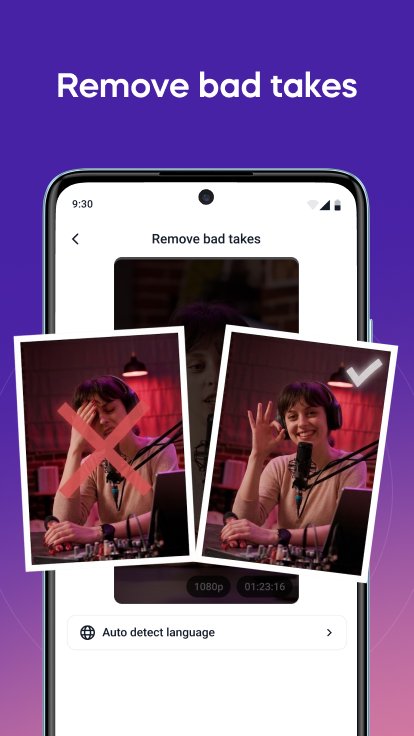
Remove Bad Takes
ABOUT VIZARD.AI
Vizard.ai is built by a team of tech geeks who are passionate about video content and obsessed with helping creators and marketers work smarter. We designed Vizard to make it easy to turn long videos into short-form clips using AI, without manual editing or complex tools.
Whether you're working with podcasts, webinars, tutorials, or interviews, Vizard helps you create highlight clips, add captions, and format for social platforms directly from your phone.
We take inspiration from tools like CapCut, OpusClip, VEED, Captions.ai, and Descript, but focus specifically on simplifying long-form video repurposing for mobile users.
Have ideas or feedback? We’re always listening and constantly improving.
TERMS
https://vizard.ai/user-service.html
PRIVACY POLICY
https://vizard.ai/privacy-policy.html
FEEDBACK?
We'd love to hear from you! Please reach out to support@vizard.ai for questions and feedback!
Latest Version
1.1.4Uploaded by
Nay Myo Oo
Requires Android
Android 10.0+
Category
Free Video Players & Editors AppContent Rating
Everyone
Security Report
Check Now
Report
Flag as inappropriateLast updated on Aug 17, 2026
Bugfixes and improved the overall user experience





APKPure - A multi-platform app store primarily focused on Android, providing extensive app-related content. Discover the app you want easier, faster, and safer, with quick and efficient downloads and installations.