

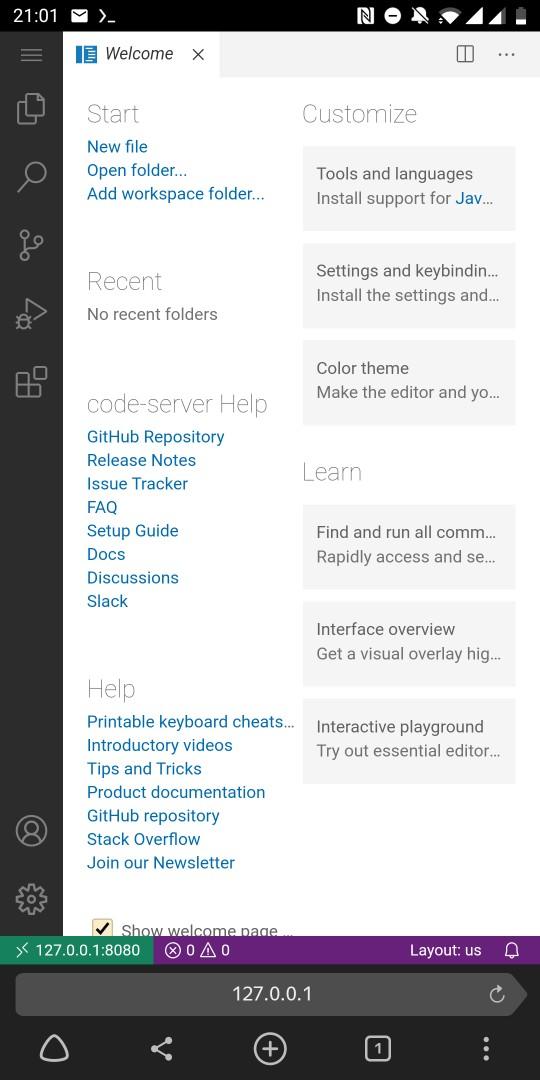
Visual Studio Code supports users who want a simple coding environment on a phone or tablet without complex setup. It acts as an installer guide that uses Termux to prepare the editor, then lets you start it with a single command. This app is not the editor itself; it focuses on a clear, fast start for mobile devices. For easy access, get the Visual Studio Code APK and follow the in app directions to complete the process.
Install with one command
You copy a single command from the app into Termux to install the editor on your device. This avoids manual steps and keeps the setup straightforward for Android users who want to begin quickly. Copy and paste the command, then run it to start the install.
Clear steps
The app shows the exact command to use in Termux and tells you when to run it. With simple guidance, you move from preparation to installation and know when the process has finished. This reduces common setup errors and makes first-time use easier.
Single-command launch
After installation completes, you can start VS Code in Termux with one command. This makes opening the editor fast each time you need to edit code or check a project. Use the same command whenever you want to return to your workspace.
Requirements
Use this app to set up and launch the editor in Termux with simple commands. It suits users who need a quick way to run VS Code on mobile without complex steps. For the best experience, check the Visual Studio Code latest version before you begin.
Latest Version
0.2Uploaded by
Nathan Jouss
Requires Android
Android 5.0+
Category
Free Productivity AppContent Rating
Everyone
Report
Flag as inappropriateLast updated on Mar 6, 2021
This release includes minor bug fixes and general improvements. Update to the latest version for the best experience.





APKPure - A multi-platform app store primarily focused on Android, providing extensive app-related content. Discover the app you want easier, faster, and safer, with quick and efficient downloads and installations.