
套件名稱:com.ahsoft.note
SHA-256:e973e2e15f2995b349a5b256b9c173a596b7c294c6d1618b45b579ad02ce2772
更多
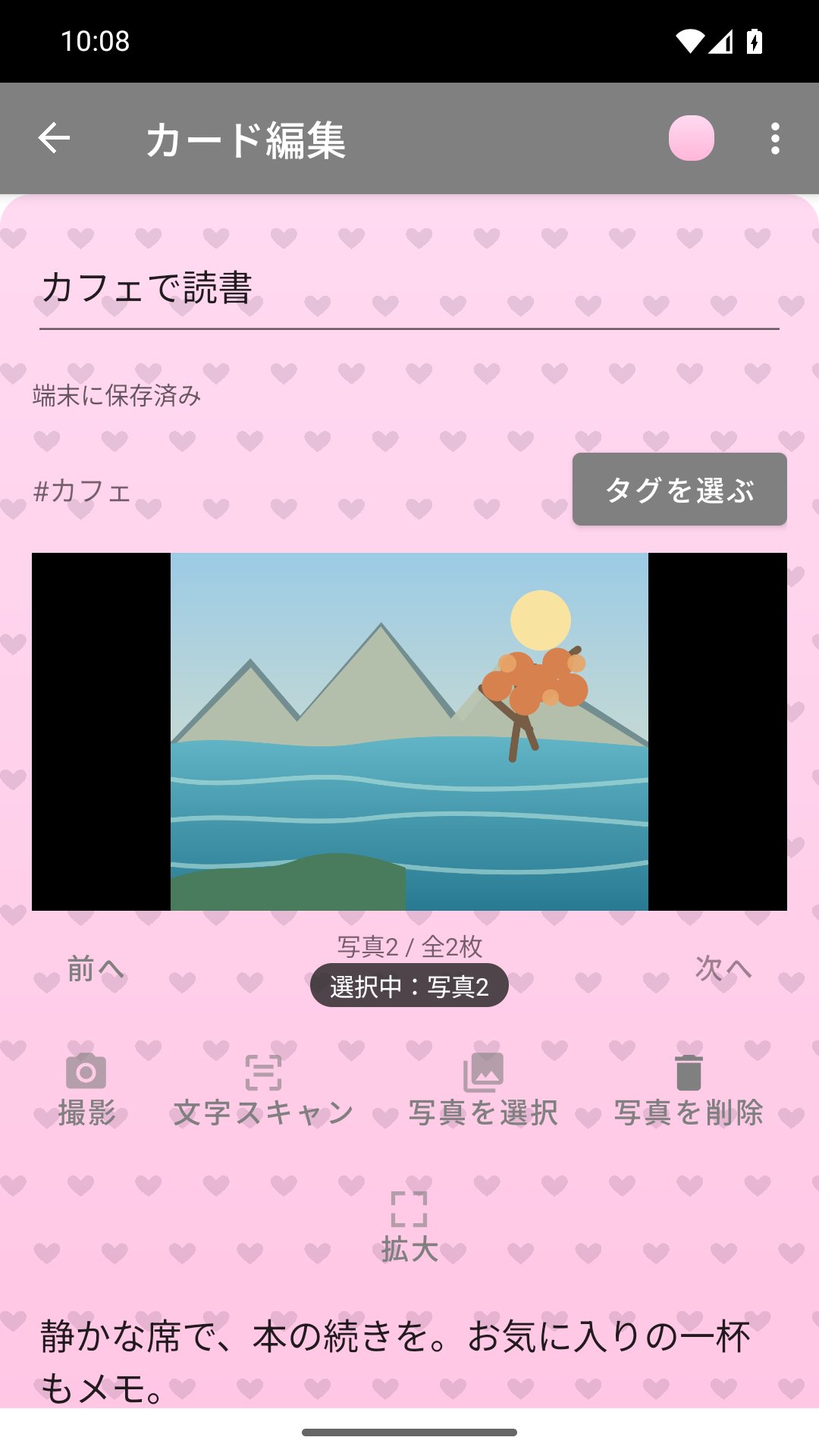
您可以使用卡片式筆記本整理想要日後查閱的想法和訊息,並添加照片。選擇顏色和圖案,打造專屬風格,並透過關鍵字和標籤輕鬆找到。
【使用範例】
・記錄去過的地方或想讀的書
・購物清單與每日靈感
・記錄照片中的文字
【主要功能】
・建立、編輯和自動儲存筆記
・顯示儲存狀態,並在儲存失敗時重試
・文字格式、背景顏色和背景圖案
・從相機或圖庫添加多張照片,並可切換和放大查看
・閱讀照片中的日文文本,查看結果,並將其插入或替換到文本中
・關鍵字搜尋、按標籤和收藏夾篩選
・按日期或標題排序,並從回收站恢復
・以 ZIP 格式備份和恢復
・使用 Google 雲端硬碟在不同裝置間同步筆記、照片和標籤
・深色模式
筆記保存在您的裝置上。使用 Google 雲端硬碟同步功能需要 Google 帳戶和其他設定。文字掃描支援日語,並且您的裝置可以識別。
Last updated on 2026年11月03日
- Fixed Google Drive sync issues that could create duplicate notes or make deleted notes reappear.
- Improved sync and editing so changes and photos are better preserved while synchronization is in progress.
- The search query and search field state are now retained when returning to the note list.
- Updated the app icon.