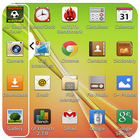
Multi Window : Split Screen Is the app by which we can An App By Which You Can Create Shortcuts Of Your Installed Apps Icon Into Multiple Window Tray. And By Clicking On These Shortcuts, You Can Easily Switch From One Task To Another During Your Current Task.
I know a lot of custom roms have enabled all apps for multi window by default, but I find this bogs down the launch bar, not to mention it's no fun digging through 2-300 apps to find the ones you actually want to use in split screen.
The multi-window Launcher allows you to continue to use your mobile device where you previously defaulted back to a laptop or desktop PC
Now Enjoy With Multi Window Experience In Your Mobile Phone Also. Install This Free Tool To Create Your Favorite List Of Installed Icons In Your Phone. And Easily Switch From One Task To Another During Your Current Task.
Side Bar Multi Window is a free application to provide you the ease of accessing your applications from anywhere. It is just a side launcher with your favorite applications. Shortcuts of your selected favorite applications.
Multi Window Is the app by which You Can Create Shortcuts Of Your Installed Apps Icon Into Multiple Window Tray.
MultiWindow Commander has one specific function - it allows you to easily ADD more multi window or pen window or popup window apps to your device.
Each floating app is a small application that opens in a window and floats over all other applications allowing real multitasking on your android phone or tablet. Just open floating app and experience multitasking like on your Windows or Mac.
This app makes all apps multi window capable, but only adds the ones you specify to the launch tray. This means you can drag an app from the launch bar onto ANY app and it will launch in split screen...even apps that aren't explicitly selected to be enabled for multi window.
Side Bar Multi Window is a free application to provide you the ease of accessing your applications from anywhere.
Features Are Of Multi Window ::
>> No root required
>> Select your Choice App and drag drop for re-arrange icons.
>> You can use both sides tray left and right.
>> You Can Change text color,text size and text visibility.
>> You can Change Slider Layer default themes and
>> customized slider layer background color (By Color Picker).
>> You can customize animation speed of slide bar.
>> You can change size and opacity of tab button.
>> Easy to use and smooth.
>> Starts automatically when Reboot device.
>> Takes less space of Ram and perform well.
>> Your device never create any problem by using this app.
Last updated on 2019年02月14日
change graphics and UI