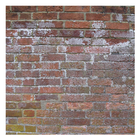
Free background texture wallpaper collection, including grass, wood, concrete, pebble, and brick. All for your Android device.
· 10 different wallpapers
· Supports portrait and landscape modes
· Random shuffle
· Change time between wallpapers
· Manually change between wallpapers
· Stop and start the slideshow from your home screen
How to install:
1. Tap on the app icon.
2. Select the "Set Wallpaper" button.
3. (Optional) Select "Settings..." to change the default wallpaper settings.
4. Select "Set wallpaper" to set as the wallpaper.
How to use:
· Stop/start the slideshow by double-tapping the screen.
· Change the wallpaper manually by swiping up or down.
Last updated on 2016年08月05日
此版本包含小幅錯誤修正和一般改善。請更新至最新版本,以獲得最佳體驗。