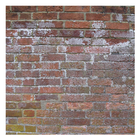
Free background texture wallpaper collection, including grass, wood, concrete, pebble, and brick. All for your Android device.
· 10 different wallpapers
· Supports portrait and landscape modes
· Random shuffle
· Change time between wallpapers
· Manually change between wallpapers
· Stop and start the slideshow from your home screen
How to install:
1. Tap on the app icon.
2. Select the "Set Wallpaper" button.
3. (Optional) Select "Settings..." to change the default wallpaper settings.
4. Select "Set wallpaper" to set as the wallpaper.
How to use:
· Stop/start the slideshow by double-tapping the screen.
· Change the wallpaper manually by swiping up or down.
Last updated on 2016年08月05日
このバージョンには軽微な不具合の修正と全般的な改善が含まれています。快適に利用するため、最新版にアップデートしてください。



APKPure - Androidを中心としたマルチプラットフォームのアプリストアで、豊富なアプリ関連コンテンツを提供しています。より簡単に、より速く、より安全にアプリを見つけることができ、ダウンロードとインストールも迅速かつ効率的です。