Scan Date:Apr 14, 2026
Show More

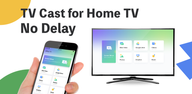
TV Cast is a Chromecast-enabled app which allows users to mirror phone screen, cast or stream web videos to their home TVs. With this app, you are able to cast your music, local photos/videos and online videos on the TV with a bigger screen. You can also watch your favorite TV shows, live streams and play games on the big screen, and screen mirror your mobile device to your Home TV.
TV Cast is now available for all Chromecast products including Chromecast, Chromecast Audio, and TVs with Chromecast built-in.
This application is perfect for:
- Making an effective presentation in a business meeting or sharing session.
- Screen share fitness videos to home TV to help you work out better.
- Mirror phone screen to TV, including games and other popular mobile apps.
- Cast online videos from to TV so you can watch web videos on TV
- Watch your favorite shows, movies and live channels on a bigger TV screen.
- Cast your family photos, travel photos and live photos to TV at a family party.
- Play music from phone to your home TV with great sound quality.
Features:
- Screen Mirroring: Mirror phone or tablet screen to TV in low latency.
- Cast Video: Cast videos from phone albums to TV in a few taps.
- Cast Photo: Cast your photos from camera roll to your home TV as a slideshow.
- Cast Web Videos: Cast videos from mobile phone to TV.
- Cast Music: Cast the music from your phone's local music library to TV.
- Cast Google Drive: Cast photos, videos from Google Drive to TV.
- Cast Dropbox: Cast media files from Dropbox to TV.
- Cast Google Photos: Cast Google photos to TV.
How to start screen mirroring?
- Connect your phone and your TV to the same WIFI network.
- Launch the app and connect the app to your TV.
- Tap "Screen Mirroring" button and go for "Start Mirroring" button to get it started.
Notice
- Remember connecting to your Home TV before you start playing video.
- You must connect your Android™ phone/tablet to the same WiFi as your TV.
- The router should not be configured with VLAN or subnet and if could not search the TV, please restart your router and TV and try it again.
Chromecast is a trademark of Google LLC and this app is not affiliated with Google.
Terms of Use: https://www.boostvision.tv/terms-of-use
Privacy Policy: https://www.boostvision.tv/privacy-policy
Visit Our Page: https://www.boostvision.tv/app/tv-cast-for-chromecast
Latest Version
2.4.1Uploaded by
Deepk Vrm
Requires Android
Android 7.0+
Category
Free Tools AppContent Rating
Everyone
Security Report
Report
Flag as inappropriateLast updated on Apr 14, 2026
* Support Remote TV
* You can mirroring your phone to Apple devices via AirPlay(Apple TV, Macbook & other devices support airplay)
*Improving Users Experience
*Adapt the mirroring for the self-developed GoogleCast protocol, FireMirrorReceiver APP, LG_WebMirror, and the self-developed live streaming (m3u8mirror) protocol.
*Support Chromecast, LG、Roku、Samsung、FireTV、DLNA devices
Enjoy with your family!



APKPure - A multi-platform app store primarily focused on Android, providing extensive app-related content. Discover the app you want easier, faster, and safer, with quick and efficient downloads and installations.