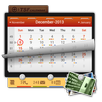
TSF Gallery Widget is a TSF Shell characteristic’s 3D widget. It can be showed on desktop as a decoration, you can also enter its 3D selection mode by clicking on it to quickly open pictures or change album cover. You are able to achieve pictures lists with the settings filter.
Features:
========================
1.click to open 3D selection mode, rotate the gallery by sliding left and right
2.go to settings screen to select the picture lists that you want to play
3.At the first loading it will create thumbnails
Notes:
========================
1. This widget should be run on TSF Shell 1.9.9.5+.
To download TSF Shell, please access to the following link:
https://play.google.com/store/apps/details?id=com.tsf.shell
2. If you like our applications please give it a mark. If you have any question or suggestions about our applications please email to service@tsfui.com.
========================
Permission
1 Reading memory card
Getting pictures from memory card
Key Words: TSF Shell, TSF 3D Gallery, TSF Gallery widget
■ Follow Us
Facebook: https://www.facebook.com/tsfapp
Twitter: https://twitter.com/tsfapp
Google+: http://gplus.to/tsf
■ Contact Us
E-mail: service@tsfui.com
Latest Version
2.1Uploaded by
أحمد العراقي
Requires Android
Android 2.2+
Category
Free Personalization AppContent Rating
Everyone
Report
Flag as inappropriateLast updated on Jun 2, 2015
Version 2.1
1. Fixed some known bugs
#Tips#
Clear app data to flush the cache.



APKPure - A multi-platform app store primarily focused on Android, providing extensive app-related content. Discover the app you want easier, faster, and safer, with quick and efficient downloads and installations.