Wifi Computer turns your phone/tablet into a wireless mouse, keyboard and touchpad or as PPT, Media player and Browser remote for your PC. It enables you to control your PC, effortlessly through a local network connection.
How does it work?
1. Download Wifi computer server program from: http://initlogic.in/wificomputerserver.zip
2. Install program on Pc, then Run it as administrator.
3. Make sure PC and Android phone are in the same network. You can use android phone as portable hotspot and connect to PC.
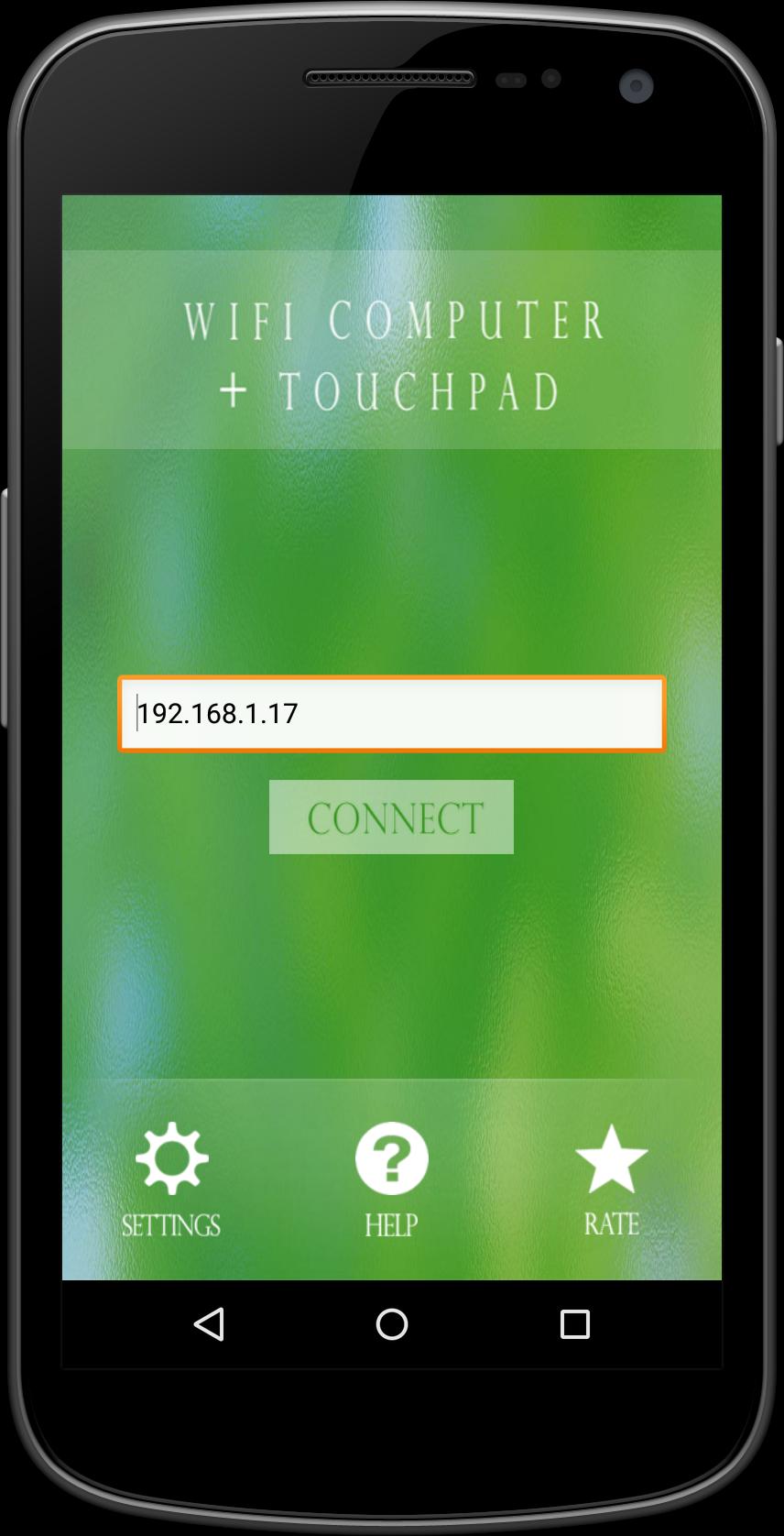
4. Run app on Android phone, then input IP address of PC and click connect.
Keyword:
Wifi computer, Mouse, keyboard
En Son Sürüm
1.5Yükleyen
Ahmad Deolive
Gereken Android sürümü
Android 2.3.2+
Kategori
Ücretsiz Verimlilik UYGULAMAİçerik derecelendirmesi
Everyone
Bildir
Uygunsuz olarak işaretleLast updated on Jun 18, 2016
Minor bug fixes and improvements. Install or update to the newest version to check it out!



APKPure - Android ağırlıklı, çok platformlu bir uygulama mağazası olup, geniş uygulama içeriği sunmaktadır. İstediğiniz uygulamayı daha kolay, hızlı ve güvenli bir şekilde keşfedin, hızlı ve verimli indirme ve kurulum imkanlarıyla.