The file manager.
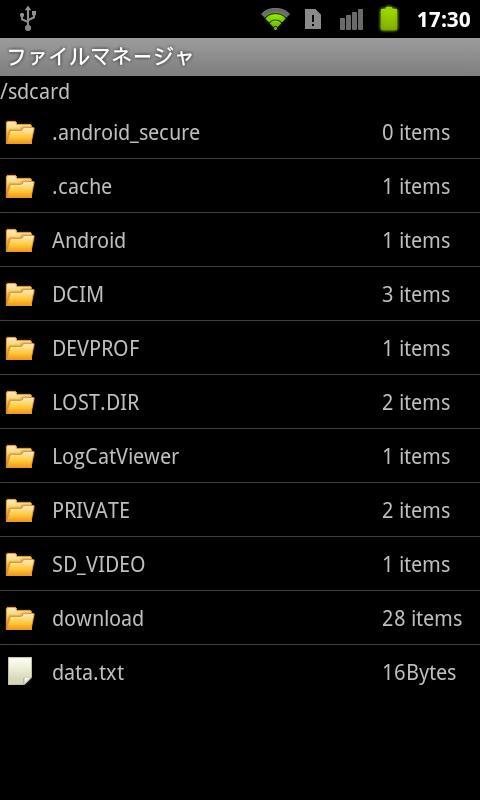
Files in the SD card, you can view the directory listing screen.
In addition, it has the following features.
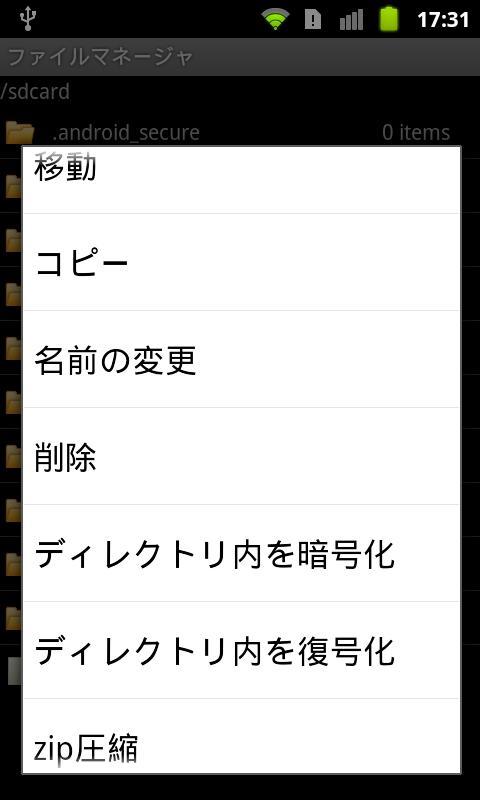
(1) move, copy, delete
(2) Change the file name
(3) Add / Remove dummy extension "dummy"
(4) Zip / Unzip file or directory
(5) Decrypt / Encrypt file
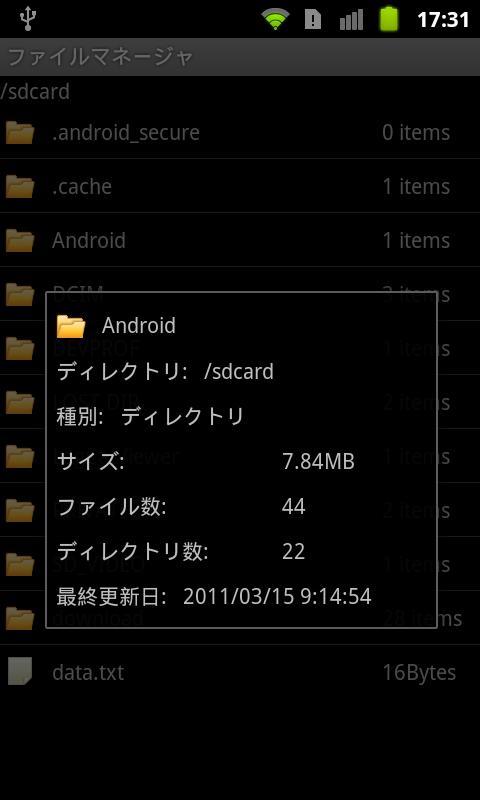
(6) Show Properties
Note that the file was encrypted with this app, this app can only be unset.
Since the time of release will need to enter a password, so, please never forget.
You can also uninstall the app, even if initializing the terminal, the encrypted file can no longer be removed, please note.
En Son Sürüm
1.2.6Yükleyen
FetaDili Qamili
Gereken Android sürümü
Android 2.1+
Kategori
Ücretsiz Araçlar UYGULAMAİçerik derecelendirmesi
Unrated · Warning – content has not yet been rated. Unrated apps may potentially contain content appropriate for mature audiences only.
Bildir
Uygunsuz olarak işaretleLast updated on Jan 16, 2016
v1.2.3
Support ldpi device.
v1.2.2
Disable encrypt/decrypt, and add/remove dummy extension operation before set password.
v1.2.1
Change button background image in landscape mode.
v1.2.0
The background has to be unified button on the PIN code on all terminals.




APKPure - Android ağırlıklı, çok platformlu bir uygulama mağazası olup, geniş uygulama içeriği sunmaktadır. İstediğiniz uygulamayı daha kolay, hızlı ve güvenli bir şekilde keşfedin, hızlı ve verimli indirme ve kurulum imkanlarıyla.