The file manager.
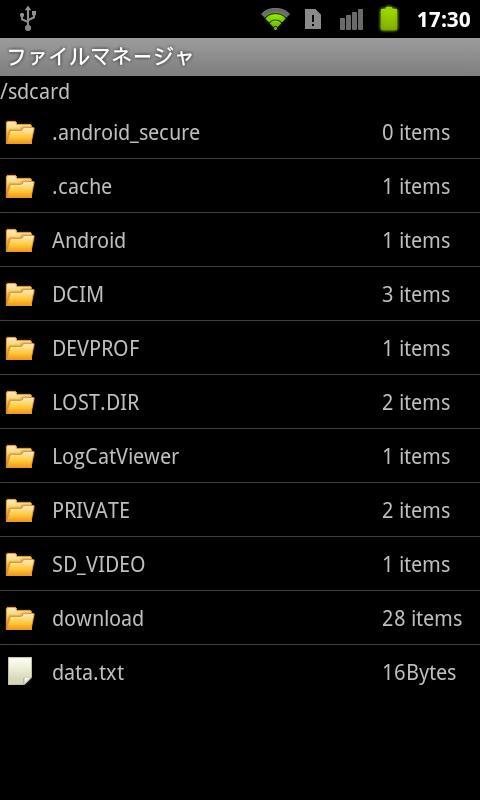
Files in the SD card, you can view the directory listing screen.
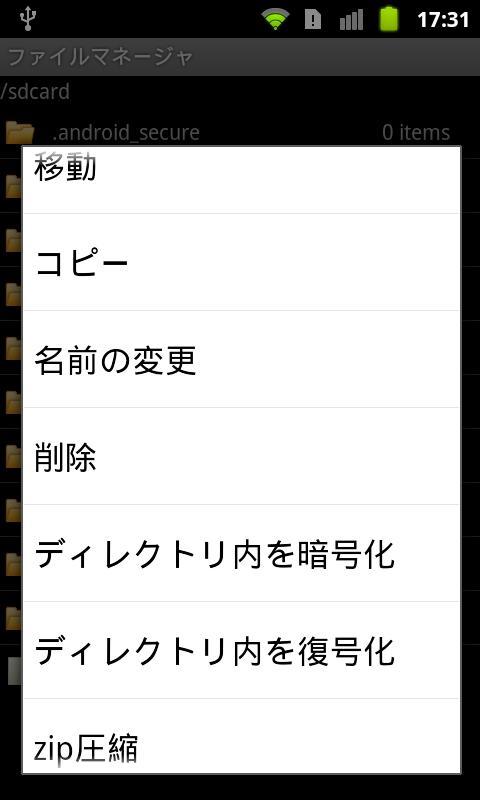
In addition, it has the following features.
(1) move, copy, delete
(2) Change the file name
(3) Add / Remove dummy extension "dummy"
(4) Zip / Unzip file or directory
(5) Decrypt / Encrypt file
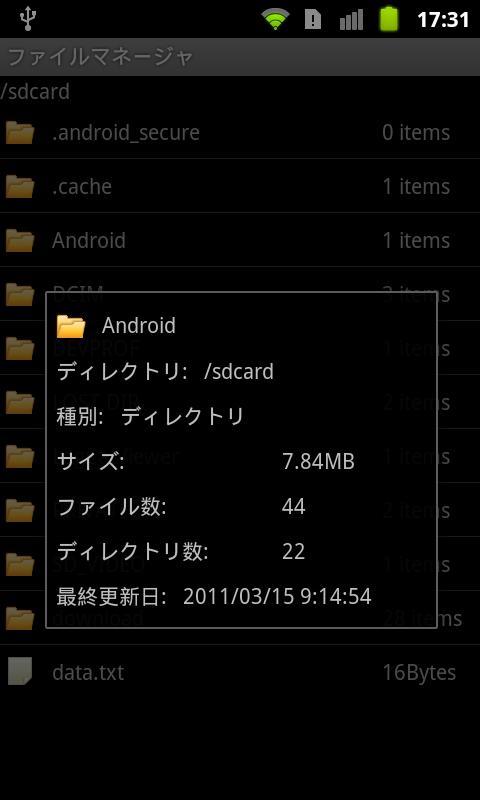
(6) Show Properties
Note that the file was encrypted with this app, this app can only be unset.
Since the time of release will need to enter a password, so, please never forget.
You can also uninstall the app, even if initializing the terminal, the encrypted file can no longer be removed, please note.
Dernière version
1.2.6Telechargé par
FetaDili Qamili
Nécessite Android
Android 2.1+
Catégories
Gratuit Outils APPLICATIONClassification du contenu
Unrated · Warning – content has not yet been rated. Unrated apps may potentially contain content appropriate for mature audiences only.
Signaler
Signaler comme inappropriéLast updated on Jan 16, 2016
v1.2.3
Support ldpi device.
v1.2.2
Disable encrypt/decrypt, and add/remove dummy extension operation before set password.
v1.2.1
Change button background image in landscape mode.
v1.2.0
The background has to be unified button on the PIN code on all terminals.




APKPure - Une boutique d'applications multi-plateforme principalement axée sur Android, offrant un vaste contenu lié aux applications. Découvrez l'application que vous souhaitez plus facilement, plus rapidement et en toute sécurité, avec des téléchargements et des installations rapides et efficaces.