Package Name:com.nfm.aval019
SHA-256:bfcde61e0d8a5bf0e220f16f60c596e97f4293f88044e49514b970639046ec54
Show More
Building a timetable is the tedious part. Tap a cell, type the hour, type the minute, find an overlap, start over.
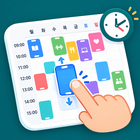
Weekly Timetable lets you **pick a block up with your finger and drop it where it belongs**. Class schedule, study plan, part-time shifts, gym routine — one weekly grid for all of it.
■ Drag it into place
· Long-press a block and drag it to another day or hour
· Pull the top or bottom handle to change its length — snapped to 10 minutes
· Reach the edge of the screen and it scrolls for you
· Pinch to zoom the time axis in and out
· Full week view ↔ today-only view
· Pick several days at once and it repeats every week
■ It spots clashes — and offers where to move
· Overlapping blocks on the same day get a red outline right away
· The Conflicts screen collects every clash and suggests a free slot; tap it and the block moves there, same length
■ More than just classes
· Room or location, notes, per-block colour
· Skip this week — cancel a single occurrence without deleting the block
· Search titles, notes and locations; narrow by tag
■ Several timetables
· Semester 1 / Semester 2 / holidays / weekday vs weekend — build profiles and switch in one tap
· Duplicate a profile, set the term dates (start–end)
■ Reminders
· Choose how many minutes before a block starts
· An extra reminder when it ends
· Mute reminders for a single block
· The next 7 days are scheduled ahead and rebuilt automatically when you edit
■ See what your week actually looks like
· Total blocks, total hours, daily average, free hours per day, longest and shortest block, repeats, busiest day
· Hours by category and by weekday
· Advanced insights — gaps of 30 minutes or more, distribution across the day, longest unbroken stretch
■ Export and backup
· Save or share the timetable as a PNG image (high resolution, dark theme)
· Export an .ics file and drop the week into Google Calendar or Apple Calendar as a repeating event
· Back up and restore everything as a single JSON file — moves with you to a new phone
■ Make it readable
· Set the first and last hour of the day — trim the small hours and the rows get taller
· Hide weekends (5-day view), start the week on Sunday
· Light / dark / system theme
· 7 built-in colour tags (study, work, exercise, meeting, personal, rest, other) plus your own
■ Privacy
· No account, no sign-in
· Everything stays on your device. Nothing is sent to a server
10 languages — English / 한국어 / 日本語 / 简体中文 / Español / Português / Français / Deutsch / Bahasa Indonesia / Tiếng Việt
A banner ad at the bottom keeps the app free, and a few extras (unlimited profiles and tags, per-block colours, advanced stats, high-resolution export, calendar export) open after a short rewarded ad. **If no ad is available, the feature opens anyway.**
Contact: tk32189@naver.com
Latest Version
2.3.0Uploaded by
Oscar Lee Waller Sr.
Requires Android
Android 7.0+
Category
Free Productivity AppContent Rating
Everyone
Security Report
Check Now
Report
Flag as inappropriateLast updated on Oct 17, 2026
v2.3.0
- Export now has a Download button — pick a format, then save or share it
- A brand-new app icon — a hand dragging a block across the weekly grid
- The launch (splash) screen now matches the new icon and its colour
- Themed icons on Android 13+ — the icon follows your wallpaper colours
- Fixed the app name showing in English on Indonesian devices
- Privacy policy and open-source licence notices brought up to date



APKPure - A multi-platform app store primarily focused on Android, providing extensive app-related content. Discover the app you want easier, faster, and safer, with quick and efficient downloads and installations.