Package Name:com.timewarpscan.warpscan.facescanner
SHA-256:b0c3e77fa7c30c9c3f2e71d1e3c138c96299eb65af73f8b5dbe195ee6bf97d42
Show More
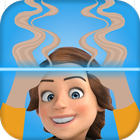
Unique photo filter! Get ready to take on the latest photo challenges with the Time Warp Scan - Photo Filter app! Use the trendy time warp scan photo filter to impress your loved ones with unique and funny photos.
Surprise your loved ones uniquely and funnily with a time warp filter app.
Unique Time Warp Scane Filter!
Create unique selfies and group photos using the trendy time warp scan filter app. Whether you want to create funny, scary, or even artistic images, the Time Warp Scan Filter app has got you covered. So why wait? Download now and enjoy funny moments with your friends, family, and pets! Discover why this is one of the most popular photo filters!
The Time Warp Scan Filter works by gradually freezing the photo on the mobile screen as a blue line warp slider moves down or across the screen. Warp Filter gives you the most popular time warp scan effect. The app also features customizable time warp scan face filters and a warp camera, allowing you to create floating illusions, weird and scary faces, and much more.
Create modern art using the Warp scan effect and share it on social media!
Key Features of Time Warp Scan - Warp Filter App:
★ Turn an image into a warp perfection;
★ A unique time warp filter tool to create an amazing selfie;
★ One tap to capture and apply a time warp sweep filter for multiple illusions;
★ Adjust the warp slider blue line filter speed that best suits your needs;
★ Adjust the brightness level as needed;
★ Adjust the timer to start the warp slider for the time warp scan effect;
★ Scan direction by swiping right or down.
How to use Time Warp Scan - Warp Filter:
Using the Time Warp Scan Filter app is easy! Simply launch the camera, select the warp slider - blue line direction, and capture your photo. Then, move along with the slider to achieve the desired effect. Save your images to your gallery and share them on social networks to impress your friends and followers. Explore a unique photo filter!
Ready for some popular challenges to create with the Time Warp Scan Photo Filter app?
The illusion of smoking: Create a distorted image of smoking using the time warp scan filter app;
Mirror Trick: Create a double mirror that does not match the image of the person with a time warp scan effect;
Thin Eyebrows: Let's see how you look with thin or wavy eyebrows using warp scan filter;
Floating Illusion: Create visual illusions that make objects appear to float without you holding them with a warp slider.
Latest Version
1.3.0.2Uploaded by
زايد علي الحامدي
Requires Android
Android 6.0+
Category
Free Entertainment AppContent Rating
Everyone
Security Report
Check Now
Report
Flag as inappropriateLast updated on Nov 9, 2025
Time warp scan



APKPure - A multi-platform app store primarily focused on Android, providing extensive app-related content. Discover the app you want easier, faster, and safer, with quick and efficient downloads and installations.