Package Name:com.myapp.antimesche
SHA-256:a1523b6df7830a61b4c6be95c2962023d94afb1ae68108b513e7a80b9a1ac078
Show More
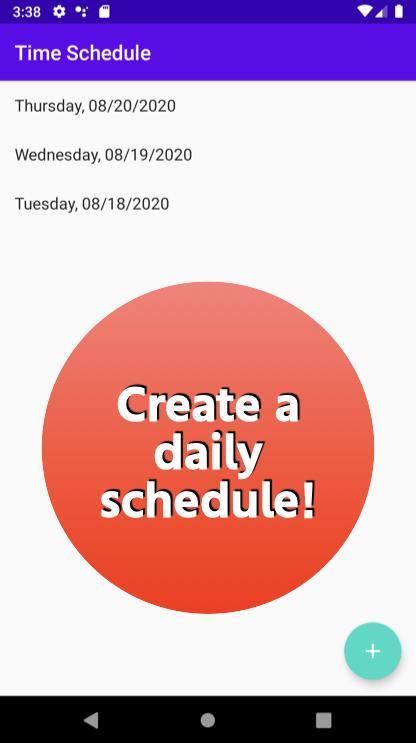
・After launching the app, select the date to schedule from the "+" button at the bottom right.
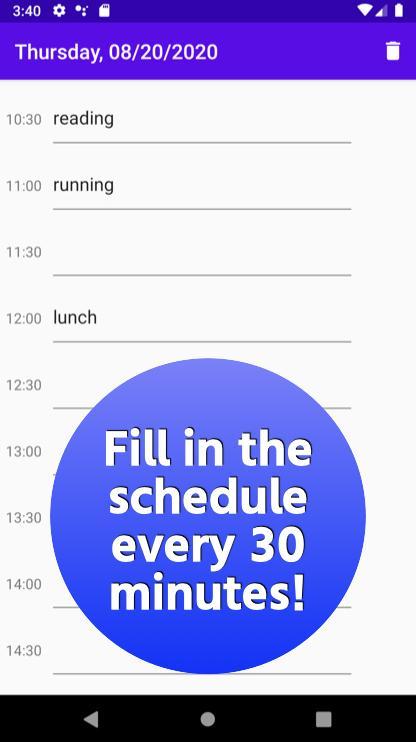
・Since the screen will change to the screen of the selected date, enter the schedule in the field of the specified time in 30 minute increments.
・Tap the trash can button at the top right of the screen to delete the currently open page.
For inquiries, please use the review section or DM here.
https://twitter.com/corasck
Latest Version
1.0Uploaded by
ปอน เกิดพุ่ม
Requires Android
Android 4.4+
Category
Free Lifestyle AppContent Rating
Everyone
Security Report
Check Now
Report
Flag as inappropriateLast updated on Mar 16, 2024
First release



APKPure - A multi-platform app store primarily focused on Android, providing extensive app-related content. Discover the app you want easier, faster, and safer, with quick and efficient downloads and installations.