Scan Date:Dec 20, 2023
Show More
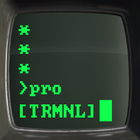
Terminal Green is a theme that will give your android device a custom retro look that resembles old CRT monitors.
QUICK TIPS
You can manually change icons in most launchers by long-pressing the icon you'd like to edit.
Widgets: If your widget doesn't update or stops unexpectedly, please check your system settings or battery settings to make sure the app is exempt from battery optimization. More info at https://dontkillmyapp.com/
PRO VERSION
This is the Pro version of the app. Get the free version here: https://play.google.com/store/apps/details?id=com.natewren.piptec
DISCLAIMER
You may need a 3rd party launcher to apply the icon pack. Please download a launcher before installing.
HOW-TO APPLY ICONS
http://natewren.com/apply
FEATURES
• 5,300+ Hand-crafted HD green icons
• Digital Clock Widget with date options
• HD wallpapers - Hosted on the cloud. Choose and save the ones you want. (All wallpapers shown are included)
• New icons are added regularly
• All wallpapers shown are included.
• XXXHDPI high definition modern, green icons included for super large HD screens. All Icons are 192x192.
• Some parts of the green icons are transparent letting your background show behind them.
• Clean, flat and simple themed icons with many variations of default lined icons such as phone, contacts, camera, etc.
• Wallpaper chooser comes installed to replicate an old CRT monitor on your device..
• "Request" tab to request more icons.
• Clean icons work best with darker wallpapers.
HOW TO APPLY ICONS WITH THE ICON PACK APP
1. Open the app after installing
2. Navigate to "Apply" tab
3. Select your Launcher
HOW TO APPLY ICONS WITH A LAUNCHER
1. Open Launcher settings by long-pressing on an empty area of home screen
2. Select personalization options
3. Select the icon pack
HEX CODES
Green: 16ff42
Classic Green: 1aff7e
FOLLOW ME
Twitter: https://twitter.com/natewren
QUESTIONS/COMMENTS
natewren@gmail.com
http://www.natewren.com
Latest Version
3.8.9Uploaded by
Nate Wren Design
Requires Android
6.0
Category
Personalization AppContent Rating
Everyone
Security Report
Report
Flag as inappropriateLast updated on May 4, 2026
Minor bug fixes and improvements. Install or update to the newest version to check it out!



APKPure - A multi-platform app store primarily focused on Android, providing extensive app-related content. Discover the app you want easier, faster, and safer, with quick and efficient downloads and installations.