Scan Date:Apr 12, 2026
Show More
Struggling to communicate with a loved one after a stroke, with non‑verbal autism, or other speech impairment? Need a simple, reliable way to say “yes”, “no”, “pain”, “water”, or any daily phrase? Talking Buttons turns your Android device into an easy AAC communication device – a big‑button picture communication board that helps nonverbal people communicate with just a tap or a recorded voice message.
👥 Who Is This App For?
Talking Buttons is designed as assistive technology for:
• Individuals who are speech impaired or temporarily can't speak
• People recovering from stroke, brain injury (aphasia) or speech disability
• Special needs users, including those with autism
• Caregivers and family members supporting special needs loved ones
• Hospital staff needing a hospital communication app for patients
• Anyone who can't speak but needs to communicate
Whether you're a caregiver, therapist, or someone living with a speech impairment — this talker app makes augmentative communication accessible to everyone.
✨ Key Features
✅ Customizable — Large talk buttons with adjustable text, colors, and font sizes make this communication device easy for anyone to use
✅ Picture Buttons — Add images to any button to create a picture communication board or symbol board. Text overlays adjust automatically for readability on any background
✅ Adapted for children and the elderly – Full-screen mode prevents accidental exits, essential for users with motor skills issues or children
✅ Multiple Layouts — Choose from 2–6 button board configurations or create custom grids with word buttons tailored to your needs
✅ Multi-Language Text-to-Speech — Works with any language supported by your device's TTS engine
✅ Voice Recording — Record custom voice messages (up to 30 seconds) for any button. Your own recorded speech plays instead of text-to-speech
✅ Voice Text Input — Create custom phrases instantly by dictating into your microphone — no typing required!
✅ Open Board Format (OBF/OBZ) — Export and import complete boards with images and recordings in the open OBF/OBZ standard. Share boards with therapists, use them in other AAC apps, or back up your communication buttons so they are never lost
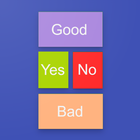
✅ Yes/No and Quick Phrases — Perfect as a simple Yes No app or expandable into a full AAC board with speech buttons for complex conversations
🏠 Where Can You Use It?
At Home: Help a nonverbal family member communicate daily needs — food, pain, emotions, and more using simple picture and voice button interactions
In Hospitals: Medical staff rely on this hospital communication app for patients who can't speak after surgery or due to illness.
On the Go: Works offline — no internet required. Your button board is always ready when you need speech assistance.
🔒 Privacy & Technical Details
• Minimal permissions: Microphone access is used only for optional voice recording; gallery access only for choosing button images. No data leaves your device.
• Data Privacy: All data processed locally on your device. No cloud storage or data collection. Your assistive communication data stays with you.
💡 Why Choose Talking Buttons?
Many AAC apps are expensive, overly complex, and require extensive setup. We offer a lightweight, instant-start, affordable alternative:
➤ Simplicity: Easier to learn than complex AAC apps, allowing users to start communicating in seconds.
➤ Customizable: Unlike a fixed communication board, you can change every aspect of the board.
➤ Affordable: An accessible alternative to costly AAC communication device hardware.
➤ Immediate: Download and start using it as a speech impairment aid immediately.
➤ Open Format: Boards use the Open Board Format (OBF/OBZ) standard — share them with therapists, import into other AAC apps, and never be locked into one platform.
Don't let speech disability silence you or your loved ones. Experience the power of simple assistive technology.
📲 Download Talking Buttons now and start communicating today!
Latest Version
3.5.10Uploaded by
Candi Weber
Requires Android
Android 10.0+
Category
Free Health & Fitness AppContent Rating
Everyone
Security Report
Report
Flag as inappropriateLast updated on Apr 12, 2026
Added user guide.
Open Board Format (OBF/OBZ) support for importing and exporting button sets.
Compatibility with the Talking Buttons Chrome extension.
Ability to record voice or other sounds instead of using synthesized speech.



APKPure - A multi-platform app store primarily focused on Android, providing extensive app-related content. Discover the app you want easier, faster, and safer, with quick and efficient downloads and installations.