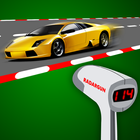
Point your camera to the street perpendicularly, press calibrate, and start measure speeds by tracking the cars with your camera. Simple as that!
Enter your height, hold your phone to shoulder level (that is you normally do), point the thin red cross perpendicularly to the lane where cars are crossing and press CALIBRATE. Now you just have to follow the cars to get their speeds!
This app is intended for entertainment purposes only and does not provide true speed measuring functionality. The readings are subjective to how well you calibrate and use the app.
Latest Version
1.4Uploaded by
Roby Setiady
Requires Android
Android 4.0+
Category
Free Tools AppContent Rating
Everyone
Report
Flag as inappropriateLast updated on Jan 31, 2017
bug fixes in imperial measure
intuitive way to change units
notifications
less permissions



APKPure - A multi-platform app store primarily focused on Android, providing extensive app-related content. Discover the app you want easier, faster, and safer, with quick and efficient downloads and installations.