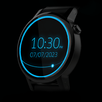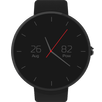
Normally people share their thoughts on facebook and twitter by following certain number of steps like pull out the phone, unlock it, open the app (if it is there on home screen or search for it), tap the post button somewhere in the app and write text and post it. But this whole process of posting on facebook and twitter can also be achieved without writing out and simply by commanding your phone.
Now you can share on facebook in just few tap on screen on your watch. just say 'Ok Google, start smart wear' select 'command your phone', then select 'share on facebook' and say whatever you want to share and then just share it. You can also retry if you think Google didn't catch your words correctly. Repeat in similar way for twitter. So easy..
Manage different modes of volume like vibrate mode, silent mode and normal mode on your phone through your watch. Just one tap on watch and your phone mode set.
Adjusting voice while you are listening something requires to pull out your phone. Now you can adjust volume level for ringtone, music or alarm tone with simple plus-minus button or a slider on watch.
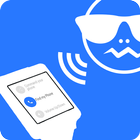
Best and interesting feature is Find your phone by ringing it through watch. Don’t worry now where your phone is.
We are very much eager to have your feedback and suggestions, so we can make it improve better for your needs.
Please join the Smart Wear Google Plus community to share your suggestions in this app and post bug or crash report.
https://plus.google.com/communities/114152364046718402961
Steps to Uninstall:
1. Go to ’Setting’ tab in SmartWear app in mobile device.
2. Tap on ‘Disable Lock Setting’ button. After tapping, label of button will be changed to ‘Enable Lock Setting'
3. Now we can uninstall/delete app from settings of device, and it'll be deleted from mobile and watch both.
DISCLAIMER / NO LIABILITY FOR DAMAGES.
In no event shall the author of this Software be liable for any special, consequential, incidental or indirect damages whatsoever (including, without limitation, damages for loss of business profits, business interruption, loss of business information, or any other pecuniary loss) arising out of the use of or inability to use this product, even if the Author of this Software is aware of the possibility of such damages and known defects.
*Note: Smart Wear supports only Android based Smart Watches.
Latest Version
2.0.0Uploaded by
Huỳnh Hữu Phát
Requires Android
Android 4.3+
Category
Free Personalization AppContent Rating
Everyone
Report
Flag as inappropriateLast updated on Jan 20, 2016
Features Introduced:
1. Turn ON/OFF hotspot.
2. Manage brightness of phone and watch.
3. Lock phone from watch.
Improvements:
1. Now SmartWear supports Round Dials too like Moto 360 and LG G Watch R.
2. Special feature for forgetful users 'Find my phone' that turns on flash light and blinks the screen to find it easily.
3. Change your profile by tapping a button as well.
4. New cool icons based on material design.
Features Dropped:
1. Turn ON/OFF mobile data as not supported after Lollipop.




APKPure - A multi-platform app store primarily focused on Android, providing extensive app-related content. Discover the app you want easier, faster, and safer, with quick and efficient downloads and installations.