Package Name:com.hnode.quicklink
SHA-256:c46011e07c5450e9fcad17cab8f760d019106fe701bcf514eaba2854655dc092
Show More
Connect your Android phone and Linux PC with QuickLink. Share with devices you approve, on the same Wi-Fi network or through your own VPN or relay.
FILES AND SHARED FOLDERS
• Send files using Android's sharing menu and choose the receiving device.
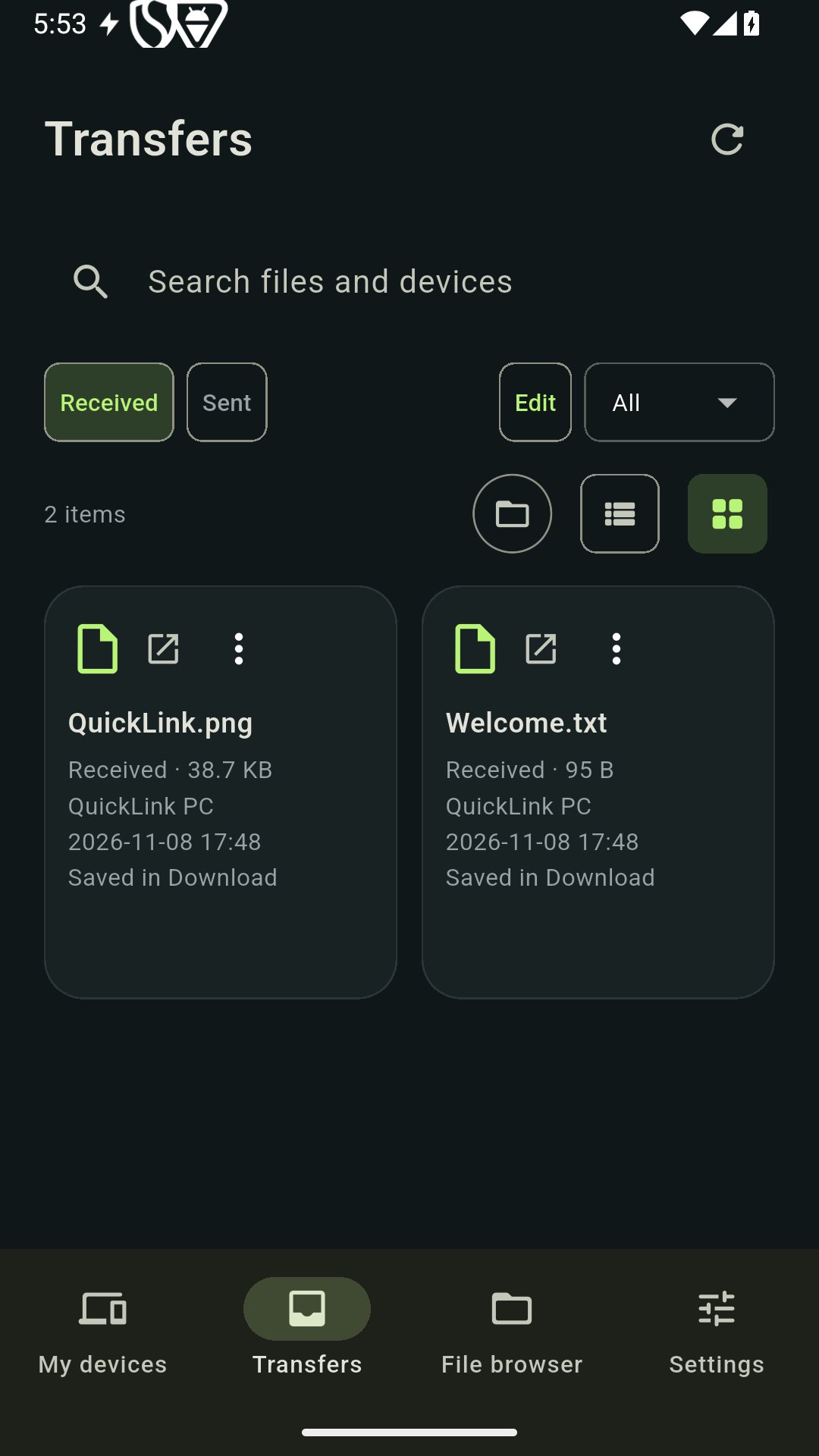
• View received files and transfer progress in one place, with list and grid views.
• Browse folders shared by your other devices. Choose who can access a folder and whether changes are allowed.
• Transfers require an online connection. Failed transfers do not silently wait to send later.
CLIPBOARD AND NEW PHOTOS
• Synchronize text and PNG images with approved connected devices.
• Send new photos and screenshots to your PC clipboard when photo access and the feature are enabled. Existing gallery items are not sent automatically.
• Android restricts clipboard reading in the background. Automatic phone-to-PC copying outside the app requires optional initial setup through wireless debugging. Your current keyboard is kept. New-photo sharing uses photo access instead and does not require wireless debugging.
• Sharing content opens a device picker. Opening that picker alone does not broadcast the phone clipboard.
REMOTE ACCESS
• View or control an approved Linux PC display from your phone.
• Use your phone as a trackpad, with adjustable sensitivity and optional click buttons.
• Use supported GNOME Wayland features for extended displays and remembered approvals.
YOUR CHOICES
• Review receiving status and turn it on or off from the Android notification.
• Clipboard, photos and optional notification integration have their own controls.
• Choose the system language or Korean, English, German, French, Spanish, Portuguese, Russian, Japanese or Simplified Chinese.
QuickLink does not provide central storage for your shared files or clipboard. Network and optional server requirements depend on the features you use. Permissions are requested for the corresponding optional features. See the privacy policy for SDK diagnostics and other processing.
Developer: hnode
Support: hnode.dev@gmail.com
Privacy policy: https://hnode.me/privacy/quicklink
Latest Version
0.8.12Uploaded by
Jaritzi Ü Cruz
Requires Android
Category
Free Productivity AppContent Rating
Everyone
Security Report
Check Now
Report
Flag as inappropriateLast updated on Nov 23, 2026
First public QuickLink release.
• Share files, clipboard and folders with approved devices.
• Use remote desktop and the phone trackpad.
• Control receiving from notifications.
• Choose from nine app languages.
• Includes the new connected-device icon and fixes for sharing, notification controls and new-camera photo detection.
• Removes unused video, audio and phone-state permissions.



APKPure - A multi-platform app store primarily focused on Android, providing extensive app-related content. Discover the app you want easier, faster, and safer, with quick and efficient downloads and installations.