Package Name:com.iswift.signaturecreatorauto
SHA-256:6f26a56fa9a8b420fbb226c4439b100e5832a5a1838e1f0ca8d7932a986c4d1a
Show More

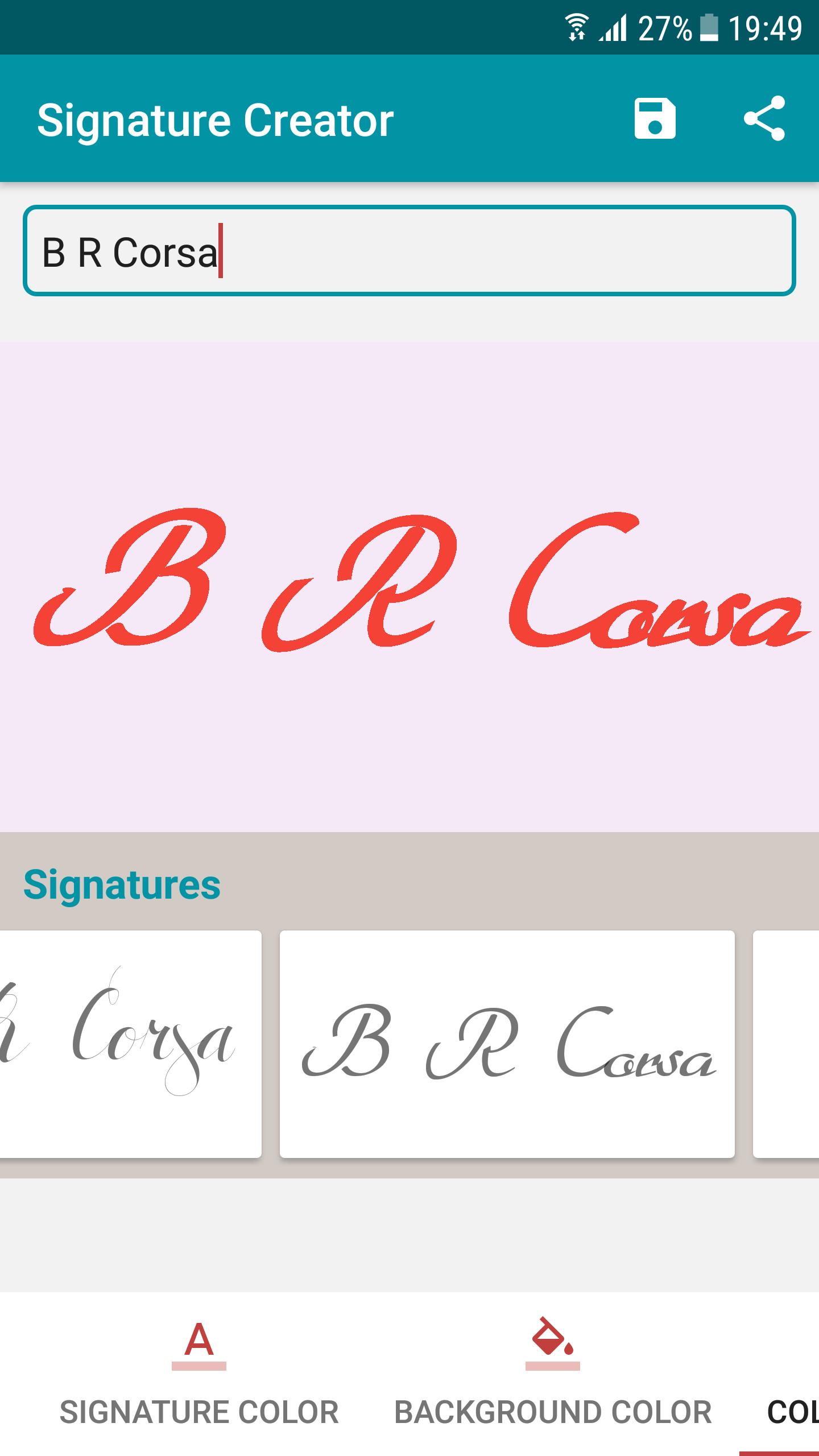
Auto Signature Creator represents an intuitive signature platform that allows you to create your own create signature on Android phone.
Some people are doing multiple signatures at multiple places. So user can add multiple signatures using this application and go for forever.
You can create your creative signature with 100+ autograph styles and with 400+ colors and with x-small to x-large font size.
We have used portrait mode to serve better.
Functionalities:
* Create signature: Do signature
* Different fonts: 90+ variety of styles
* Pen thickness: Adjust thickness of pen (x-small to x-large)
* Pen color: Set pen color (400+ colors) with Light/Dark & Alpha adjustable
* Background color: Set background color (400+ colors) with Light/Dark & Alpha adjustable
* Signature size: Adjust size of Signature
* Save: Store your signature in storage
* Collection: View previously drawn signature
* Share: Share signature on social platform
* Instant view: View current signature
* Delete: Delete previously drawn signature
How to use:
1) Auto mode
On the Home screen you will find signature (If you did earlier) with style
To initiate your signature just click on T button (Right Top corner)
You have to enter your signature text
Slide Signature bottom view to top, here you will find lots of signatures with different style
Select anyone of it
Pinch zoom (Multitouch) to adjust the size of signature
Drag (Single touch) to adjust the location of signature
Open options from right top corner
Update size of signature
Change pen color / background color / background image (Gallery and / or live image)
Update style of signature (In this version we’ve provided Bold, Italic, Underline)
You can save your signature
You can find collection (Your previously signatures you did)
You can share your signature on social platform like Facebook, WhatsApp, Twitter etc.
You can view your signature previously did
You can delete signature if you don’t like it anymore
Permission:
We required EXTERNAL STORAGE PERMISSION in order to store/share/view signature.
NOTE:
We are not using your signature anywhere, application stores it in storage in order to view and share your signature.
Enjoy free Auto Signature Creator application for you and your family.
Latest Version
1.0.2Uploaded by
Huy Tran
Requires Android
Android 4.4+
Category
Free Personalization AppContent Rating
Everyone
Security Report
Check Now
Report
Flag as inappropriateLast updated on Oct 31, 2018
UX improvement,
UI updates for Signature collection screen



APKPure - A multi-platform app store primarily focused on Android, providing extensive app-related content. Discover the app you want easier, faster, and safer, with quick and efficient downloads and installations.