Package Name:pe.faun.onoff
SHA-256:00ca545b3c31ea9cbbf07424435ace04bb96d6f74c804a4cf5c36cc7ce4dfcb2
Show More
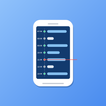
Remember your day, one screen activity at a time.
Most screen time apps tell you how long you used your phone.
Screen Timeline tells you when.
Ever wondered what you were doing at 3 PM yesterday? Need to remember when you checked a message or opened an app?
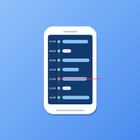
Screen Timeline helps you reconstruct your day with a visual timeline of your phone activity. Instead of showing only total screen time, it reveals exactly when your screen turned on and off, making it easier to understand your daily routine and digital habits.
Whether you're reviewing your productivity, tracking your digital wellbeing, or simply trying to remember your day, Screen Timeline gives you a clear picture of your phone usage history.
📱 Screen Activity Timeline
• View every screen-on and screen-off event throughout the day
• Calendar-style timeline for easy visualization
• Instantly understand your daily activity pattern
• Explore your screen activity by time of day
📊 App Usage Timeline
• Track selected apps with Usage Access permission
• See exactly when each app was used
• Focus only on the apps that matter to you
• Understand app usage in the context of your daily routine
📅 Monthly Statistics
• Review long-term phone usage trends
• Daily averages and monthly summaries
• Longest sessions and most active hours
• Discover changes in your digital habits over time
🌙 Sleep Detection
• Automatically detects long screen-off periods
• Estimate your sleep schedule
• Discover bedtime and wake-up patterns
🎨 Custom Themes
• Multiple built-in themes
• Create your own color combinations
• Personalize your timeline experience
📤 Share Timeline
• Share your screen activity timeline
• Open shared screen timelines with a single tap
• Review daily screen patterns together
• Share only when you choose
📁 CSV Export
• Export your activity history for further analysis
• Backup your timeline whenever you want
🔒 Privacy First
• All data stays on your device
• No account required
• No cloud synchronization
• You stay in complete control of your data
• Share timelines only when you choose
Perfect For
• Remembering what you did during the day
• Understanding your phone usage habits
• Reviewing your app usage timeline
• Building healthier digital routines
• Improving digital wellbeing
• Finding your most productive hours
• Analyzing sleep and activity patterns
Latest Version
1.1.0.3Uploaded by
Alaa Aburwis
Requires Android
Category
Free Productivity AppContent Rating
Everyone
Security Report
Check Now
Report
Flag as inappropriateLast updated on Sep 19, 2026
- Tap the date at the top of a shared record to see that day's total screen time and an hourly usage graph.




APKPure - A multi-platform app store primarily focused on Android, providing extensive app-related content. Discover the app you want easier, faster, and safer, with quick and efficient downloads and installations.