Scan Date:Apr 17, 2024
Show More
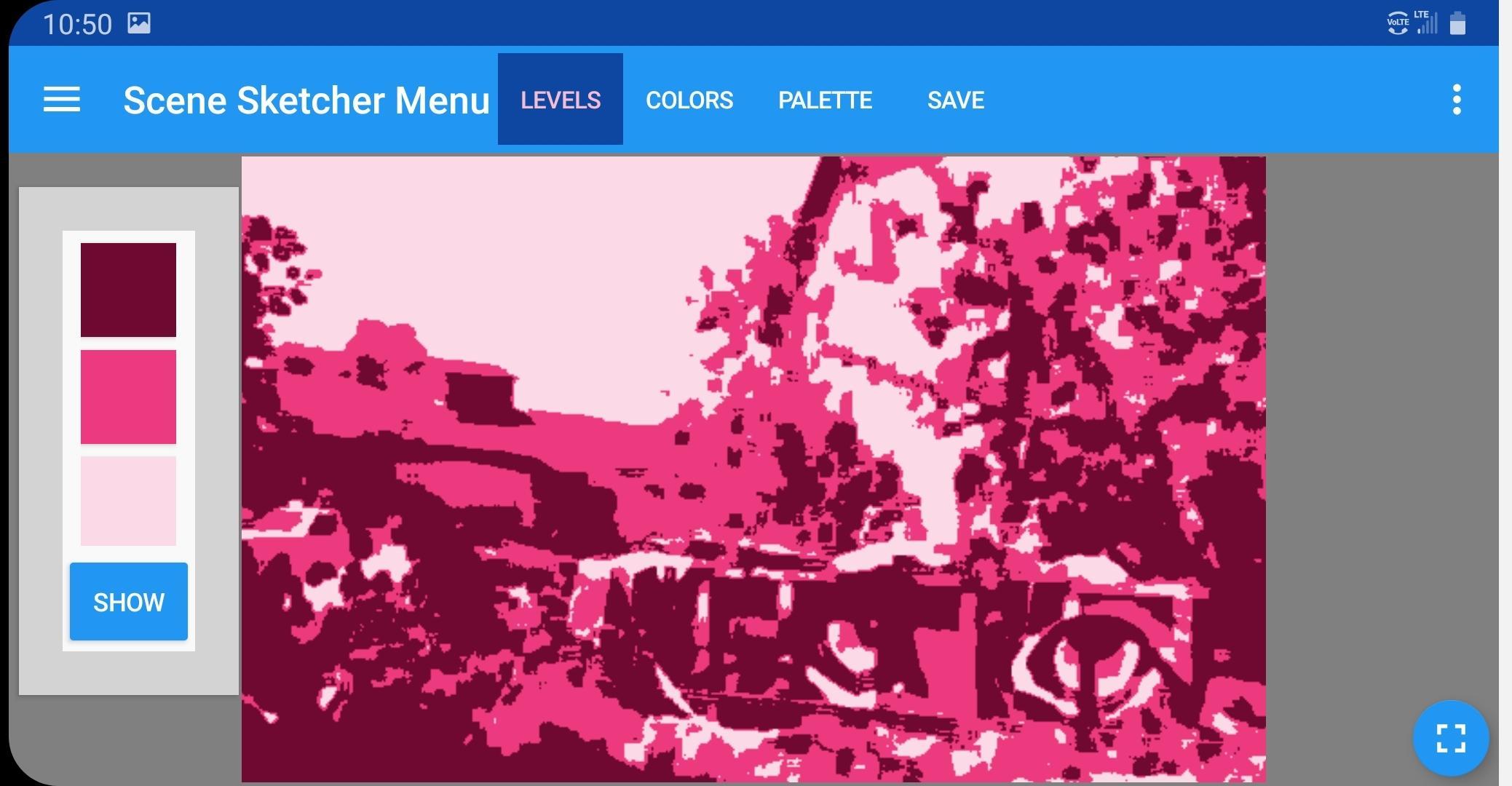
Scene Sketcher can help you simplify a photo to its main values, pick a palette, see which colors have the same value, and setup an accurate drawing. Use it as an aid to sketch on location or make photo references for studio work.
Starting from your device's camera, usb drive, photo gallery or cloud accounts, photos are easily cropped, zoomed and panned into the proportions of your canvas. You can auto-generate or touch points to choose colors to add to a custom palette for the photo. Using a wide range of gray-scale, half-tone and blur settings, you can make simplified images to see the main value patterns.
Scene Sketcher has a unique touchscreen capability to toggle portions of an image between gray-scale and color based on the value at the point you touch. This feature helps simplify a scene into color groups of similar value. The palette is automatically filtered to show the colors you've chosen in selected value ranges. You can also filter the image to show areas of similar color from palette or touch point colors.
The app has customizable gridding as well as a touchscreen measuring tool that emulates traditional arms-length sighting and measurement against a key landmark. You can use it to find proportional relationships between elements of a scene, or to get measurements in inches or centimeters to transfer to your canvas.
You can make high quality screen capture photos for studio reference at any point as you work with an image, or export your palette as a photo. These exports can be convenient starting references for use in a digital painting app.
An in-app upgrade adds three additional features: Two 'palette views' simplify the colors and shapes of your photo to help you see the basic composition. A broad range of control is provided so you can vary the abstraction and color mode of each view. One view scans the photo for colors, the other makes a poster from the palette colors you've chosen. A group of 'layout' controls saves all the view settings of the photo you are working with, so you can pick up in another session and resume the view you were using, including its measurement landmark. You can also use the layout to pan and zoom your current image, then snap it back to its saved composition.
For more info on how to use the app, please visit http://www.scenesketcher.com
This app uses advanced graphics and requires OS 5.0 (Lollipop) or later. A minimum screen width of 720 px and 1.5 GB RAM is recommended.
Latest Version
3.1.6Uploaded by
Mark Khemraj
Requires Android
Android 5.0+
Category
Free Art & Design AppContent Rating
Everyone
Security Report
Report
Flag as inappropriateLast updated on Aug 22, 2023
Updates permission and billing libraries.
Update to Android 13.
Bug fixes.





APKPure - A multi-platform app store primarily focused on Android, providing extensive app-related content. Discover the app you want easier, faster, and safer, with quick and efficient downloads and installations.