How many times given your mobile to friend supposing he is seeing movie and surprised he is posting on your social account?
How many times given your phone to your child to play his favorite game and surprised he is doing international call?
How many times given your mobile to brother to doing call and surprised he is checking your email address?
Are you a parent who want to control your child / children activities on tablet device?
You maybe unable to refuse giving your phone to your friends or you may be embarrassed but still afraid they violating your privacy.
You maybe unable to prevent your kid / kids from using your mobile to play his favorite game but the idea of deleting your data or making a call by mistake is a big problem for you !
You maybe unable to prevent your child / children form using their tablet but you want to do parental control on apps they used.
You maybe want to prevent your kid / kids from using inappropriate apps but you want them to read books.
You want the others to use your phone but without answer your calls.
Are you want to feel safe? and to feel secure?
From here, our application idea arose
This application will give you the ability to control your mobile, save your privacy , doing all kind of parental controls ,no one can answer calls except you , finally manage the apps appear to the others as you want.
How to use Save Me?
1- Activate administrator permission
Note: we ask for this permission to be sure you are the owner of the device.
2- Unlock your device and continue
3- Choose your pattern to lock your device
-these three steps for first time only-
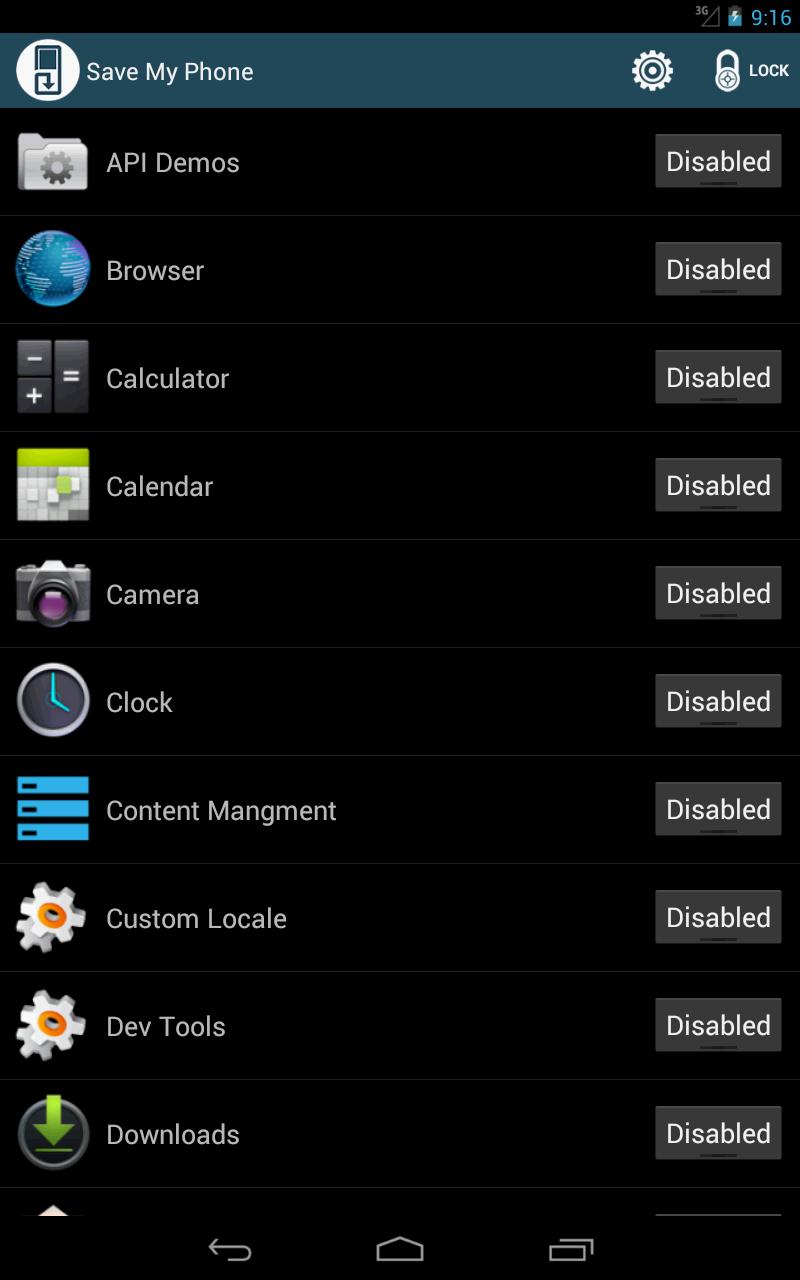
4- choose app/apps you want friend/family/child to see or use -all apps blocked / disabled on start-
5- click on lock button to enter protected mode
6- Now you can see the allowed apps and you can not use others
7- Finally give your phone to friend/family/child and have productivity privacy, love and make your child happy
Features:
1- Control apps shows for others
2- Disallow home button
3- Disallow back button
4- Prevent disallowed apps to run even form notification bar or allowed apps
5- Pattern for the device
Note:
Access to blocked apps even If one of the allowed apps tried to open blocked app will be preventing.
Twitter:
https://twitter.com/servemecom
Facebook:
https://www.facebook.com/Serve.meLi
Latest Version
2.4Uploaded by
Noval Goziloz
Requires Android
Android 2.3.2+
Category
Free Tools AppContent Rating
Everyone
Report
Flag as inappropriateLast updated on Oct 5, 2015
version 2.3
1- change background from Save Me settings
2- control notifications
3- Fix cache problem
4- Fix SD card problem
5- Speed up opening Save Me
6- Fix other problems
version 2.3.2
Fix bug prevent running apps
version 2.3.3
Fix bugs
version 2.3.3
Fix bug happened when update app which in Save Me allowed apps
FIx other bugs
version 2.3.5
Fix bugs
add new settings
Enhance SaveMe performance



APKPure - A multi-platform app store primarily focused on Android, providing extensive app-related content. Discover the app you want easier, faster, and safer, with quick and efficient downloads and installations.