Package Name:zekitez.com.satelliteestimator
SHA-256:dfbfb9ca902925cdd3a7e4b69d49dd52e6f2cc36fa6dfec2d3e2e02f4f34e10a
Show More
Finding a TV satellite, in azimuth, can be pretty difficult. With this app you do not need a compass, just two (2) GPS locations, from the satellite dish and a target, is enough. Finding the satellite depends on how accurate the GPS locations are (the phone or from Google Earth/Maps) and how accurate and steady you can aim the phone to the target. Read more about the WARNING and how it works.
WARNING: when you are close to or in between walls, roofs, sheds, trees, houses, flats or close to metal the phone's GPS location can be totally wrong which will result in a faulty satellite position !! Your satellite dish and target should be preferably in an 'open space'.
How does it work ? In 3 steps or screens:
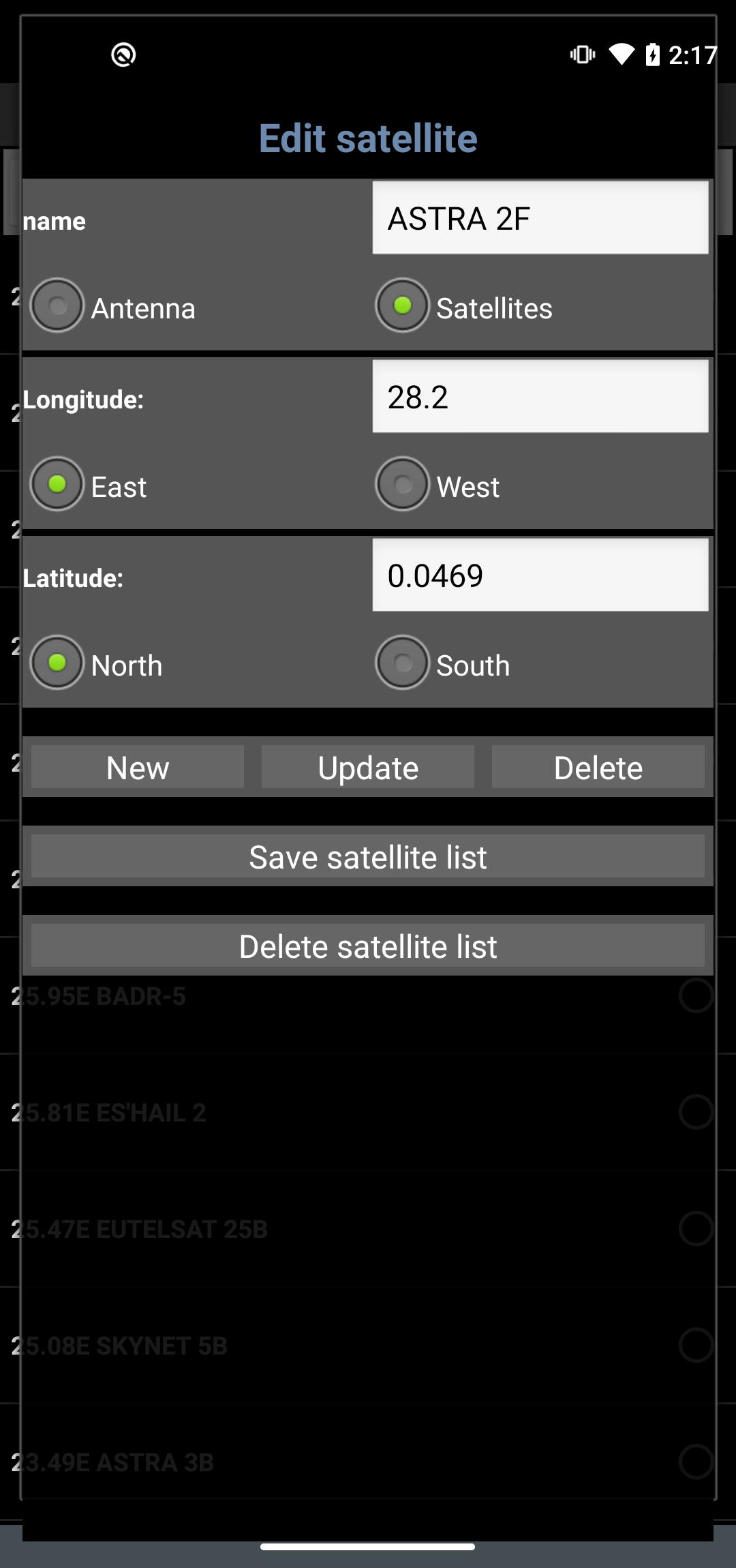
1- Select the desired TV satellite
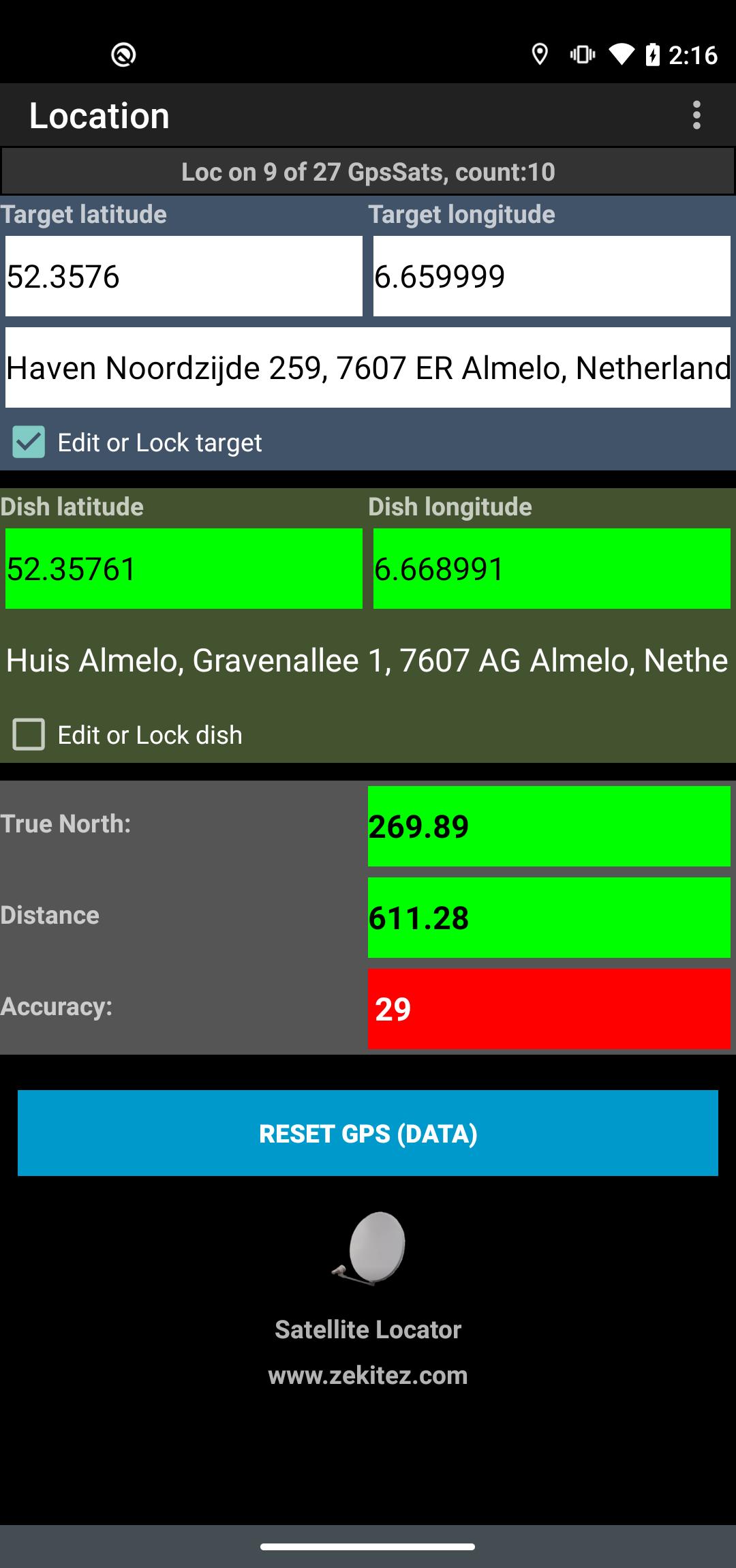
2- The GPS location of the satellite dish and the GPS location of a target (or reference point) is needed. The target can be the GPS location of a house, tree, plant, etc. Just enable the GPS in your phone or enter the GPS locations with the help of Google Earth/Maps (satellite dish position and a visible target position).
To indicate how stable or good the values are they get a color. RED = not good or not stable, YELLOW = better but not good, GREEN = good or stable, CYAN = don't know. To receive good GPS signals you should be in the 'open'. GPS signals can be blocked by buildings, trees, etc and that will result in false GPS locations with an error of several meters while the accuracy is good.
3- Set the dish elevation and skew to the calculated values, see screen 3. The satellite pole must be upright. With the GPS locations set, hold the phone steady above the satellite dish and aim the central arrow named 'target' at the target. Then aim the satellite arm to the arrow named 'satellite'. The success of finding the satellite depends on the accuracy of the phone's GPS and how steady your hands are. KEEP THE PHONE AIMED STEADY AT THE TARGET !!!
Check my instruction movie on
www.youtube.com (https://youtu.be/o7t9cTVfr1A) or
at http://home.caiway.nl/~fnijhuis/satloc/index.html .
When your phone crashes: stop running app's like: Facebook, Twitter, Whatsapp, Badoo, etc. Free up memory of the phone by removing apps you do not use, remove photos and music.
The satellite positions are derived from Agi's database.
Some positions may seem not accurate (example: Hispasat 30°w is at 29.96°w in the satellite list) but they are very accurate.
If you have any questions, requests or problems PLEASE write an email.
This app is add-free !
Help me to continue the work on this app and watch some of my videos on Youtube. The advertising in the videos provides some required money (hours of work, phones to test on, satellite equipment, etc.).
All language translations by Google Translator.
Latest Version
0.7.5Uploaded by
Hakan Numan Dereli
Requires Android
Android 5.0+
Category
Free Tools AppContent Rating
Everyone
Security Report
Check Now
Report
Flag as inappropriateLast updated on Aug 17, 2025
Changing the language did not work on some Android versions.
Layout issue with privacy policy dialog and use your location dialog.






APKPure - A multi-platform app store primarily focused on Android, providing extensive app-related content. Discover the app you want easier, faster, and safer, with quick and efficient downloads and installations.