

Scan Date:Feb 4, 2026
Show More
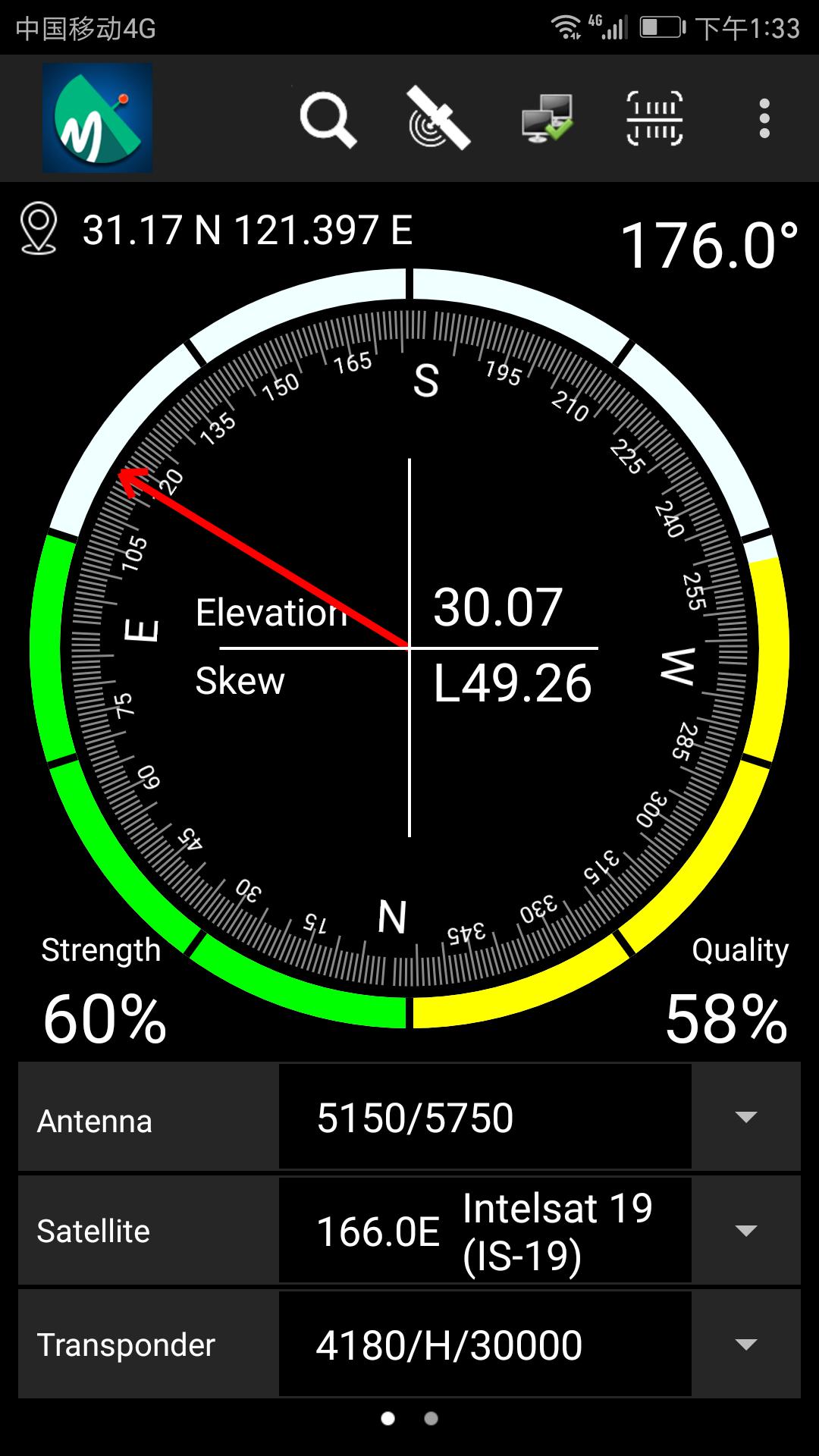
DVBFinder is a tool which will help you to set up the satellite dish. It cooperates with a DVBFinder dongle or a satellite receiver with DVBFinder dongle function. It will show you the precise azimuth, the signal strength and quality in real time, which can be used to install the dish.
How to use:
First you should connect the DVBFinder dongle to LNB, or scan the QRcode on receiver which support DVBFinder dongle function.
Then on the phone:
1. Turn on bluetooth and GPS on the phone
2. Open the APP, wait untill the connnect icon changes to 
3. select sat/tp, set up the Antenna LNB/22K/Diseqc
4. Follow the red arrow line to move satellite dish after GPS is available, and make the signal strength and quality to best state.
5. The signal strength will turn to Green once locked
6. Tap the search icon to search current tp and check the programs
For more detail, please refer to https://github.com/DVBFinder/DVBFinder/blob/master/README.md
Latest Version
4.0Uploaded by
Ssrun Amphairat
Requires Android
Android 5.0+
Category
Free Tools AppContent Rating
Everyone
Security Report
Report
Flag as inappropriateLast updated on Jan 4, 2026
Version: 4.0(Build 40)
Android 15 Ready: Optimized for the latest Android 15 system to ensure maximum stability and compatibility.



APKPure - A multi-platform app store primarily focused on Android, providing extensive app-related content. Discover the app you want easier, faster, and safer, with quick and efficient downloads and installations.