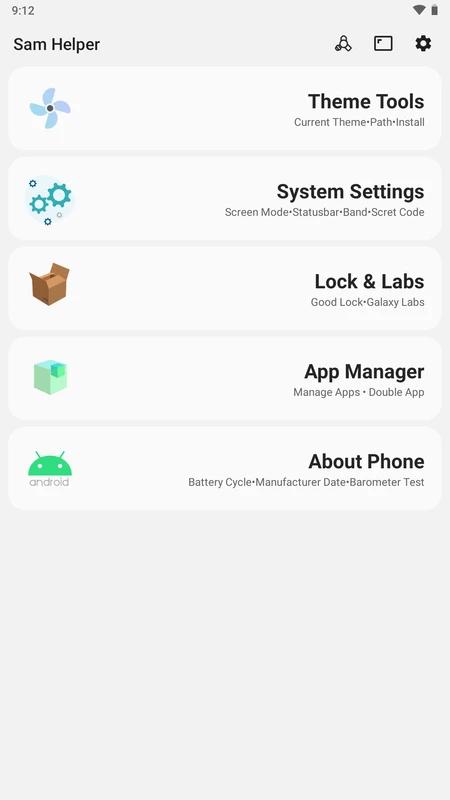
Sam Helper is designed for people who want to adjust and organize a Samsung phone or tablet from one place. It combines interface personalization, device details, app oversight, and productivity tools in a single interface. As a result, users can check settings that are often spread across different menus. When looking to download Sam Helper, note that some tools work directly while deeper system changes may require extra access.
Customize the Samsung interface
Sam Helper lets you apply or remove custom themes and fonts on supported Samsung devices. You can also adjust icons and change wallpapers to alter the appearance of the home screen and other interface areas. These controls are intended for users who want to change the look of their device without searching through several settings pages.
Adjust display behavior
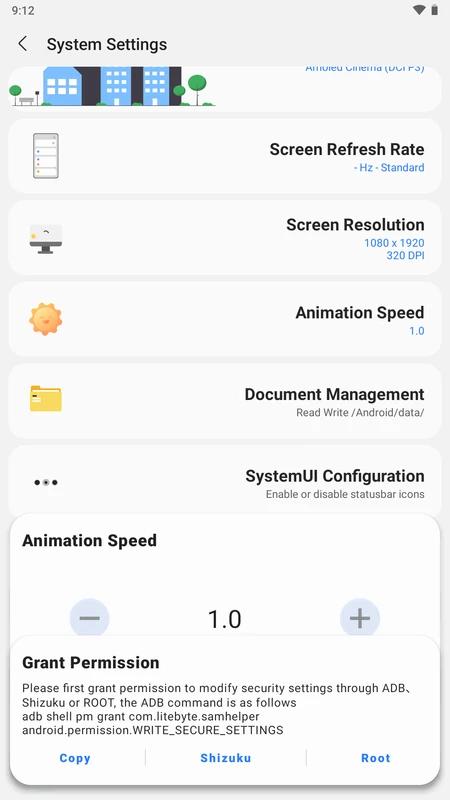
You can select display color profiles such as AMOLED Cinema, Adobe RGB, sRGB, Natural, and Vivid. Sam Helper also provides controls for refresh rates and animation speeds. This can be useful when you want to compare screen color modes or change how quickly interface animations appear.
Manage installed apps
Sam Helper includes an app manager for reviewing and handling installed applications. You can uninstall unwanted apps, export APK files, and copy package names when you need an app identifier. In addition, the dual app function can create separate app instances for different accounts where the device and app support this setup.
Check device details
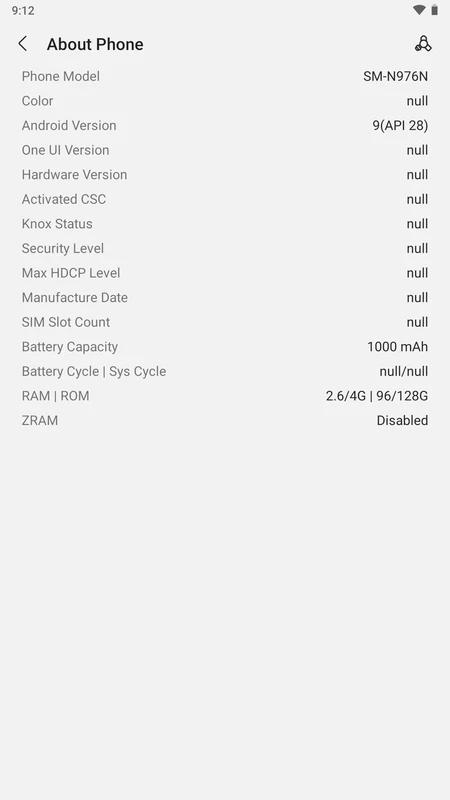
You can view hardware and software information in Sam Helper, including the Android version and battery cycle details. This information can help when checking the current state of a Samsung phone or tablet before changing settings. It also gives users a central place to review basic device data.
Use tasks and advanced controls
Sam Helper can create task lists, sync calendars, set reminders, and send notifications for everyday planning. It also supports voice commands and habit based suggestions for recurring activities. For deeper adjustments, the app offers Shizuku terminal commands and selected network or system controls, although these options may need additional access.
Sam Helper is focused mainly on Samsung customization and Samsung device optimization rather than being a general assistant for every Android brand. Its settings and available options can depend on the phone or tablet model. Users with Samsung devices who want to review display behavior, app information, and interface options may find its layout more relevant than users of other devices.
Standard controls can generally be used from within the app. However, selected system changes may require ADB, Shizuku, or root access. ADB is a device connection method, while Shizuku can allow approved apps to use additional system level commands. Root access gives broader control over a device and should only be used by people who understand the changes they are making.
Before enabling a Shizuku terminal command or another advanced option, review every permission request and the setting it will affect. Advanced changes can alter system behavior, network settings, or installed apps. If an option is unfamiliar, users can leave it disabled and continue using the standard customization, information, and task tools.
Sam Helper groups several device tools into separate areas, so start with the function you need rather than changing multiple settings at once. After installing the Sam Helper APK, take a moment to review the available sections and any permissions requested for the chosen tool.
Open Sam Helper and choose the area that matches your goal, such as customization, display, apps, device information, or tasks.
For interface changes, select a theme, font, icon option, or wallpaper setting, then apply the choice available for your device.
For display changes, choose a color profile or adjust the refresh rate and animation speed, then check how the screen behaves afterward.
To manage apps, open the app list and select the needed action, such as uninstalling an unwanted app, exporting an APK, copying a package name, or creating a dual app.
If using advanced controls, set up the required ADB, Shizuku, or root access first, then confirm the command or system change before applying it.
Sam Helper brings Samsung interface controls, app management, device information, and task tools into one app. Check the Sam Helper latest version before use and enable advanced access only when a selected function requires it.
Latest Version
2.8Uploaded by
SamHelper
Requires Android
Android 7.0+
Category
Free Tools AppReport
Flag as inappropriateLast updated on Nov 18, 2024
This release includes minor bug fixes and general improvements. Update to the latest version for the best experience.



APKPure - A multi-platform app store primarily focused on Android, providing extensive app-related content. Discover the app you want easier, faster, and safer, with quick and efficient downloads and installations.