
Sage X3 Asset Inventory is a mobile app designed to perform the inventory of physical assets for Sage X3 (Update 9+). The app will access and manage the physical assets. Consequently, the deployment of the physical asset management within Sage X3 is a mandatory step to run Sage X3 Asset Inventory.
Sage X3 Asset Inventory must be linked in real time to a Sage X3 solution (Update 9+) by defining a connection. The user will have to enter:
•A connection name (description)
•A Sage X3 server URL (by giving the IP address)
•The corresponding server port
•A valid Sage X3 user & password
Sage X3 Asset Inventory provides users with the ability to:
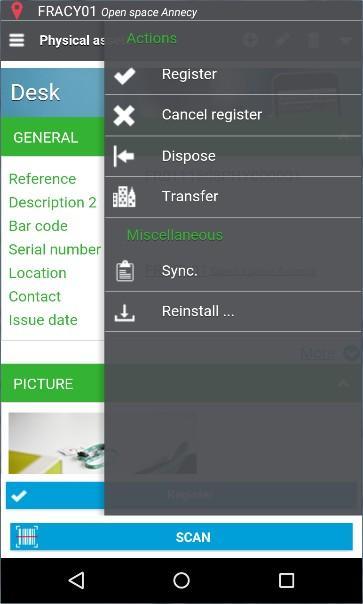
•Create, read, update and delete physical assets & locations.
•Perform transfers and disposals on the physical assets.
• Add GPS coordinates and pictures taken from the device to the physical assets and locations.
• Obtain the physical assets by location and the assets to count.
• Register the physical assets by scanning their barcode. The physical assets can be registered by scanning their barcode and marking them as counted. The app will manage barcode reading by pairing the device to a Bluetooth handheld scanner or by using the camera of the mobile device
Latest Version
1.3Uploaded by
Nutasit Rakang
Requires Android
Android 5.1+
Category
Free Business AppContent Rating
Everyone
Report
Flag as inappropriateLast updated on Dec 13, 2021
New:
- In-app barcode reader
- "Save images to gallery" option
- Factory reset feature
- Compatibility with Zebra devices
- Polish translation
Improvements:
- Home screen and connection editing interface
- Requesting enabling of Bluetooth or GPS
- Simplified image compression option and geolocation management
- Other user-experience improvements
Fixes:
- Failed autofill of user credentials
- Scanning or searching barcodes sometimes failed




APKPure - A multi-platform app store primarily focused on Android, providing extensive app-related content. Discover the app you want easier, faster, and safer, with quick and efficient downloads and installations.