Safe N Secure Notes is a simple, no fuss application which allows you to store your notes easily and securely.
Featured on XDA Developers ---> http://www.xda-developers.com/android/keep-your-private-notes-hidden-with-safe-n-secure-notepad/
XDA Developer TV Review: http://www.xda-developers.com/android/android-app-review-secure-your-recipe-with-safe-n-secure-notepad-xda-developer-tv/
It is not just any other notes taking application - this application works in STEALTH MODE*!
*For Devices Supporting Telephony
ONCE THE SETUP IS COMPLETE, THERE WILL BE NO ICON OR SHORTCUT TO LAUNCH THE APPLICATION (which makes it more secure). Upon launch, you will set a passcode for accessing the application.
The application can then be launched secretly by entering a defined key combination on your dialer.
For Wifi Only Devices
The application will be disguised as a Calculator. It will behave just like a normal calculator, unless you enter your secret code and press any of the +, -, "C", *, /, = sign. If the secret code is correct, the application will launch.
INSTALLATION INSTRUCTIONS
1. Once the application is installed, click on the application icon to launch setup.
2. Enter your secret passcode which will be used to open the application and your email address. Your passcode will be emailed to you for future reference.
FOR WIFI ONLY DEVICES
3. IMPORTANT: The application will appear with the name "Simple Calculator".
4. Launch the application and enter your secret code. Then press "C" OR "+" OR "-" OR "/" OR "*". If the secret code is correct, the application will display the secret notes UI.
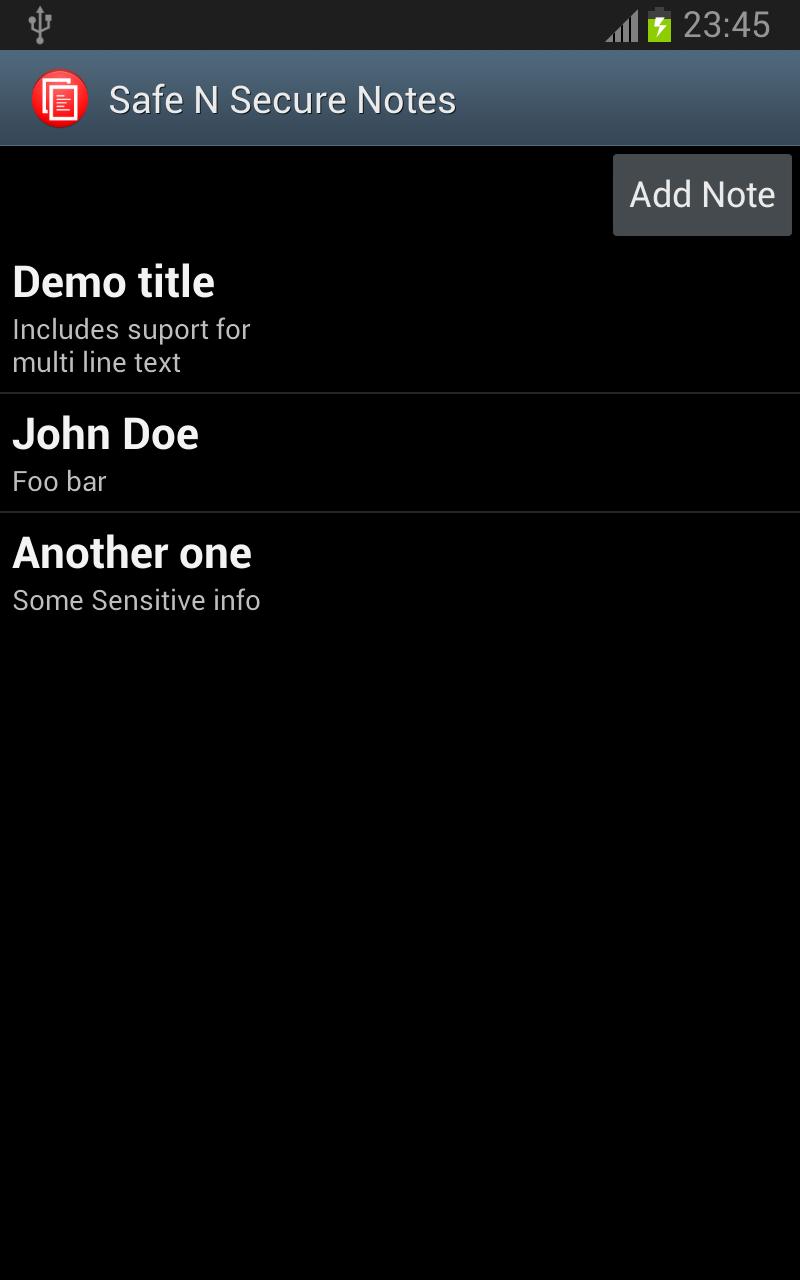
5.Now you can add notes using "Add Note" button. Any existing note can be deleted by long pressing on that note's row which will bring up "Delete Note".
FOR DEVICES SUPPORTING TELEPHONY
3. Restart your device. The application icon will not be visible anymore.
4. Open dialer and press **[your_secret_pin] to launch the application.
5. Now you can add notes using "Add Note" button. Any existing note can be deleted by long pressing on that note's row which will bring up "Delete Note".
Nobody will be able to launch the application but you!!
Nobody will be able to see this application in your app drawer or home screen!!
Safe N Secure Notes is for you if you do any of the following:
- Store your Bank Account Numbers, ATM PINS in your SMS Draft of normal notepad.
- Store Username/Password of various accounts in your SMS or notepad.
- Store sensitive information such as your ID Card information (SSN etc.) in your SMS or notepad.
It uses industry standard encryption to ensure your data is safe.
****FEATURES*****
- Easy to use, straight forward interface for entering notes.
- STEALTH MODE: No app icon or shortcut visible on your device(In case device supports Telephony). Disguises as Calculator on Wifi Only devices.
- Fully encrypted storage of notes.
- Can enter Title, Body or both for notes. (At least one of Title or Body field is required).
- Ability to Edit/Delete Notes.
Keywords:
Secure notes, Android notepad, Notepad application, Notes application, Create Notes, Manage Notes, Encrypted Notes, Notes Manager, Secure Text, Textpad.
Latest Version
2Uploaded by
Guiigooh Bilk
Requires Android
Android 2.1+
Category
Free Productivity AppContent Rating
Unrated · Warning – content has not yet been rated. Unrated apps may potentially contain content appropriate for mature audiences only.
Report
Flag as inappropriateLast updated on Jan 18, 2016
Version 2.0
- Support additional pattern for launching application: **[secret_code]#
- Added Support for Wifi Only Devices. The application will appear as Calculator on Wifi Devices.
- Added additional menu option to purchase full(Ad Free) version.





APKPure - A multi-platform app store primarily focused on Android, providing extensive app-related content. Discover the app you want easier, faster, and safer, with quick and efficient downloads and installations.