Package Name:com.ringapp
SHA-256:7bb9863a1bfe4ccde066bd45c5fe62927ba11823cff73309c4cdc659b868c288
Show More


Ring helps when you want to check your home while away or answer a doorbell from your phone. It connects supported cameras, doorbells, alarms, and lights in one place, so you can keep an eye on what matters. With simple account access and a clear layout, you can move between devices and settings without fuss. If you plan to download Ring, it is useful for daily check-ins as well as quick responses to alerts. Ring is also known as Ring Always Home.
Ring sends notifications for doorbell presses, motion events, and Ring Alarm sensor triggers. You can act quickly because alerts arrive as events occur. This helps you respond to visitors, packages, or unexpected motion without opening each device separately. Notifications are configurable, so you can reduce noise and only get the updates you care about.
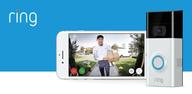
Live HD video with Two Way TalkRing lets you open Live View in HD to see what is happening in front of your devices. You can talk to visitors through Two Way Talk from your phone, which is useful for quick instructions at the door or checking in at home. This works with Ring Video Doorbell models and compatible Ring cameras. Video and audio connect within the app for a direct conversation in real time.
Free access vs Ring Protect benefitsRing includes free features such as real time alerts and Live View, so you can answer notifications without a plan. If you add Ring Protect, you unlock video history, saving, and sharing for supported doorbells and cameras. This is helpful when you need to review an event later or keep a clip. You can start with the free experience, then decide if the added history and sharing meet your needs.
Unified control and simple accessRing groups Alarm sensors and Smart Lights with cameras and doorbells, so you manage everything from one app. You can set motion-triggered automations across devices to turn on lights or record when activity is detected. Quick sign in helps you reach your devices faster, and regular updates improve security and reliability over time. Whether you use Android phones, Amazon Fire devices, or install via a Ring APK on Android, your Ring app login keeps devices and settings linked to the same account.
Ring can be used for free. You can view live video and answer notifications without a monthly plan. Ring Protect is optional and adds video history, saving, and sharing across supported doorbells and cameras. Current plan pricing is Basic at $4.99 per month or $49.99 per year, Standard at $9.99 per month or $99.99 per year, and Premium at $19.99 per month or $199.99 per year. Professional Monitoring for Ring Alarm is available with a compatible plan in all 50 U.S. states and in Canada, excluding Quebec. Monitoring is not owned by Ring, smoke and carbon monoxide monitoring is not available for business addresses, and local permits or false alarm fees may apply depending on your location.
Some users consider privacy before setting up connected cameras and doorbells. Ring provides device-level settings to control alerts and motion detection, and you choose which devices are shared with trusted people. For details on data collection and use, review the Ring Privacy Notice at https://ring.com/privacy. You can also visit https://ring.com for support resources that explain how to manage your account, video history with Ring Protect, and shared device access.
Your Ring account works across devices, and your Ring app login grants access to all linked products. Professional Monitoring availability and features depend on your region, and some settings may vary by country or state. In certain U.S. states such as Louisiana, Tennessee, Texas, and Utah, age requirements for app downloads or account creation may apply. Keeping the Ring latest version installed helps maintain security fixes, new device support, and reliability improvements.
These steps outline basic setup on Android so you can connect a doorbell, camera, or alarm. Use the Ring latest version to ensure reliable setup and access to new features.
Ring brings connected doorbells, cameras, alarms, and lights into one app with alerts and live video. For quick setup and everyday monitoring, complete your Ring app download and sign in to link your devices.
For official resources and support, use the links below.
Latest Version
3.115.0Uploaded by
Ramos Mohamad
Requires Android
Category
Free Lifestyle AppContent Rating
Everyone
Security Report
Check Now
Report
Flag as inappropriateLast updated on Oct 20, 2026
Enjoy a fresh new Ring app update, including bug fixes and improvements.
By using this app, you agree to Ring’s Terms of Service (ring.com/terms). You can find Ring’s privacy notice at ring.com/privacy-notice.



APKPure - A multi-platform app store primarily focused on Android, providing extensive app-related content. Discover the app you want easier, faster, and safer, with quick and efficient downloads and installations.