Claude Code vs GitHub Copilot: AI Coding Tools Comparison

2026-09-10
Compare Claude Code and GitHub Copilot across features, pricing, performance, and IDE support to find the best AI coding assistant for you.

Picking between Claude Code and GitHub Copilot comes down to one question: what kind of help do you want from AI? One tool lives in your terminal and writes code on its own. The other plugs into your IDE and predicts what you're about to type. Both are powerful, but they work in fundamentally different ways.
This comparison breaks down what each tool does well, where each one falls short, and which type of developer gets the most value from which tool. By the end, you'll have a clear picture of which AI coding assistant fits your workflow and budget.
Claude Code vs GitHub Copilot at a Glance
| Feature | Claude Code | GitHub Copilot |
|---|---|---|
| Developer | Anthropic | GitHub (Microsoft) |
| Starting price | $17/month (Pro, annual) | Free tier, $10/month (Pro) |
| Best for | Complex multi-file tasks | Real-time code completion |
| Platforms | Terminal, VS Code, JetBrains, Web, Slack | VS Code, JetBrains, Visual Studio, Xcode, Eclipse, Neovim |
| Context window | Up to 1M tokens | Varies by model |
| Agent mode | Autonomous, multi-step | With approvals, conservative |
| Free tier | No | Yes (2,000 completions/month) |
| Multi-model support | Anthropic models only | GPT-5, Claude Sonnet, Gemini |
What is Claude Code
- An autonomous coding agent built for the terminal.
Claude Code is Anthropic's entry into the AI coding space. It launched in 2025 and took a different approach from most competitors. Instead of an IDE plugin, it runs as a command-line tool. You type a task in plain English, and it plans the work, reads your codebase, edits files across multiple directories, runs tests, and commits changes.
The biggest draw is how much it understands. With a context window of up to 1 million tokens, it can trace dependencies across dozens of files and make changes that don't break things three modules away. On SWE-bench Verified, the standard benchmark for real-world coding tasks, Claude Code paired with Opus 4 scored 78.5%. That's the highest score among AI coding tools right now.

It also supports the MCP (Model Context Protocol), which lets you connect it to databases, deployment tools, monitoring systems, and other external services. That means Claude Code can do more than just write code. It can query your database, check server logs, and run deployment scripts as part of completing a task.
The tradeoff is cost and learning curve. The Pro plan costs $17 per month (billed annually) or $20 month-to-month. The Max plan runs $100 to $200 per month for heavy users. And since it's terminal-first, you need to be comfortable with command-line tools. There's also a known issue where Claude Code sometimes claims it finished a task when it actually skipped steps. You learn to double-check its work.
What is GitHub Copilot
- The IDE-integrated assistant with the largest user base.
GitHub Copilot launched in 2021 as the first mainstream AI coding tool. Backed by GitHub and powered by OpenAI models, it's grown to over 20 million users. Fortune 100 companies adopted it at 90% rate. That kind of scale gives it a big advantage in community support, documentation, and corporate trust.
Copilot works as an extension inside your existing IDE. You don't change your editor or learn a new interface. It predicts what you're about to type and suggests completions in gray text. Press Tab to accept. That's the core experience, and for many developers, it's all they need.
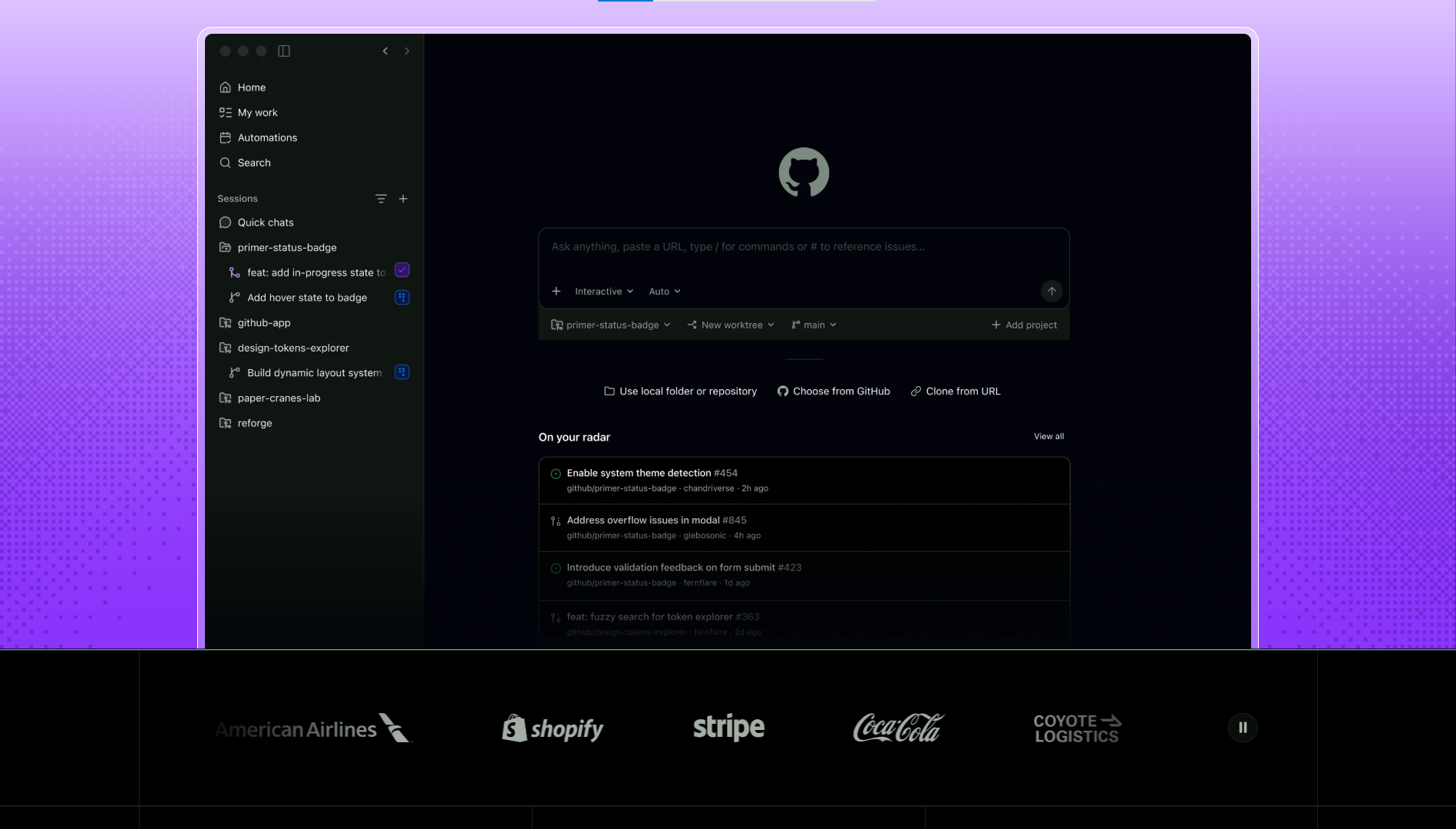
In 2025 and 2026, GitHub added several major features. Agent mode can now make multi-file changes and run terminal commands, with approval at each step. Copilot CLI brings the assistant to your terminal. The new AI Credits system, introduced in June 2026, charges based on token usage for agent and chat features. Code completion stays free and unlimited across all paid plans.
What makes Copilot stand out is model variety. You can switch between GPT-5, Claude Sonnet, Gemini, and other models within the same interface. If a specific model works better for a specific language or task, you have that flexibility. Claude Code is locked to Anthropic models only.
The limitation is context. Copilot looks at your current file and open tabs, not your entire project structure. For standard patterns like CRUD operations and function completions, that's fine. For complex refactors across multiple modules, it can miss relationships between files.
Features and Capabilities Compared
Both tools have moved beyond simple code completion into agent territory, but they take different paths.
- Claude Code's strength is autonomy. Give it a feature request like "add user registration with email verification," and it'll scan your project, find existing email utilities, write the new code, update related files, run tests, and submit a PR. You supervise and approve key steps, but you're not writing code line by line. The agent can spend 10 or 15 minutes working on a single task, iterating through errors and fixes on its own.
- GitHub Copilot's strength is integration. It's available inside 10+ IDEs, including VS Code, JetBrains, Visual Studio, Xcode, Eclipse, and Neovim. You don't leave your editor. The new Agent mode can handle multi-file edits too, but it's more conservative. It asks for approval before each significant change, which is safer but slower for large tasks.
One area where Copilot pulls ahead is model variety. You can switch between GPT-5, Claude Sonnet, Gemini, and others within the same interface. Claude Code is locked to Anthropic models. If you prefer a specific model for a specific task, Copilot gives you that flexibility. On the other hand, Claude Code can connect to third-party model providers through configuration, which some power users take advantage of to reduce costs.
Both tools support MCP servers for connecting external tools. Copilot added MCP support in 2025, and Claude Code has had it since mid-2025. This is becoming a standard across AI coding tools.
Performance and User Experience
Response speed matters when you're in the middle of writing code. Copilot's inline completions appear in roughly 200 milliseconds, fast enough that they feel like part of your typing flow. Claude Code's responses take longer because it analyzes more context before generating anything. For real-time completion, Copilot wins easily. For thoughtful, multi-step tasks, the wait doesn't matter as much.
The user experience difference is stark. Copilot lives where you already work. If you use VS Code, you install the extension, sign in with your GitHub account, and start coding. Learning curve is close to zero. Claude Code runs in a terminal. If you're comfortable with command-line tools, it feels natural. If you've never used a terminal for anything beyond git push, there's a learning curve.
Copilot's completion accuracy is high for common patterns. Function names, import statements, standard CRUD operations, and boilerplate code are its sweet spot. It handles Python, JavaScript, and TypeScript particularly well. Languages with less representation in public repositories get fewer reliable suggestions.
Claude Code generates better code for complex business logic and architectural decisions because it understands the full project context. When you ask it to implement a feature, it knows what utilities already exist and reuses them instead of creating duplicates. On the flip side, it can sometimes produce code that looks correct but has subtle bugs. Running the test suite after each change is a good habit.
Security and permissions handling matter for both tools. Claude Code asks for confirmation before running potentially dangerous commands. Copilot's Agent mode has a similar safety layer. Both let you configure which files and commands require explicit approval. For enterprise teams, Copilot has SOC 2 compliance, audit logs, and IP indemnity, which are deal-breakers for some organizations.
Pricing and Value
This is where the comparison gets interesting, because the pricing models couldn't be more different.
- GitHub Copilot has a free tier. That's huge for students and hobbyists. The Pro plan at $10 per month gives you unlimited completions and $15 in AI Credits for agent and chat usage. If you mostly use inline completions, $10 covers everything. If you use Agent mode heavily with premium models, credits can run out and you'll need to buy more. Pro+ at $39 per month adds premium model access and higher credits. Max at $100 per month is for high-volume users.
- Claude Code doesn't have a free tier. The Pro plan starts at $17 per month (annual) or $20 per month (monthly). You can also use API-based pricing, paying per token consumed. For light users who only run a few tasks per day, API pricing can work out to $5 to $10 per month. For heavy users running long agent sessions, monthly costs can climb to $100 or more. Anthropic recently adjusted Claude Code's weekly usage limits. As of September 2026, standard weekly quotas increased by 25% permanently. But this actually means less usage than the temporary 50% boost that was in effect, which frustrated some users.
The value calculation depends on your work style. If you write code all day and need fast completions, Copilot Pro at $10 is hard to beat. If you work on large refactoring projects where Claude Code's deep context understanding saves hours of manual work, the higher price pays for itself quickly. And if you're part of a large organization, Copilot's Business plan at $19 per seat includes centralized management and policy controls that make IT departments happy.
Community and Support
- GitHub Copilot has the largest community of any AI coding tool. Over 20 million developers use it. Stack Overflow has thousands of tagged questions. GitHub's documentation is thorough and regularly updated. Enterprise customers get SOC 2 compliance, audit logs, IP indemnity, and centralized billing. For companies worried about legal and security risks, Copilot's enterprise features are the gold standard.
- Claude Code's community is smaller but growing fast. Anthropic's documentation covers the basics well. The MCP network lets you connect Claude Code to hundreds of external developer tools and services. For AI programming teams that need deep codebase analysis, the community is active enough to get help when you need it. Community forums on Discord and Reddit are active, but you won't find the same depth of troubleshooting resources as Copilot. If something breaks, you're more likely to be on your own.
For enterprise use, Copilot has a clear edge. It's been around longer, passed more security reviews, and integrates with GitHub's existing enterprise tools. Claude Code is newer and still building its enterprise story. Anthropic does offer team plans with SSO and centralized billing, but the compliance feature set isn't as mature as what GitHub offers.
Pros and Cons
| Item | Claude Code | GitHub Copilot |
|---|---|---|
| Pros | Deepest codebase understanding among AI coding toolsAutonomous multi-file task execution without manual interventionUp to 1M token context window for large projectsStrong performance on complex refactoring and architecture decisionsMCP protocol support for third-party tool connectionsDirect GitHub and GitLab integration for PR workflows | Free tier with 2,000 monthly completionsWorks inside 10+ IDEs with zero workflow disruptionFast inline completions in under 200msMulti-model support including GPT-5, Claude Sonnet, and GeminiStrong enterprise features with SOC 2, audit logs, and IP indemnityLargest user community and documentation base |
| Cons | No free tier availableHigher cost for heavy usage compared to fixed-price plansTerminal-first experience has a learning curveCan occasionally hallucinate completed tasksWeekly usage limits can be restrictive for power usersLimited to Anthropic models only | Narrower context awareness, limited to open filesAI Credits can run out fast with heavy agent usageAgent mode is more conservative than competitorsCannot connect custom or regional AI modelsPremium models consume credits at higher rates |
The Verdict: Which Should You Pick
Neither tool is universally better. The right choice depends on what kind of work you do and how you like to code.
- Pick Claude Code if you work on large projects with complex architectures, need AI to handle multi-file refactors, and you're comfortable in the terminal. If your daily work involves understanding entire codebases and making coordinated changes across modules, Claude Code's deep context and autonomous execution will save you more time than any completion tool.
- Pick GitHub Copilot if you want fast, unobtrusive code completion inside your existing IDE, you're price-sensitive or want a free tier, or your organization requires enterprise compliance features. If your coding is mostly standard patterns, CRUD operations, and common library usage, Copilot's inline suggestions will speed you up without the learning curve.
Some developers use both. Copilot for real-time completions during daily coding, Claude Code for complex tasks that need autonomous planning and multi-file execution. The two tools serve different needs and can complement each other well. The best approach is to figure out which one matches your daily work, install it, start there, and revisit as your needs evolve.

- How to Download and Use GitHub Copilot
- How to Download Soliq APK Latest Version 2.0.35 for Android 2026
- How to Download X-VPN: Fast VPN & Secure Proxy APK Latest Version 208.5.1 for Android 2026
Conclusion
Claude Code and GitHub Copilot represent two philosophies of AI-assisted development. Copilot is the superpowered autocomplete that lives in your editor and stays out of your way. Claude Code is the autonomous agent that takes a task and runs with it, editing files and running tests while you supervise. Your pick comes down to what you need most: speed in your current workflow, or depth of autonomous task handling. Both are excellent at what they do, and both will keep getting better. The smartest move is to install the one that matches your daily work, start there, and revisit as your needs change.
 NEWS
NEWS REVIEWS
 HOWTO
HOWTO