Sober: 7 Features That Make Roblox Work Natively on Linux

2026-08-03
We rank Sober's 7 most impressive features that bring native Roblox to Linux, from its custom runtime to Flatpak distribution and Vulkan crash fixes.
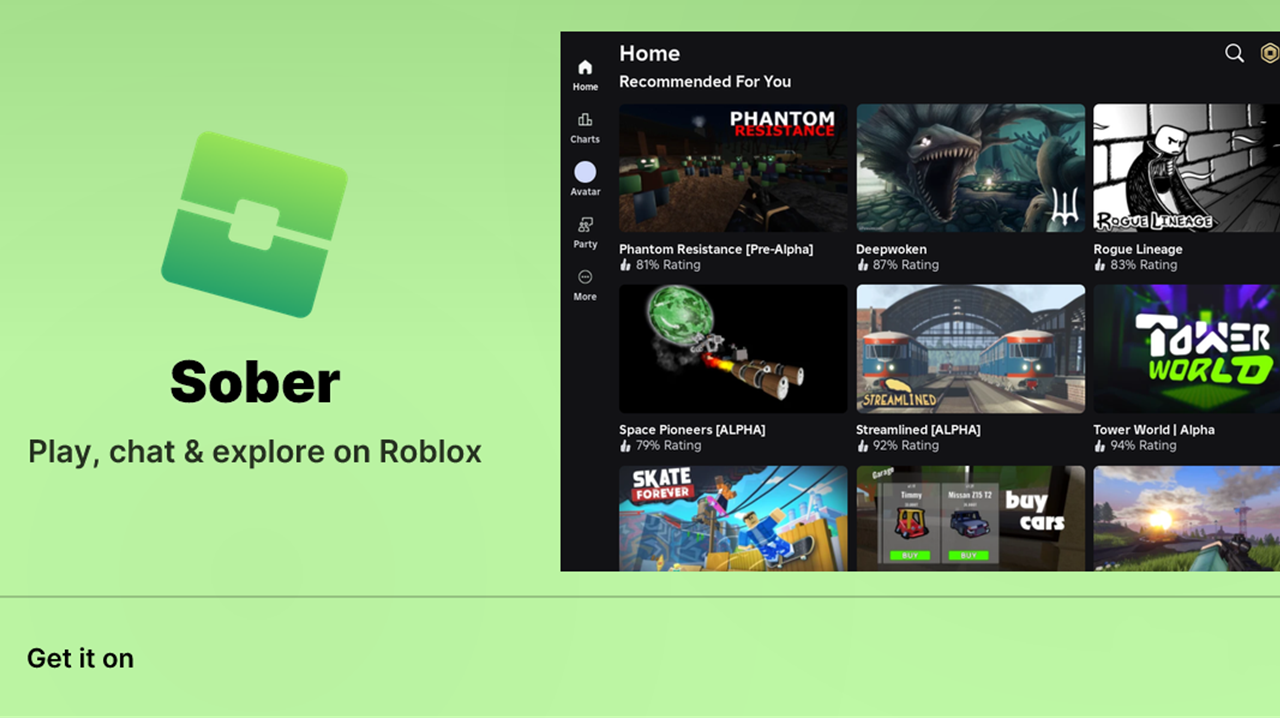
For years, playing Roblox on Linux meant wrestling with Wine, hopping between buggy Android emulators, or giving up entirely. Sober changed that. Built by VinegarHQ, this Linux Roblox launcher takes a completely different approach. And it works surprisingly well.
What makes Sober tick isn't one trick. It's a combination of smart architecture decisions and relentless bug-fixing. Here are the seven stand-out features that make this Roblox on Linux solution worth your attention.
Experimental Status with Active Community
Before diving into the technical wins, let's get honest about what Sober is. It's an experimental project. The developers describe it as "a passion project rather than production-grade code." Roblox doesn't officially support it, and it could stop working at any time.
Why rank this as a feature? Because the transparency builds trust. The VinegarHQ team runs a Discord server for community support, uses GitHub for issue tracking, and maintains open communication about bugs and limitations. You know what you're getting into.
The surprising part is just how stable it actually is for something labeled experimental. Most users report sessions that match or beat what they'd get on Windows, with crashes being the exception rather than the norm.
Font Rendering Optimization
One of those quality-of-life improvements that's easy to overlook: Sober 1.7.1 shipped targeted fixes for how text displays inside Roblox experiences. If you've ever squinted at blurry in-game menus or unreadable chat on a Linux desktop, you'll appreciate this one.
The font rendering optimization addresses how the Android Roblox client's text pipeline maps onto Linux font stacks. Prior versions had issues with certain typefaces appearing pixelated or incorrectly scaled, especially in experiences that use custom UI-heavy interfaces. The 1.7.1 update cleaned that up significantly, making everything from chat bubbles to leaderboard text sharper and more consistent across different display configurations.
It's not the flashiest feature, but it's the kind of fix that makes the difference between "technically works" and "actually pleasant to use."
Vulkan Crash Fix
If there's one thing that'll sour a gaming session faster than anything, it's a crash-to-desktop in the middle of a round. For Sober users on AMD and newer Intel GPUs, Vulkan-related crashes were a recurring headache before version 1.7.1.
The Vulkan crash fix tackled instability in how the compatibility layer translated graphics API calls. Specifically, certain Vulkan extensions that the Android Roblox client expected weren't being handled correctly by Mesa drivers on Linux, causing segfaults during shader compilation or texture swaps. The 1.7.1 update reworked that translation path, and the result is a noticeably more stable experience. Fewer unexplained exits, less fear of hitting "Join Game."
If you're on an AMD GPU running Mesa, this fix alone is worth updating for.
Flatpak Distribution
Installing gaming software on Linux has historically been a ritual of hunting down dependencies, fighting library version conflicts, and praying to the package manager gods. Sober sidestepped all of that by distributing exclusively through Flathub.
One flatpak install flathub org.vinegarhq.Sober and you're done. No compiling from source, no chasing missing .so files, no distro-specific package hunting. The Flatpak distribution means Sober works identically on Ubuntu, Fedora, Arch, SteamOS, and anything else with Flatpak support. Updates come through the same channel. Run flatpak update and you get the latest fixes without thinking about it.
This is particularly important for an experimental project. When the developers push a critical fix like the Vulkan patch, Flatpak users get it immediately across every supported distribution. No waiting for distro maintainers to package it. That distribution agility directly feeds into how quickly Sober can respond to Roblox client updates that might break compatibility.
Native Linux Runtime
Here's the architecture decision that separates Sober from every other "Roblox on Linux" attempt. It doesn't use Wine. It doesn't wrap an Android emulator. It creates a specialized native Linux runtime purpose-built for running Roblox's code directly.
The approach works by intercepting the Android Roblox client's system calls and translating them to Linux equivalents at runtime, without the overhead of emulating an entire Android environment. This isn't a compatibility layer in the traditional sense. It's more like a targeted bridge that only handles what Roblox actually needs.
The performance implication is dramatic. Users consistently report frame rates matching or exceeding the Windows client on identical hardware. There's no double translation (Android → x86 → Linux), no VM overhead, no Wine bottle maintenance. You launch Sober, you pick an experience, and it runs like it was designed for your desktop.
Blazingly Fast Performance
"We ported Roblox to Linux because they wouldn't." That line from the Sober homepage captures the spirit, but the execution is what earns this the #2 spot. The performance is genuinely impressive.
Multiple users on the VinegarHQ Discord and Reddit's r/linux_gaming report that Sober delivers frame rates that surpass Roblox's official methods on the same machine. The specialized runtime avoids the typical 15-30% performance penalty you'd see with Wine or Android emulation. Since the graphics pipeline talks directly to Vulkan through Mesa, there's no DirectX translation layer eating CPU cycles.
For competitive Roblox players (and yes, that's a thing, especially in experiences like Arsenal or Phantom Forces), every frame matters. The native Linux runtime means input latency is lower too, since there's no extra layer between your mouse click and the game's event loop. If you've been dual-booting just to play Roblox at full speed, Sober might finally let you delete that Windows partition.
Android Roblox Client Compatibility Layer
The fact that all of the above works comes down to a single, audacious engineering decision: Sober runs Roblox's actual Android client binary, not a reimplementation or a Wine-wrapped Windows version. This compatibility layer is the foundation everything else sits on.
By targeting the Android client, Sober gains access to Roblox's most actively maintained codebase. The Android client receives updates in lockstep with the platform, and Roblox Corporation has a strong incentive to keep it performant and stable for their massive mobile audience. Sober piggybacks on that, translating Android-specific system calls to Linux natives as the client runs.
The clever part is how this affects long-term viability. Every Roblox update that fixes bugs or improves performance on Android automatically benefits Sober users. The VinegarHQ team doesn't need to maintain a full game client. They focus on the translation layer that bridges the Android binary to a Linux desktop. It's less code to maintain, fewer things to break, and a shorter path from "Roblox updated" to "it works on Linux again."
What's Missing
Sober isn't perfect, and the developers are upfront about that. It's closed-source (that could change), it lacks some features the official Windows client has, and Roblox Corporation could theoretically break compatibility at any time by changing the Android client's internals. Some experiences may have graphical quirks, and certain input methods don't map perfectly from touch to keyboard-and-mouse.
But for a passion project maintained by a small team, what's already here is genuinely impressive. The 1.7.1 update shows active development continues, with each release tackling real pain points like Vulkan stability, text clarity, and memory usage under heavy loads.
Final Thoughts
Sober solves a problem Roblox Corporation has ignored for over a decade: native Linux support. It does it without emulation overhead, without Wine dependency chains, and through a distribution channel (Flatpak) that makes installation trivial on any modern Linux desktop.
If you're running Linux and you want to play Roblox without compromises, Sober is the best option by a wide margin. The Flatpak distribution, the native runtime architecture, and the active development pace all point in one direction: this is the closest thing to official Linux Roblox support that exists.
To get started, head to Flathub and search for "Sober," or run flatpak install flathub org.vinegarhq.Sober in your terminal. Make sure your system meets the minimum requirements (a 64-bit Linux install with Vulkan-capable graphics and Flatpak installed), and you'll be in your favorite Roblox experience in minutes.

Roblox is a user-generated gaming platform that lets players discover and join shared 3D experiences.

 NEWS
NEWS REVIEWS
 HOWTO
HOWTO