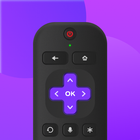
Remote Control For Roku TV is a convenient smart Roku TV remote designed specifically for Roku smart TV box and Roku TV users. 📺✨ With this app, you can control all your Roku TV devices via WiFi, turning your phone into a Roku TV remote. 📱📶 It allows you to power on/off your Roku TV, adjust the volume, cast your phone screen, mirror your display, and browse, play, and launch your favorite TV channels, fully replacing all the functions of a physical Roku TV remote. 🎉🔊📲
Whether you want to watch your favorite shows on Roku TV 📺 or mirror/cast videos, pictures, and audio from your phone to your Roku device 📱, simply connect your Android mobile device and Roku device to the same WiFi network. The Roku TV remote control app will automatically connect to your Roku TV device.
Why choose Remote Control For Roku TV?
-Automatic Connection and Scanning 🔍: This app can automatically search for and connect to Roku devices without manual pairing and setup.
-Haptic Feedback 📳: Every operation provides precise haptic feedback, ensuring smooth and uninterrupted remote control.
-Keyboard Input ⌨️: Simplify text input and searching on your TV with a virtual keyboard.
-Screen Mirroring 📱➡️📺: Quickly mirror photos and videos from your phone to your Roku TV.
-Screen Casting 📱➡️🖥️: Real-time casting of your phone screen to your Roku TV.
-Power Controls 💡: One-touch power control for your Roku TV from your mobile device.
-Playback Control ▶️: Control playback of content on your Roku device or TV with play/pause, fast forward/rewind, and volume controls.
Which Roku TV models are currently supported? 📺
Through our continuous efforts, we currently support the following Roku TV models: Roku Express, Roku Express+, Roku Streaming Stick, Roku Streaming Stick+, Roku Premiere, Roku Premiere+, Roku Ultra."
Disclaimer/Trademarks:
‒ This app is NOT affiliated with or endorsed by Roku, Inc. Roku is the trademark of Roku, Inc. 📢⚠️
Troubleshooting:
‒ This TV control application can only connect when you and the Roku TV device are on the same WiFi network. 📶❗
Contact Us: cs@ldyt.online
If you would like to learn more about us, please visit https://ldyt.online for details. 🌐📧
Latest Version
2.3.7Uploaded by
Abir Zaki
Requires Android
Android 6.0+
Category
Free Tools AppContent Rating
Everyone
Report
Flag as inappropriateLast updated on Jul 16, 2025
Version 2.3.7
Optimized performance and usage experience!
Special Features:
1.Remote control for all Roku TV and Roku streaming device;
2.Haptic feedback;
3.Keyboard search
4.Smooth touchpad
5.Screen mirroring/projection
6.Control volume
7.Power control
8.Playback control
9.Support Android 15
Update now for a more reliable and seamless experience!




APKPure - A multi-platform app store primarily focused on Android, providing extensive app-related content. Discover the app you want easier, faster, and safer, with quick and efficient downloads and installations.