This is Free version of app "Ray Optics Pro".
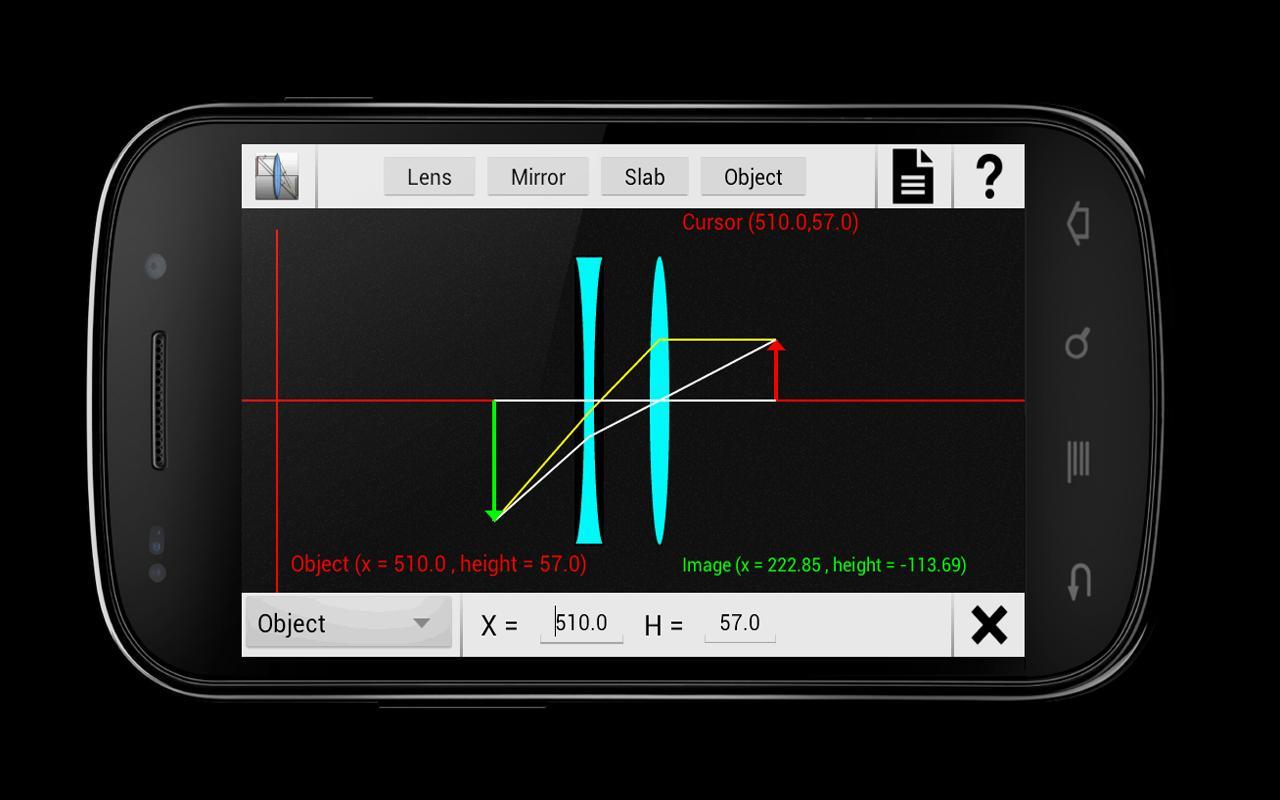
Ray Optics is a complete simulator and solver for Geometrical optics.
Key Features :-
1) Simulate any ray optics problem.
2) Complete ray diagram
3) Final Image position, height and magnification.
4) Compete step by step solution in great detail. This way you just don't get the final answer but also understand all steps to get that answer. (In Pro Version only)
5) Pinch zoom
6) Save screen-shot
Pro version has following Additional features
1) Step by step solution for your Ray Optics problems.
2) See step-by-step solution. You can also Email or save it to your SD card.
3) In future all new features will be available in this version only.
You can move lens/mirrors by dragging them and see ray diagram and image position in real time.
This will help you to have a clear visualization of Ray Optics concepts.
Also the detailed solution will help you to understand Ray Optics fundamentals and formulas required to solve any problem.
You can also understand concepts of reflection and refraction and their implication in real time.
This will be equally helpful for students studying Geometrical Optics and teachers teaching this topic.
And all other people in love with Physics :)
All Features:
- Geometric optics solver and simulator
- Refraction and reflection with full ray diagram support
- Editable object, lens and mirror properties
Support for
Concave and convex lenses
Concave and convex and Plane mirrors
Glass slabs
- Formation of Virtual and real images
- Under advanced mode, you can even shift principal axis of lens and mirrors. ( for real geeks :D)
GUI Features
- Dragging origin : you can drag around origin.
- Pinch Zoom
- Save screenshot
- See complete solution for problem.
* Based on thin lens equation
==============================================
How to Use:
1) Adding Elements
Click on corresponding button to add that element. This way the element with default parameter will be added.
2) To Modify an Element
Press on element and EditPanel will appear on screen showing current parameters. Now any parameter can be edited by corresponding textFied.
Pressing on delete button (present in bottom right corner) will delete selected element.
3) See Solution
Press on solution button ( present next to help button in top-right corner ).
3) To delete all elements, press Clear from menu.
===============================================
I will keep on improving it. Suggestions/Comments are invited.
Latest Version
5.0Uploaded by
أبو وديع
Requires Android
Android 3.2+
Category
Free Education AppContent Rating
Everyone
Report
Flag as inappropriateLast updated on Jan 28, 2017
Show focus and center of curvature when lens/mirror selected.
Retain last setup on app restart also.






APKPure - A multi-platform app store primarily focused on Android, providing extensive app-related content. Discover the app you want easier, faster, and safer, with quick and efficient downloads and installations.