
RadarOmega: Doppler Radar App is built for people who need more detail than a basic forecast can provide during changing weather. It supports storm tracking, local radar viewing, and weather awareness in regions such as the U.S., Canada, Germany, Australia, South Korea, and more. As conditions change, users can check radar and official warning information in one place. The RadarOmega: Doppler Radar App latest version is useful for daily planning, outdoor safety, and weather focused work.
Detailed single site radar data
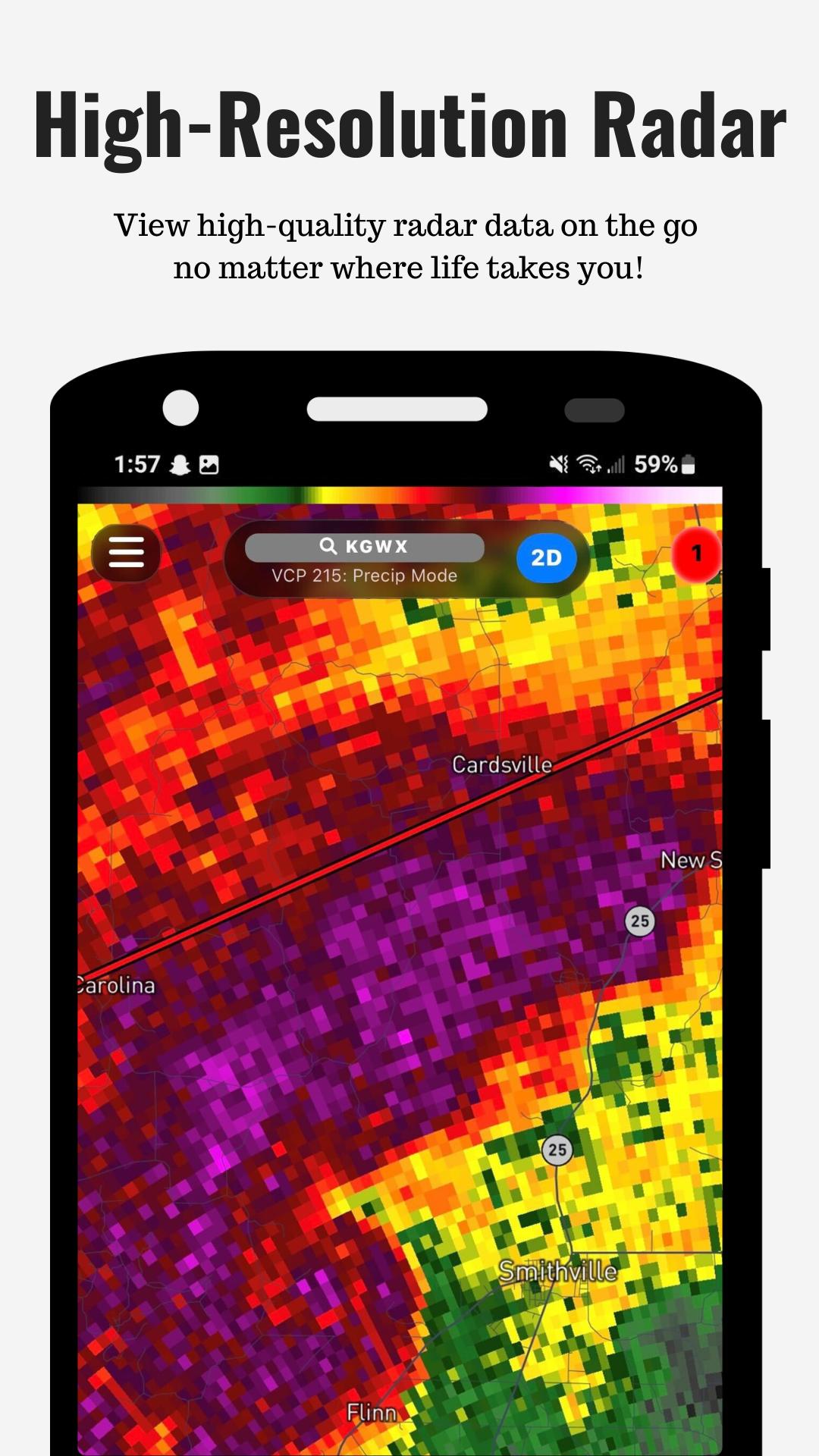
RadarOmega: Doppler Radar App gives users access to single site radar data for closer storm analysis. You can view reflectivity, velocity, Level 2 data, Level 3 data, and Dual Pol products when available. This helps users look beyond a simple rain map and better understand storm structure, wind patterns, and areas of stronger activity.
Real time severe weather alerts
RadarOmega: Doppler Radar App includes severe weather alerts from the National Weather Service for supported areas. You can follow tornado warnings, flash flood warnings, hurricane information, winter weather alerts, and thunderstorm warnings. In severe weather situations, this makes it easier to compare radar movement with official alert areas before making practical decisions.
Custom radar maps and visual tools
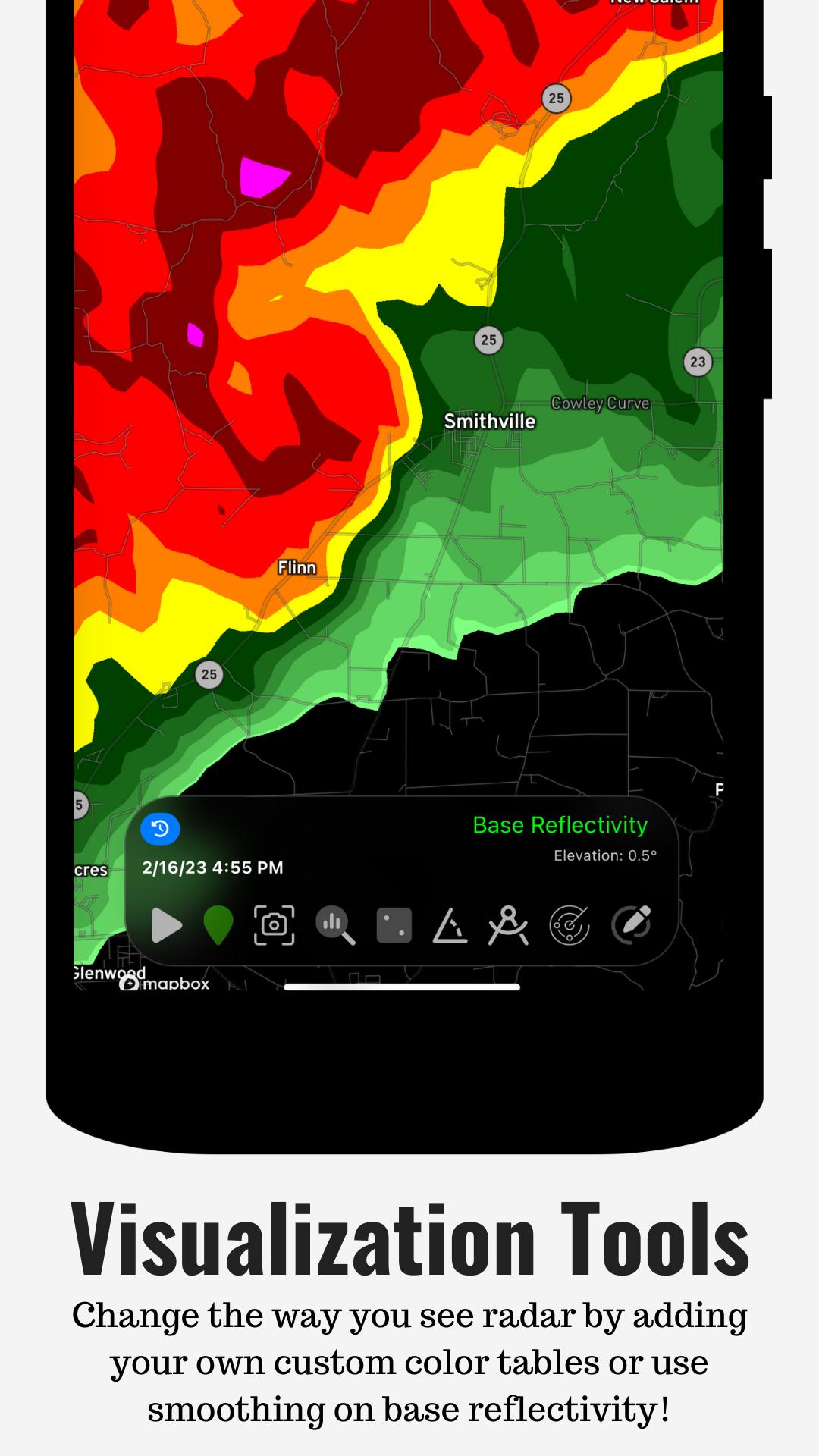
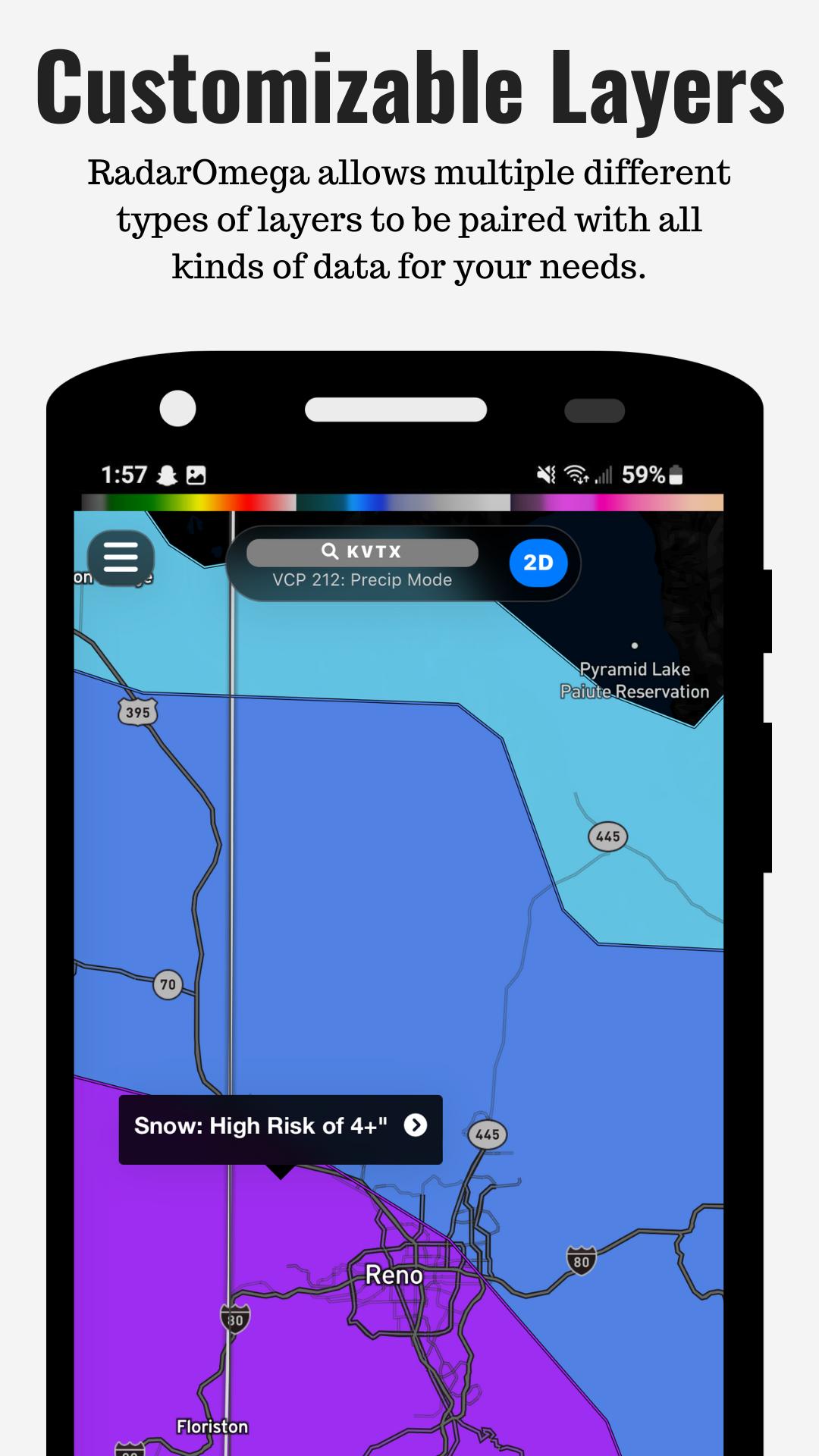
You can adjust the radar view with different map types, data layers, and frame animations. RadarOmega: Doppler Radar App also supports custom locations, drawing tools, and options for sharing GIFs or videos. As a result, users can mark areas of interest, review storm movement, and explain weather changes to others more clearly.
Advanced data through subscriptions
RadarOmega: Doppler Radar App offers Alpha, Beta, and Gamma subscription options for users who need deeper weather data. These plans can add satellite data, MRMS, forecast models, 3D radar, and storm archives, depending on the subscription level. This is useful for meteorology students, weather spotters, emergency planning users, and others who need more than a standard Doppler Radar App view.
Extra weather layers and live field data
RadarOmega: Doppler Radar App also includes information such as lightning detection, storm reports, SPC outlooks, NHC tropical data, METARS, buoy data, tidal charts, and power outage layers. In addition, the cyclonePORT network provides live camera and sensor data for severe weather awareness. These layers help users connect radar activity with reports and conditions on the ground.
RadarOmega: Doppler Radar App is designed for both everyday weather checks and more detailed storm tracking. However, some advanced tools are tied to subscription levels, so users should review the available plan options before expecting access to satellite products, forecast models, 3D radar, or archive data. For many users, the main value comes from deciding whether basic radar and alerts are enough or whether professional style data is needed.
Users who follow tropical systems, winter storms, or frequent severe weather may benefit from the app’s wider data coverage. For example, hurricane tracking can involve NHC tropical data, while winter weather monitoring can involve official alerts and radar changes over time. Meanwhile, users focused on outdoor work, travel, or local safety can rely on live radar, warnings, and nearby reports to understand current conditions.
After installing the RadarOmega: Doppler Radar App APK, open the app and begin with the radar map for your current area or a saved location. From there, you can add warning layers and weather data based on the conditions you want to follow.
RadarOmega: Doppler Radar App gives Android users radar data, official severe weather alerts, and extra weather layers for storm tracking and weather monitoring. Users can download RadarOmega: Doppler Radar App when they need a detailed weather radar tool for everyday checks or more focused weather analysis.
Official information is available through the following channels:
Latest Version
5.5.3Requires Android
7.0
Category
Weather AppContent Rating
Everyone
Report
Flag as inappropriateLast updated on Oct 16, 2025
This release includes minor bug fixes and general improvements. Update to the latest version for the best experience.





APKPure - A multi-platform app store primarily focused on Android, providing extensive app-related content. Discover the app you want easier, faster, and safer, with quick and efficient downloads and installations.