Package Name:kamesan.quickcalc
SHA-256:01b39abd9a3671aa9aa8d6c137393567a0de6fad9a8508f2b17da504e5aa89cf
Show More
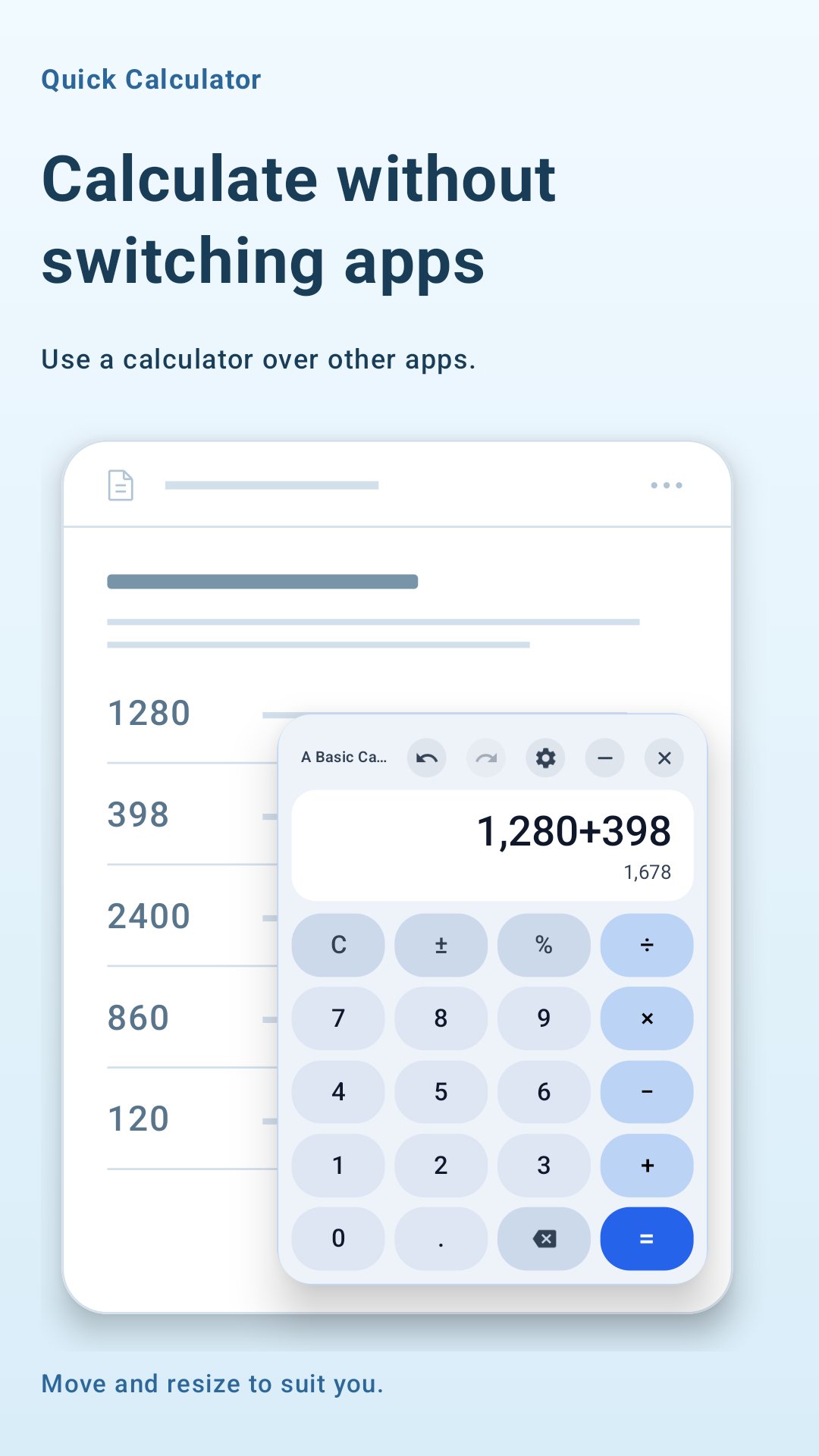
Keep your calculator on screen while you shop, read notes or work with numbers. Quick Calculator is a floating calculator that opens over other apps, so you can calculate without switching screens.
THREE CALCULATORS, READY TO USE
Start with basic, shopping and scientific calculators. Rename and customize each one, or keep several open at once.
MOVE, RESIZE AND MINIMIZE
Drag the calculator where you need it and resize it from any corner. Minimize the keypad while keeping the expression and result visible.
MAKE IT YOURS
Choose key and text colors, light or dark themes, transparency, corner shapes and spacing. Show only the keys you need, drag them into place and adjust rows, columns and key sizes in half-tile steps. Six keypad presets help you get started.
EVERYDAY, TAX AND SCIENTIFIC CALCULATIONS
Use arithmetic, percentages, brackets and multiple tax-inclusive or tax-exclusive keys. Add, edit or remove your own tax rates. Scientific functions include trigonometry, roots, powers, logarithms, factorials and degree/radian modes.
QUICK ACCESS AND USEFUL RESULTS
Launch from a home-screen widget or Quick Settings. See results as you type, undo and redo, paste expressions and copy results from the calculator or calculation history. Customize widget colors, transparency and name visibility.
Display-over-other-apps permission is required. Some apps or devices may restrict overlays. This app contains ads, but no ads appear on the floating calculator. Check the applicable tax rates before use.
Latest Version
1.1.4Uploaded by
Alessandro Nunes
Requires Android
Android 8.0+
Category
Free Tools AppContent Rating
Everyone
Security Report
Check Now
Report
Flag as inappropriateLast updated on Nov 17, 2026
• AC clears the display. The cursor blinks while you edit an expression.



APKPure - A multi-platform app store primarily focused on Android, providing extensive app-related content. Discover the app you want easier, faster, and safer, with quick and efficient downloads and installations.