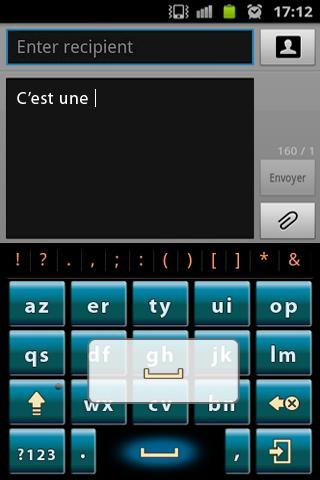
Practice Keyboard is a fast multitouch keyboard with multi-language support.It understands how words work together, giving much more accurate corrections and predictions than other keyboards.
●Enable Practice Keyboard
First step: after download Practice Keyboard, go into the “Menu”, click the [Enable Practice Keyboard] to enable.
Second step: long press any input box until popup a menu, choose “Input method”, then choose “Practice Keyboard”
●Gesture support:
Swipe right to navigate between azerty and qwerty keyboards.
Swipe down to get developed keyboard.
●Support languages:
German-DE- Deutsch
French-FR- française
Dutch-NL- Nederlands
Spanish-ES- Español
Italian-IT- Italiano
Latest Version
3.2.0Uploaded by
Kaung Htwe Zin
Requires Android
Android 1.5+
Category
Free Productivity AppContent Rating
Everyone
Report
Flag as inappropriateLast updated on Apr 1, 2016
Minor bug fixes and improvements. Install or update to the newest version to check it out!




APKPure - A multi-platform app store primarily focused on Android, providing extensive app-related content. Discover the app you want easier, faster, and safer, with quick and efficient downloads and installations.











