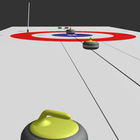
So far you can play on one phone as 2 players. You have different modes available:
- Regular Game (8 stones per end per player)
- Mixed Doubles (5 stones per end per player, with stones set)
- Custom Game (set how many stones per end yourself: 1-8)
Freeguard Zone Rule is active if playing mixed doubles or with more than 6 stones.
Freeguard Zone Rule states, that you cannot remove the other player's stones from play if you play one of the first 5 stones in the end and the enemy's stone wasn't touching the house yet. Stones will be reset to how they were before.
The main goal is to score the most by stategically placing stones in the house so after the end is finnished you have the most stones closest to the center of the house.
Gameplay:
Before each stone the broom can be set by dragging it around.
As soon as we move into the heck (with camera view) and the playing stone is visible, the stone can be played by long pressing on the screen. the force is displayed on the left bar:
the bottom represents velocity for a bit before the hog line, the middle somewhere around the tee line and the top is a 7.7s tacke out.
when sliding and before the first hog line, the rotation has to be given. swipe right to left or inversely and at a speed of about the screen width per 0.5s. less rotation->much more curl. The current amount of curl if released immediately is visible on the bottom bar: aim for the middle!
When the stone is moving freely, you can sweep by holding your finger on the screen.
After each end, the current scoretable is shown and a button to go to the next end.
Camera control:
The different cameras can be selected by tapping on certain areas of the screen. These areas are all somewhat logically placed.
cameras available:
ready and crouched in heck
standing in heck
zoomed from heck
skips view
crouched skips, stone following view
Try the different views by tapping on the screen at the top/bottom/middle during different situations and you will surely get it.
In the future you can also setup a stone scenario by moving stones by hand and then play stones in that situation.
Latest Version
5.0Uploaded by
王斌
Requires Android
Android 4.0+
Category
Free Sports GameContent Rating
Everyone
Report
Flag as inappropriateLast updated on Feb 25, 2018
fixed 8 stones per end bug, now possible



APKPure - A multi-platform app store primarily focused on Android, providing extensive app-related content. Discover the app you want easier, faster, and safer, with quick and efficient downloads and installations.












