The app is not an official Minecraft product, not approved by or associated with Mojang or their respectful owner.
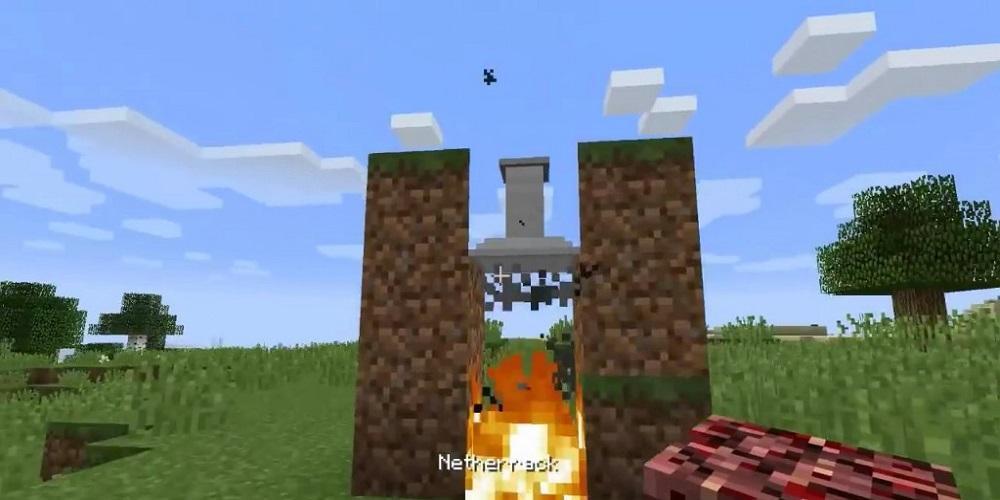
Smoke Filter Mod 1.12.2/1.10.2 adds a new Airfilter to clean the air above a fire for receiving some ash. The airfilter must be placed one block above the fire for being active. If active, the Airfilter will filter one ash powder, out of the air, every 200 ticks sec. The Airfilter has only enough space to store one ash powder.
How to install:
Make sure you have already installed Minecraft Forge.
Locate the minecraft application folder.
On windows open Run from the start menu, type appdata and click Run.
On mac open finder, hold down ALT and click Go then Library in the top menu bar. Open the folder Application Support and look for Minecraft.
Place the mod you have just downloaded (.jar file) into the Mods folder.
When you launch Minecraft and click the mods button you should now see the mod is installed.
Ostatnia Wersja
1.0Przesłane przez
Мария Антуанетт
Wymaga Androida
Android 4.0+
Kategoria
Darmowe Przygodowe GRAOcena treści
Everyone
Last updated on Feb 11, 2019
Ta wersja zawiera drobne poprawki błędów i ogólne ulepszenia. Zaktualizuj ją, aby uzyskać najlepsze wrażenia.





APKPure - Wieloplatformowy sklep z aplikacjami skupiający się głównie na systemie Android, zapewniający szeroki wybór treści związanych z aplikacjami. Odkrywaj poszukiwane aplikacje łatwiej, szybciej i bezpieczniej, z szybkim i wydajnym pobieraniem oraz instalacją.