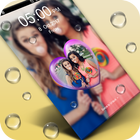
PIP Lock Screen protect your mobile security with screen lock(lock screen) and app lock.
Locks your phone with password or pattern lock& hide apps from others, download app locker and lock screen now!
Beautiful PIP lock screen with picture in pip effect. New way to lock your screen with a stunning lock screen.
The most powerful lock screen with live wallpaper themes.
Pip Lock Screen keeps your Android lock screen beautiful and customized your way and shows
How to use PIP lock screen:-
1.go to setting and remove your screen lock if any.
2.start app and go to setting
3.choose wallpaper from wallpaper gallery
4.set pip theme from yourself in setting option
5.enable/disable lock screen from setting(by default enable)
6.first time entered pattern is lock password for future.
Passcode Photo Lock Screen:
Our picture Password lock screen allows you to customize the lock screen passcode by adding images to each of the individual buttons. PIP lock screen editor. You have to select a photo from the gallery and make a photo passcode screen easily. Even you can change the shapes of buttons as well to circle, heart, rectangle and more.
Wallpaper Themes:
All the wallpaper themes have been divided into PIP and Classic themes. Apply stunning PIP Lock screen with effects. If you choose one from PIP theme, select it and choose a photo from gallery and you will picture in picture of that image with blur background.
My Name Lock Screen:
My Name Locker lets you customize you your mobile lock screen with your name and photo.
Thank You For using PIP Lock Screen….
Latest Version
2.0Uploaded by
Kevin Dkr
Requires Android
Android 4.4+
Category
Free Personalization AppContent Rating
Everyone
Report
Flag as inappropriateLast updated on Oct 9, 2017
Minor bug fixes and improvements. Install or update to the newest version to check it out!




APKPure - A multi-platform app store primarily focused on Android, providing extensive app-related content. Discover the app you want easier, faster, and safer, with quick and efficient downloads and installations.











