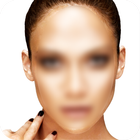
Make a part of the picture blur with a touch of your finger.
Features
■ Custom blur intensity & touch size:
You can set the blur intensity and touch size.
■ Zoom & pan, working in detail:
Use multitouch gestures to zoom in or out, or to pan.
■ Screen relative size:
Touch Blur supports ‘Screen-relative size’ when you are zoomed in.
■ Sharing:
Touch Blur allows you to share your artwork via Facebook, Twitter, or via Email.
■ Undo and redo:
Touch Blur also supports undo and redo.
Latest Version
1.0Uploaded by
Donn Gelera
Requires Android
Android 2.2+
Category
Free Photography AppContent Rating
Unrated · Warning – content has not yet been rated. Unrated apps may potentially contain content appropriate for mature audiences only.
Report
Flag as inappropriateLast updated on May 30, 2016
Minor bug fixes and improvements. Install or update to the newest version to check it out!




APKPure - A multi-platform app store primarily focused on Android, providing extensive app-related content. Discover the app you want easier, faster, and safer, with quick and efficient downloads and installations.