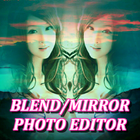
Create beautiful blend and mirror photos and share your photo with the world.
Photo Mirror Features:
Select photo from Gallery the mirror photo will be generated automatic.
Many mirror reflections: Left right mirror, up down mirror, repeat 4, reflect 4 reflections mirror effects.
Drag & Drop and Zoom In & Zoom Out to selected photo,the mirror photo will be changed.
Photo Editor - Tens of fancy filters to beautify your photos, just for mirror effects!
High resolution, high quality output.
Photo Blander Features:
• Select photo from gallery or capture it.
• Select First photo then select second photo and blend to each other.
• Set opacity on photos and make it clearer.
• Save new edited photo in Photo Blender folder.
• Share photo to your friend and family from Photo blender app.
Latest Version
1.0Uploaded by
Igor Vetrov
Requires Android
Android 4.1+
Category
Free Art & Design AppContent Rating
Everyone
Report
Flag as inappropriateLast updated on Aug 1, 2017
Minor bug fixes and improvements. Install or update to the newest version to check it out!



APKPure - A multi-platform app store primarily focused on Android, providing extensive app-related content. Discover the app you want easier, faster, and safer, with quick and efficient downloads and installations.