Package Name:wirelessconnect.pcmouse
SHA-256:9f906472c856afd8e12b913d2d0946dfb1a38da06310dd11306e7665694cbde8
Show More
Pc Mouse or Laptop touchpad is not working? Use Your Phone Instead:-
- Sometimes your physical pc mouse stops working or your laptop touchpad is damaged, or you don’t have a mouse nearby.
- This makes it difficult to control your PC or laptop. With this Phone as Mouse app, you can instantly connect your mouse and keep working.
- It works as a portable mouse, emergency mouse, and wireless mouse app that helps you control your computer anytime.
- Perfect for a broken mouse fix, replacing an external mouse, or using your phone as a wireless peripheral input device for your desktop.
Turn Your Phone into a Wireless Mouse:-
- This desktop mouse app turns your Android phone into a Bluetooth mouse, remote mouse, and wireless touchpad.
- Use your phone as a mouse to easily control PC from phone or connect your phone to laptop.
- It works as a mobile mouse, computer remote, desktop remote, and PC controller with smooth and low latency cursor control.
- The app uses HID mouse technology, so no server required on your computer. Just connect and start controlling your Windows PC, Mac, or laptop instantly.
How to Connect:-
- Connecting your device is simple and fast:
1. Turn on Bluetooth on your phone and PC.
2. Open the app and start device discovery.
3. Bluetooth pair your computer.
4. Tap connect and start using your Bluetooth mouse or Bluetooth trackpad.
- Enjoy a fast connection, plug and play setup, and smooth remote control PC experience without installing any software on your computer.
Mouse and Touchpad Features:-
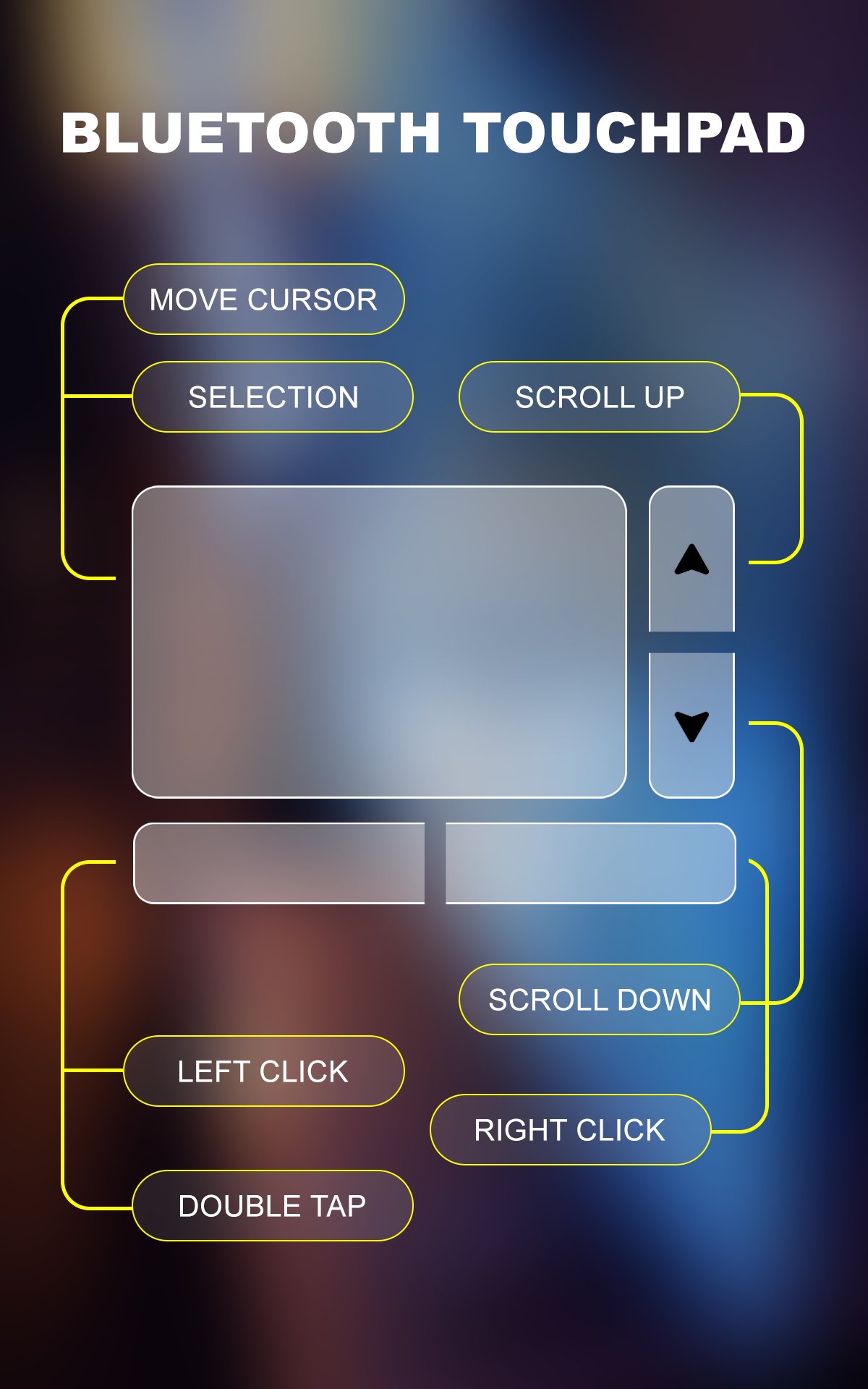
- This wireless mouse / trackpad app provides complete cursor control for your computer.
• Smooth cursor move and pointer control
• Left click and right click support
• Vertical scroll and horizontal scroll
• Easy drag and drop selection
• Multi-touch gestures like a real wireless touchpad
• Works as a mouse simulator, virtual mouse, and air mouse
• Use it as a remote clicker, PC remote, or laptop controller
-Perfect for presentations, browsing, and controlling your desktop remotely.
Modern and Powerful Interface:-
- The app features a modern and powerful interface designed for smooth and comfortable control.
- Enjoy responsive cursor movement, low latency performance, and a battery efficient connection.
- The clean design makes it easy to use this remote mouse and wireless mouse app for daily productivity.
Easy to Use:-
- This productivity app and office utility is designed for everyone. With one-hand control, simple setup, and plug and play connection, you can quickly connect phone to PC and start working.
- Whether you need a mouse for laptop, portable remote mouse, or wireless input device, this app makes it easy to control your computer from your phone anytime and anywhere.
Latest Version
2.0Uploaded by
Aye Lay
Requires Android
Android 9.0+
Category
Free Productivity AppContent Rating
Everyone
Security Report
Check Now
Report
Flag as inappropriateLast updated on Mar 19, 2026
Minor bug fixes and improvements. Install or update to the newest version to check it out!





APKPure - A multi-platform app store primarily focused on Android, providing extensive app-related content. Discover the app you want easier, faster, and safer, with quick and efficient downloads and installations.