
Passwordku is a password manager and password generator that can store all your accounts and passwords in a safe place. By creating an account on Passwordku, you can store your account ID and password, create a very secure password, and also provide additional security on your account with 2-factor authentication. All you have to do is remember your account ID and password in Passwordku, and Passwordku will help you enter your other accounts using the AutoFill feature.
Let’s reduce the obstacle of forgetting your password by recording all the account IDs and passwords that you have in Passwordku, and let us help you remember the password and account.
Benefits of using Passwordku include:
📱 All your passwords are stored securely in one application
If you often forget your account or password, you can record all your accounts and passwords in this application.
📝 AutoFill account ID and password that you have easily
With the AutoFill feature, you don’t need to memorize all the accounts and passwords you have because Passwordku will help you to fill in your account ID and password when entering an application or website.
🔢 Enter my password only by using the pin that you created
Passwordku gives you additional security by creating a special pin to enter the Passwordku application. This PIN is also useful so that your Passwordku application cannot be accessed by just anyone.
📧 Get information about violations and hacking that affect your account
You can check the security of your e-mail address in Passwordku, this feature works so you know whether your account has been used by someone else or not.
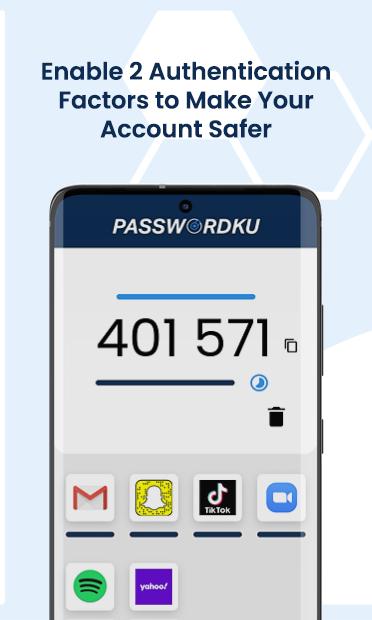
✅ Secure your account and add second protection with 2-factor authentication (2FA)
2FA is highly recommended to increase the security of the account you have. 2FA functions as the second security after your password.
🔐 Submit the security of your Passwordku account with the twice encryption method that we have used
With the twice encryption method, make sure the data you record in Passwordku cannot be read by anyone other than yourself. This security system also ensures that we cannot see your data, moreover we use it without your knowledge.
We will not take or use your data, because:
✅ The security of your account is our priority. Passwordku is designed so that we cannot see the information you store in it
✅ Perform backups and restore your data safely whenever and wherever you need or want.
Latest Version
2.5.6Uploaded by
Karina Yuli Novalia
Requires Android
Android 4.4+
Category
Free Tools AppContent Rating
Everyone
Report
Flag as inappropriateLast updated on Jul 21, 2020
In version 2.5.6, you can do:
- Live chat with our customer service
- Sign up, sign in and register you 6 digit PIN
- Store your password at Passswordku
- Activate 2FA token
- Check your email is breached or not
Please send us feedback through the live chat or website (https://passwordku.com) if you see any bug.





APKPure - A multi-platform app store primarily focused on Android, providing extensive app-related content. Discover the app you want easier, faster, and safer, with quick and efficient downloads and installations.












