
This app is a remote control for the OnlyT Windows software, used to control a series of timers for a meeting or conference.
You MUST have the OnlyT Windows software installed on a computer to use this app.
Tip: Please disable the "Throttled" option in the OnlyT desktop settings.
REMOTE APP FEATURES
----------------------------------------
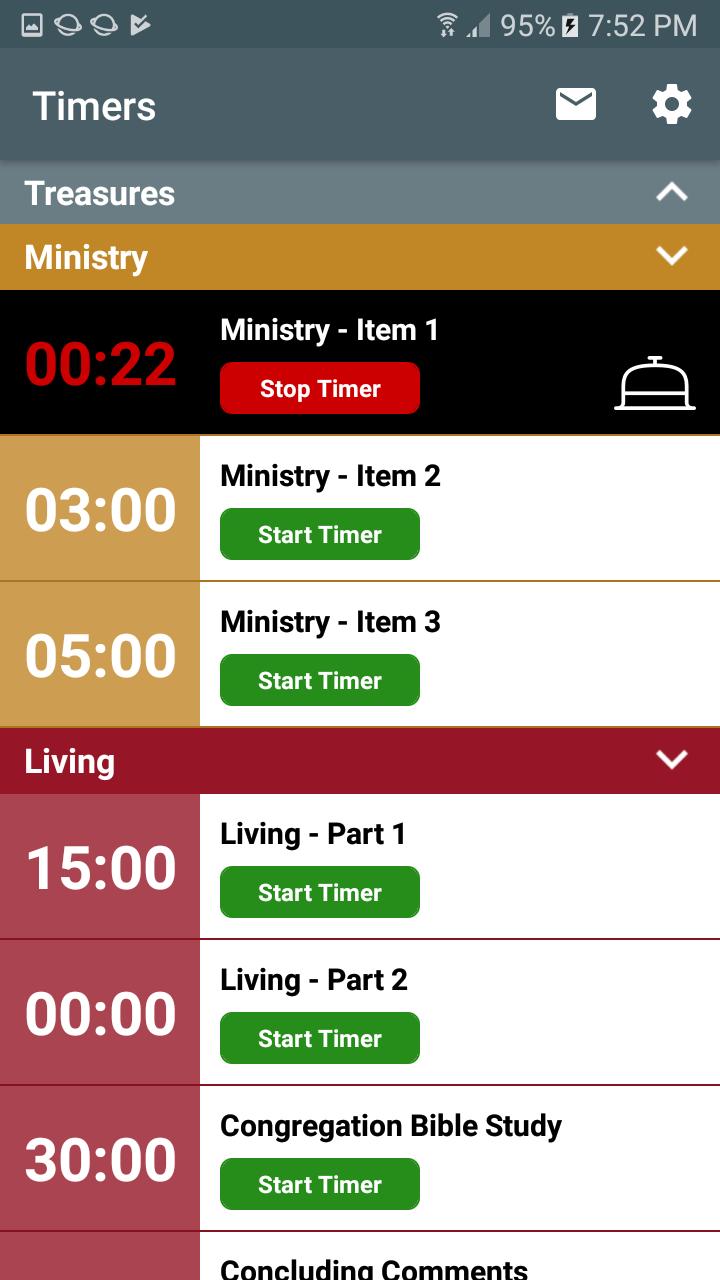
* Control the timers away from the sound desk
* Multiple users can view the timers
* Start/Stop/Reset timers
* Optional "read-only" mode
* Collapse meeting sections
* Sound the bell when talks go overtime
* Email a summary of timers
* Option to Keep Device Awake
* Fullscreen Timer in landscape orientation
* Timer changes from white > yellow (30 secs) > red (overtime)
The app can be run on multiple devices at the same time. For example, the meeting chairman can view the timers and could decide to ring the bell for a talk if it is running overtime. Another user could be sitting in his seat in the audience starting/stopping the timers for each talk.
Safely use the app in "read-only" by going into Settings and hiding the Timer Buttons (Start/Stop). This is handy for the chairman who may want to keep an eye on the time and optionally use the bell but not run the risk of starting or stopping a timer.
The bell can be played from the local mobile device or through the main windows computer, which is likely plugged into the sound system. And of course you are always asked to confirm before the Bell is played - just in case you hit the button by mistake.
The Fullscreen Timer option is especially handy on the podium so the speaker can monitor their time. It is less intrusive than a monitor at the back of the hall. The speaker can tap the timer to hide the countdown if it is distracting them, and then tap it again to show it.
This remote app is available for both Android and iOS.
RESOURCES
--------------------
Download OnlyT for Windows:
https://github.com/AntonyCorbett/OnlyT
Remote App Website:
https://onlyt.app
Remote App on Facebook:
https://facebook.com/RemoteForOnlyT
Remote App on Twitter:
https://twitter.com/RemoteForOnlyT
Latest Version
1.6.0Uploaded by
น้องนาว ตัวแสบ
Requires Android
Android 5.0+
Category
Free Productivity AppContent Rating
Everyone
Report
Flag as inappropriateLast updated on May 20, 2023
Support for the latest versions of Android.




APKPure - A multi-platform app store primarily focused on Android, providing extensive app-related content. Discover the app you want easier, faster, and safer, with quick and efficient downloads and installations.


















