Scan Date:Apr 17, 2026
Show More

OCR Text Scanner is an OCR reader (Optical Character Recognition) that will allow you to scan texts from the physical world with your device's camera and convert them to digital format quickly and easily.
Features:
- Image to text: scan any text with the camera and get its digital representation
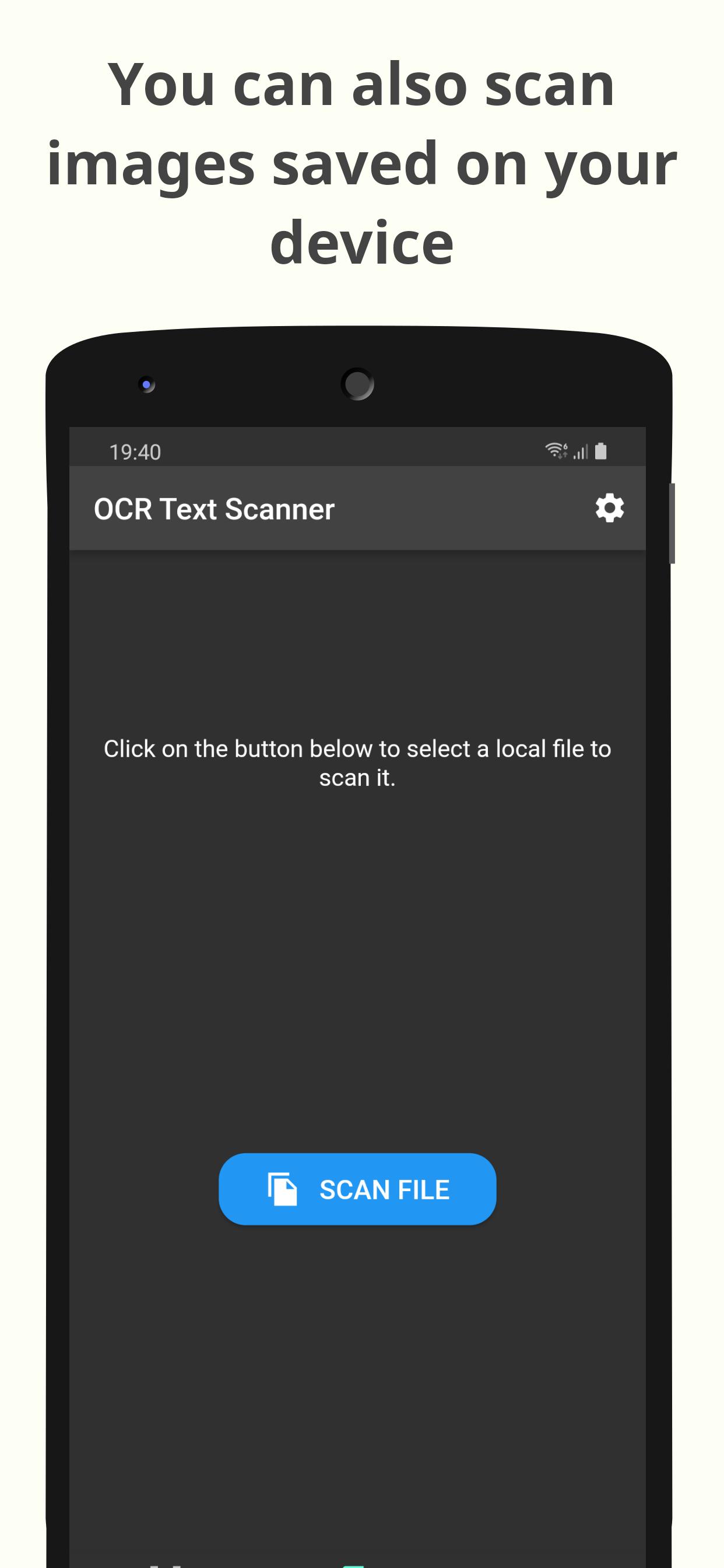
- You can also scan local images of your device to convert any picture to text
- Copy, edit, and share all the texts you have scanned
- Convert text scanned with the OCR reader to a PDF file
- Review any text previously recognized with the OCR scanner in the History section
> How does this application work?
To start text scanning, all you have to do is open the application, which by default will open with the camera scanner ready to scan text. From there you just have to point at the text you want to scan and press the “Scan” button. The app will show you a preview of the captured image, at this point you can choose to scan only a fraction of the taken image if you don't want to scan it all. The application will then proceed to perform text recognition and show you the recognized characters, allowing you to go from image to text quickly and easily.
> Can I convert an existing picture to text?
Of course! To do a photo to text conversion, go to the image scanning section and press the button to choose an image. A selector will open where you can choose which pre-existing image from your device you want to scan. From this point the process is exactly the same as when scanning with the camera: you will be shown a preview of the image where you can choose to scan it all or just a fraction, then the text recognition will start and you will be shown the recognized characters.
> What can I do with scanned texts?
After using the Text Scanner function to recognize text, it will be displayed on the screen. Here you can edit the recognized text to make any corrections you deem appropriate. You can then copy that text to use it in any other application on your device, as well as share it with other people or applications through the sharing option. Additionally, users who have subscribed to the Premium membership can also automatically convert scanned text into a PDF file.
> Is there any type of record of the scanned texts?
Yes. All texts that have been scanned with the Text Reader function, regardless of whether they were scanned with your device's camera or by image file recognition, are stored in the History section. Go to this section to see all these texts and click on any of them to see their details, copy it, share it, or export it to a file in PDF format. Here you can also delete texts that you no longer want to keep.
In short, OCR Text Scanner is your trusted OCR scanner that will allow you to convert any picture to text that you can capture with your camera or from any image you have, it will allow you to perform all the appropriate actions on them and give you all the power of digitization within your mobile device. Download now to start digitizing text!
Latest Version
1.15.1Uploaded by
Jean Molina
Requires Android
Android 7.0+
Category
Free Tools AppContent Rating
Everyone
Security Report
Report
Flag as inappropriateLast updated on Apr 17, 2026
This version adds support for more languages, along with minor adjustments and bug fixes.





APKPure - A multi-platform app store primarily focused on Android, providing extensive app-related content. Discover the app you want easier, faster, and safer, with quick and efficient downloads and installations.