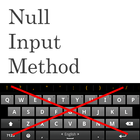
A non visible soft keyboard (Input Method) intended to be used with hardware Bluetooth and USB keyboards when you do not want a Soft Keyboard that covers a lot of the screen.
If you need international keyboard layouts and some other nice features then have a look at the External Keyboard Helper Pro app available here: http://play.google.com/store/apps/details?id=com.apedroid.hwkeyboardhelper
Please do not use the rating system to report bugs. Instead contact me on keylayouts@apedroid.com.
Latest Version
1.6Uploaded by
Ahmed Hamed
Requires Android
Android 1.6+
Category
Free Personalization AppContent Rating
Everyone
Report
Flag as inappropriateLast updated on Aug 25, 2015
1.6 More changes to settings menu.
1.5 Minor cosmetic changes to settings menus.
1.4 Fix for Jellybean and later (no more black/gray leftovers from the Samsung keyboard and keyboard selector icon i activity field is back)
1.3 Minor cosmetic change for tablets and removed touchscreen requirement to make it available for Google TV devices.
1.2 Changed name again to stop it from being mixed up as a demo version for External Keyboard Helper Pro (which it is not)



APKPure - A multi-platform app store primarily focused on Android, providing extensive app-related content. Discover the app you want easier, faster, and safer, with quick and efficient downloads and installations.